Bouncy Basketball 2
Bouncy Basketball 2

Bouncy Basketball 2

Sports

| Dreamon Studios

Play on PC with BlueStacks or from our cloud

  • Overview
  • Game Features
  • How to Play

Page Modified On: July 14, 2026

Play Bouncy Basketball 2 on PC or Mac

Bouncy Basketball 2 brings the Sports genre to life, and throws up exciting challenges for gamers. Developed by Dreamon Studios, this Android game is best experienced on BlueStacks, the World’s #1 app player for PC and Mac users.

About the Game

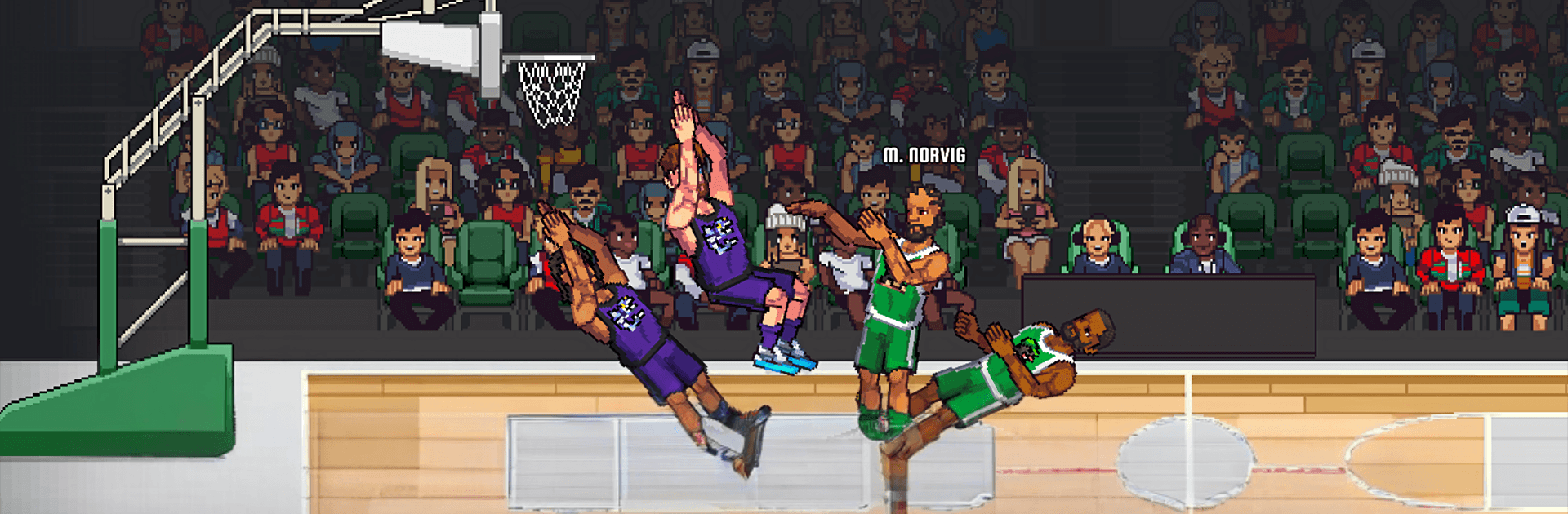
Bouncy Basketball 2 is a fast, bouncy take on hoops where timing, positioning, and a single button decide everything. It’s a Sports game that feels instantly pick-up-and-play, yet rewards you for mastering your shot arc and reading the court. Expect quick matches, big slams, and that “one more round” pull when you’re this close to a clutch bucket.

Game Features

  • One-button control, real skill: Simple inputs keep things snappy, but nailing perfect releases and smart footwork takes practice—and it feels great when it clicks.
  • Fast matches, huge moments: Short, high-energy games pack in breakaway dunks, last-second heaves, and scrappy rebounds that can flip the score in a heartbeat.
  • Refined physics you can read: Every bounce and jump has weight, so you’ll learn how the ball behaves and use that feel to outplay opponents.
  • Polished pixel look: Clean, upgraded pixel art and crisp animations give each slam and swat that satisfying arcade snap.
  • More ways to play: Jump into quick sessions or settle in for longer runs as you chase better stats, sharper timing, and tougher challenges.
  • Progress that matters: Keep improving your skills and expand your playstyle with systems built to reward consistency and smart decisions.
  • Built for casual and competitive minds: Easy to start, tough to master—perfect whether you’ve got two minutes or twenty.
  • Play comfortably on PC: Want a big screen and steady performance? Fire it up on BlueStacks and keep those shots dropping.

Start your journey now. Download the game on BlueStacks, invite your friends, and march on a new adventure.


Game Features

Enhancements

  • Macros
  • Multi Instance
  • Multi Instance Sync
  • Script
  • Enhancements
Macros

Macros

Automate the predictable in Bouncy Basketball 2 and transform your gameplay with Macros. Get access to inventive Macros in the BlueStacks Macro Community
Multi Instance

Multi Instance

Play Bouncy Basketball 2 on one window. And chat with your friend on the other. Press CTRL + Shift + 8 to open the Multi-Instance Manager. And start creating fresh instances or clone an existing one.
Multi Instance Sync

Multi Instance Sync

Play Bouncy Basketball 2 with the power of Multi-Instance Sync. Replicate what you are doing on the main instance on all other instances. Level up faster, play more.
Script

Script

Script your way to gaming glory in Bouncy Basketball 2 with BlueStacks Script. Write and run a set of commands to automate repeated tasks. Trigger the command by assigning it to any key.
Read More

How to Download and Play Bouncy Basketball 2 on PC or Mac

  • Download and install BlueStacks on your PC or Mac

  • Complete Google sign-in to access the Play Store, or do it later

  • Look for Bouncy Basketball 2 in the search bar at the top right corner

  • Click to install Bouncy Basketball 2 from the search results

  • Complete Google sign-in (if you skipped step 2) to install Bouncy Basketball 2

  • Click the Bouncy Basketball 2 icon on the home screen to start playing

video
Watch Video

Minimum System Requirements

With BlueStacks 5, you can get started on a PC that fulfills the following requirements.

  • Operating System

    Microsoft Windows 7 or above, macOS 11 (Big Sur) or above

  • Processor

    Intel, AMD or Apple Silicon Processor

  • RAM

    at least 4GB

  • HDD

    10GB Free Disk Space

Note:

* You must be an Administrator on your PC. Up to date graphics drivers from Microsoft or the chipset vendor.

Bouncy Basketball 2 - FAQs

  • How to play Bouncy Basketball 2 on Windows PC & Mac?

    Play Bouncy Basketball 2 on your PC or Mac by following these simple steps.

    • Click on 'Play Bouncy Basketball 2 on PC’ to download BlueStacks
    • Install it and log-in to Google Play Store
    • Launch and play the game.
  • Why is BlueStacks the fastest and safest platform to play games on PC?

    BlueStacks respects your privacy and is always safe and secure to use. It does not carry any malware, spyware, or any sort of additional software that could harm your PC.

    It is engineered to optimize speed and performance for a seamless gaming experience.

  • What are Bouncy Basketball 2 PC requirements?

    Minimum requirement to run Bouncy Basketball 2 on your PC

    • OS: Microsoft Windows 7 or above MacOS 11 (Big Sur) or above
    • Processor: Intel, AMD or Apple Silicon Processor
    • RAM: Your PC must have at least 4GB of RAM. (Note that having 4GB or more disk space is not a substitute for RAM)
    • HDD: 10GB Free Disk Space.
    • You must be an Administrator on your PC.