Club Story: Baseball Manager

Club Story: Baseball Manager

Sports

| NBstudio

Play on PC with BlueStacks or from our cloud

  • Overview
  • Game Features
  • How to Play

Page Modified On: August 03, 2026

Play Club Story: Baseball Manager on PC or Mac

Explore a whole new adventure with Club Story: Baseball Manager, a Sports game created by NBstudio. Experience great gameplay with BlueStacks, the most popular gaming platform to play Android games on your PC or Mac.

About the Game

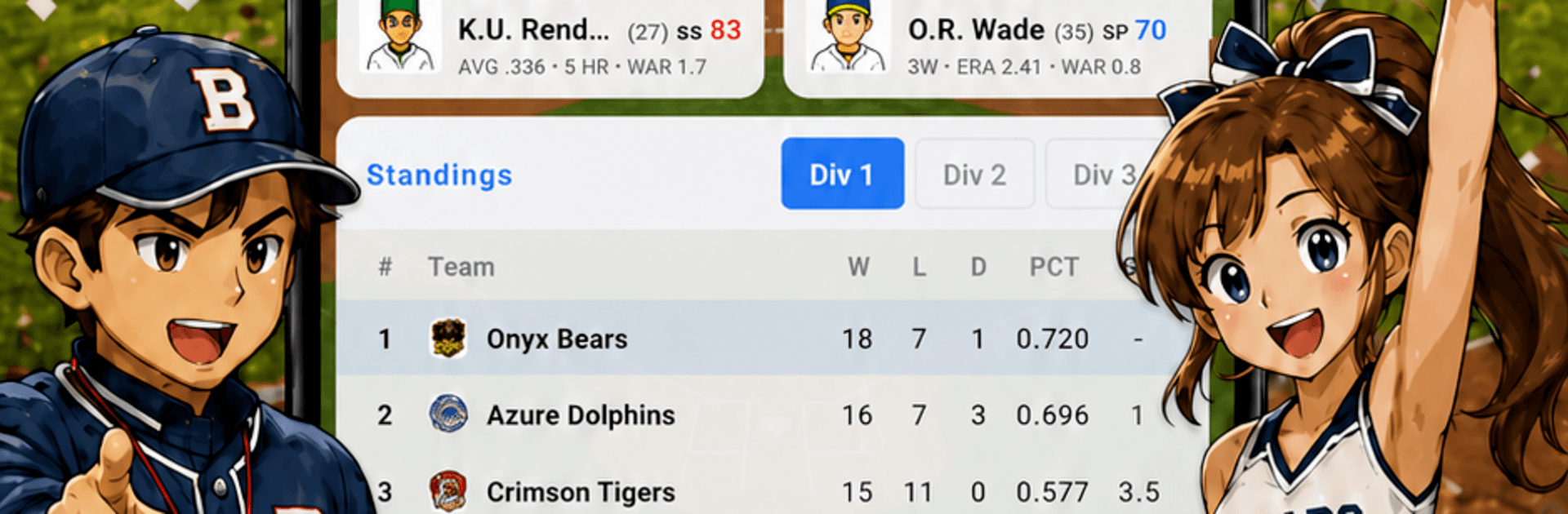
Club Story: Baseball Manager hands you the lineup card, the scouting reports, and the budget sheet—all at once. It’s a grounded Sports management game where matchups, stamina, and smart choices can flip a result, even against tougher rosters. Build a team you believe in, guide them through a full season, and make the kind of dugout calls that swing innings.

Game Features

  • Real Dugout Decisions: Read lefty-righty matchups, track pitcher fatigue, and choose the right move—pinch hitter, pinch runner, bunt, you name it.
  • Full Season, Real Stakes: Face 24 clubs across an 84-game schedule, then chase glory in the postseason with an All-Star break and end-of-year awards in the mix.
  • Run the Front Office: Upgrade training, medical, scouting, stadium, and finance facilities, then assign specialists to get the most out of every dollar.
  • Sponsors and Budgets: Sign partners, balance the books, and keep your club financially healthy without cutting the heart out of your roster.
  • Scout and Develop: Find promising prospects, bring them into spring camp, and shape them with targeted drills and growth plans.
  • Skills and Positions: Teach new roles and stack unique skills to turn solid contributors into difference-makers.
  • Draft · FA · Trades: Make your picks in the rookie draft each season, navigate the FA market, and work the phones for trades—bidding wars included.
  • Set the Game Plan: Lock in your batting order and rotation, define tactics, and manage at-bats one by one—or use auto-play with quick highlights when you’re short on time.
  • Authentic Variables: Injuries and hot-and-cold form keep every series interesting, so upsets happen and no win is guaranteed.
  • Extra Challenges: Tackle a variety of goal-based modes when you want something beyond the standard season arc.

Prefer playing on a bigger screen? Club Story: Baseball Manager runs smoothly on PC with BlueStacks.

Ready to top the leaderboard? We bet you do. Let precise controls and sharp visuals optimized on BlueStacks lead you to victory.


Game Features

Enhancements

  • Macros
  • Multi Instance
  • Multi Instance Sync
  • Script
  • Enhancements
Macros

Macros

Automate the predictable in Club Story: Baseball Manager and transform your gameplay with Macros. Get access to inventive Macros in the BlueStacks Macro Community
Multi Instance

Multi Instance

Play Club Story: Baseball Manager on one window. And chat with your friend on the other. Press CTRL + Shift + 8 to open the Multi-Instance Manager. And start creating fresh instances or clone an existing one.
Multi Instance Sync

Multi Instance Sync

Play Club Story: Baseball Manager with the power of Multi-Instance Sync. Replicate what you are doing on the main instance on all other instances. Level up faster, play more.
Script

Script

Script your way to gaming glory in Club Story: Baseball Manager with BlueStacks Script. Write and run a set of commands to automate repeated tasks. Trigger the command by assigning it to any key.
Read More

How to Download and Play Club Story: Baseball Manager on PC or Mac

  • Download and install BlueStacks on your PC or Mac

  • Complete Google sign-in to access the Play Store, or do it later

  • Look for Club Story: Baseball Manager in the search bar at the top right corner

  • Click to install Club Story: Baseball Manager from the search results

  • Complete Google sign-in (if you skipped step 2) to install Club Story: Baseball Manager

  • Click the Club Story: Baseball Manager icon on the home screen to start playing

video
Watch Video

Minimum System Requirements

With BlueStacks 5, you can get started on a PC that fulfills the following requirements.

  • Operating System

    Microsoft Windows 7 or above, macOS 11 (Big Sur) or above

  • Processor

    Intel, AMD or Apple Silicon Processor

  • RAM

    at least 4GB

  • HDD

    10GB Free Disk Space

Note:

* You must be an Administrator on your PC. Up to date graphics drivers from Microsoft or the chipset vendor.

Club Story: Baseball Manager - FAQs

  • How to play Club Story: Baseball Manager on Windows PC & Mac?

    Play Club Story: Baseball Manager on your PC or Mac by following these simple steps.

    • Click on 'Play Club Story: Baseball Manager on PC’ to download BlueStacks
    • Install it and log-in to Google Play Store
    • Launch and play the game.
  • Why is BlueStacks the fastest and safest platform to play games on PC?

    BlueStacks respects your privacy and is always safe and secure to use. It does not carry any malware, spyware, or any sort of additional software that could harm your PC.

    It is engineered to optimize speed and performance for a seamless gaming experience.

  • What are Club Story: Baseball Manager PC requirements?

    Minimum requirement to run Club Story: Baseball Manager on your PC

    • OS: Microsoft Windows 7 or above MacOS 11 (Big Sur) or above
    • Processor: Intel, AMD or Apple Silicon Processor
    • RAM: Your PC must have at least 4GB of RAM. (Note that having 4GB or more disk space is not a substitute for RAM)
    • HDD: 10GB Free Disk Space.
    • You must be an Administrator on your PC.