Eras of Wrestling
Eras of Wrestling

Eras of Wrestling

Sports

| Checkmate Creative LLC

Play on PC with BlueStacks or from our cloud

  • Overview
  • Game Features
  • How to Play

Page Modified On: June 25, 2026

Play Eras of Wrestling on PC or Mac

Eras of Wrestling by Checkmate Creative LLC has plenty to keep you busy. BlueStacks lets you play it on PC or Mac with more screen space, better control, and fewer mobile limits.

About the Game

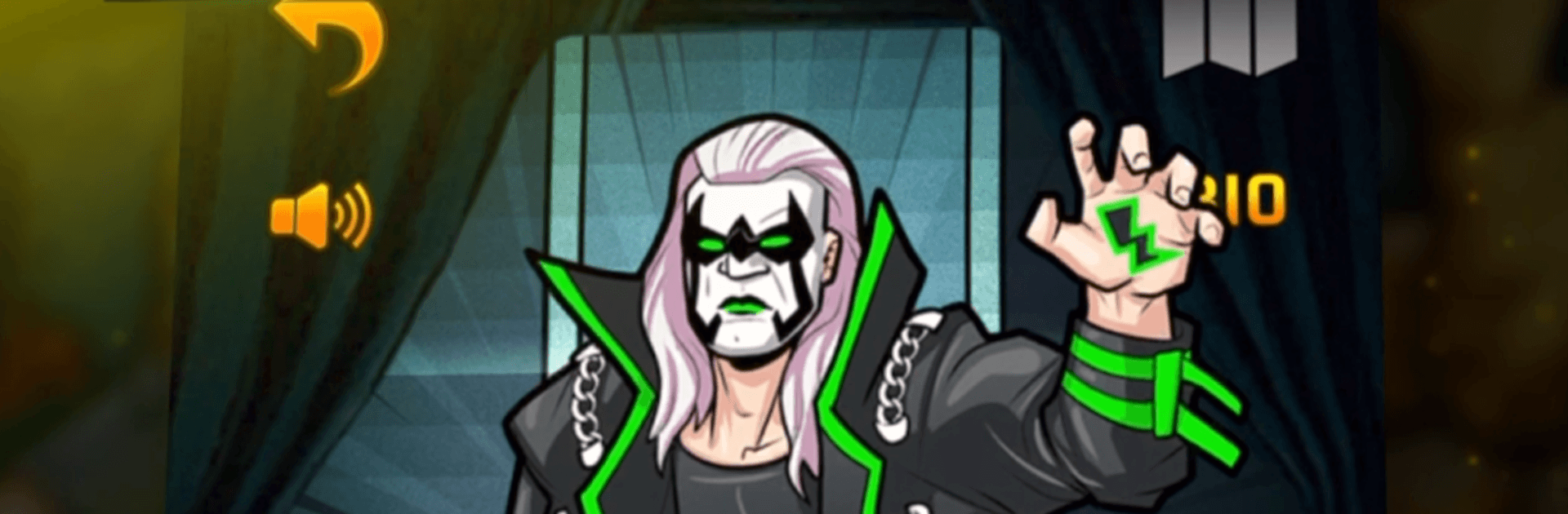
Eras of Wrestling hands you the booker’s clipboard and the keys to the arena. You’re running a promotion across five distinct decades of pro wrestling, shaping rivalries, crafting shows, and chasing ratings while managing the chaos behind the curtain. It’s a fantasy GM sandbox with deep tools, big personalities, and that sweet, unpredictable energy every great card needs.

Game Features

  • Five eras, one growing promotion: Move from the gritty Territory Era to the high-energy Millennium Era. Each decade adds new match types, talent, vibes, and hurdles to overcome.

  • Be the boss: Scout talent, sign contracts, and manage morale as you build a roster that can carry weekly TV and headline big shows. Win the ratings war and turn a small fed into a powerhouse.

  • Deep booking tools: Book matches, promos, and skits; set up feuds and factions; create titles and tag teams; and tweak the card until it sings.

  • Roster you can shape: Collect wrestlers, managers, and venues, then assign traits and roles that fit your creative vision. Pair unlikely partners or engineer the next can’t-miss rivalry.

  • Stats that matter: In-ring ability, mic presence, crowd reaction, and momentum all feed into who gets over and who fizzles, so balance your lineup wisely.

  • Big-match variety: Run tournaments and battle royals, experiment with special stipulations, and anchor your calendar with premium P4V events.

  • Presentation with personality: Animated match outcomes, commentary teams, and referees bring your booking to life so results feel like a real show, not just numbers.

  • Build a legacy: Unlock and upgrade tag teams and feuds, track your company’s history, and honor icons in your Hall of Fame.

  • Compare and compete: Player profiles and leaderboards let you see how your vision stacks up against other promoters.

  • Optional PC play: Prefer your booking on a larger screen? You can play on BlueStacks for a comfy, click-friendly setup.

Ready to top the leaderboard? We bet you do. Let precise controls and sharp visuals optimized on BlueStacks lead you to victory.


Game Features

Enhancements

  • Macros
  • Multi Instance
  • Multi Instance Sync
  • Script
  • Enhancements
Macros

Macros

Automate the predictable in Eras of Wrestling and transform your gameplay with Macros. Get access to inventive Macros in the BlueStacks Macro Community
Multi Instance

Multi Instance

Play Eras of Wrestling on one window. And chat with your friend on the other. Press CTRL + Shift + 8 to open the Multi-Instance Manager. And start creating fresh instances or clone an existing one.
Multi Instance Sync

Multi Instance Sync

Play Eras of Wrestling with the power of Multi-Instance Sync. Replicate what you are doing on the main instance on all other instances. Level up faster, play more.
Script

Script

Script your way to gaming glory in Eras of Wrestling with BlueStacks Script. Write and run a set of commands to automate repeated tasks. Trigger the command by assigning it to any key.
Read More

How to Download and Play Eras of Wrestling on PC or Mac

  • Download and install BlueStacks on your PC or Mac

  • Complete Google sign-in to access the Play Store, or do it later

  • Look for Eras of Wrestling in the search bar at the top right corner

  • Click to install Eras of Wrestling from the search results

  • Complete Google sign-in (if you skipped step 2) to install Eras of Wrestling

  • Click the Eras of Wrestling icon on the home screen to start playing

video
Watch Video

Minimum System Requirements

With BlueStacks 5, you can get started on a PC that fulfills the following requirements.

  • Operating System

    Microsoft Windows 7 or above, macOS 11 (Big Sur) or above

  • Processor

    Intel, AMD or Apple Silicon Processor

  • RAM

    at least 4GB

  • HDD

    10GB Free Disk Space

Note:

* You must be an Administrator on your PC. Up to date graphics drivers from Microsoft or the chipset vendor.

Eras of Wrestling - FAQs

  • How to play Eras of Wrestling on Windows PC & Mac?

    Play Eras of Wrestling on your PC or Mac by following these simple steps.

    • Click on 'Play Eras of Wrestling on PC’ to download BlueStacks
    • Install it and log-in to Google Play Store
    • Launch and play the game.
  • Why is BlueStacks the fastest and safest platform to play games on PC?

    BlueStacks respects your privacy and is always safe and secure to use. It does not carry any malware, spyware, or any sort of additional software that could harm your PC.

    It is engineered to optimize speed and performance for a seamless gaming experience.

  • What are Eras of Wrestling PC requirements?

    Minimum requirement to run Eras of Wrestling on your PC

    • OS: Microsoft Windows 7 or above MacOS 11 (Big Sur) or above
    • Processor: Intel, AMD or Apple Silicon Processor
    • RAM: Your PC must have at least 4GB of RAM. (Note that having 4GB or more disk space is not a substitute for RAM)
    • HDD: 10GB Free Disk Space.
    • You must be an Administrator on your PC.