
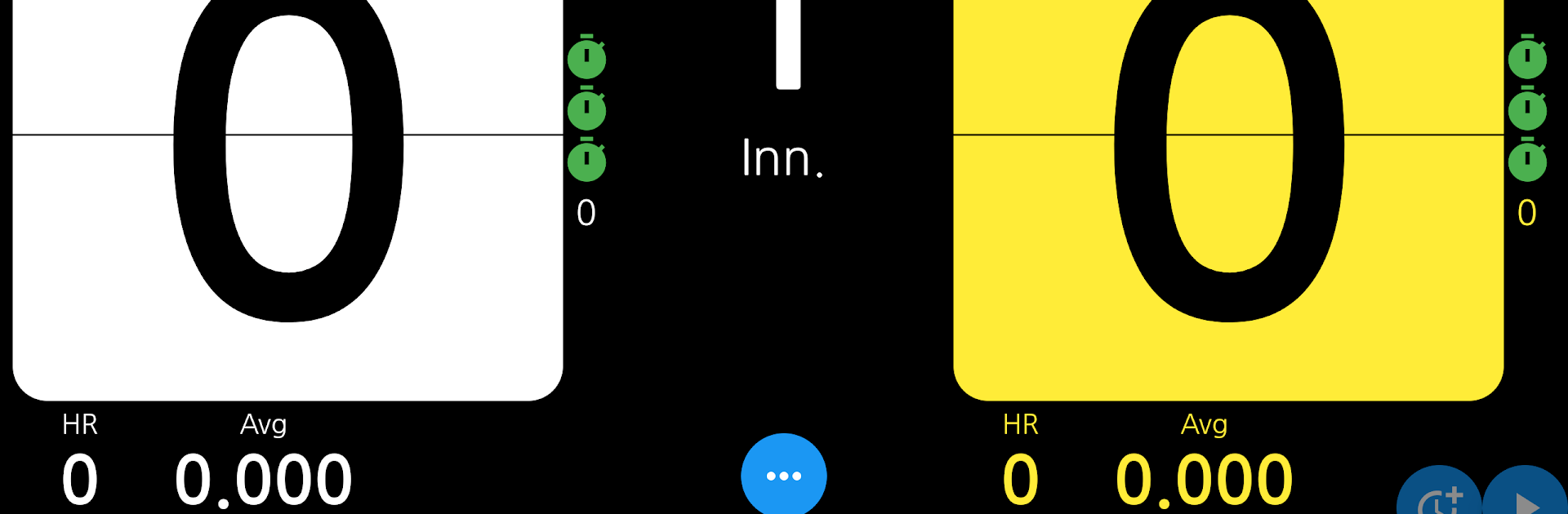
EZ Billiards Scoreboard

EZ Billiards Scoreboard

Sports

| Mason.Kim

Play on PC with BlueStacks or from our cloud

  • Overview
  • How to Download

Page Modified On: June 25, 2026

Run EZ Billiards Scoreboard on PC or Mac

What’s better than using EZ Billiards Scoreboard by Mason.Kim? Well, try it on a big screen, on your PC or Mac, with BlueStacks to see the difference.

About the Game

EZ Billiards Scoreboard is your no-fuss companion at the table when you want matches to run smoothly. It’s built for carom players of all kinds—beyond just 3-Cushion—so you can track scores the way your group actually plays. From quick practice sessions to club nights, it keeps everyone on the same page and the game moving.

Game Features

  • Carom-ready flexibility: Not limited to one format—use it for various carom styles without juggling multiple apps.
  • Flexible scoring rules: Allow negative points or set unlimited points when house rules call for longer races or tricky handicaps.
  • Full names, no cutoffs: Enter long player names or nicknames without awkward trimming.
  • Voice announcements (TTS): Let the app speak score updates so players can keep eyes on the table, not the screen.
  • Multilingual support: Switch the interface between English, Korean, Japanese, and Vietnamese to fit your crew.
  • Multi-platform convenience: Use it on your phone or tablet; it also works smoothly through BlueStacks if you want a larger display nearby.
  • Streamlined controls: Add, subtract, or correct points fast so the rhythm of play never stalls.

BlueStacks gives you the much-needed freedom to experience your favorite apps on a bigger screen. Get it now.


How to Download and Run EZ Billiards Scoreboard on PC or Mac

  • Download and install BlueStacks on your PC or Mac

  • Complete Google sign-in to access the Play Store, or do it later

  • Look for EZ Billiards Scoreboard in the search bar at the top right corner

  • Click to install EZ Billiards Scoreboard from the search results

  • Complete Google sign-in (if you skipped step 2) to install EZ Billiards Scoreboard

  • Click the EZ Billiards Scoreboard icon on the home screen to start playing

video
Watch Video

Minimum System Requirements

With BlueStacks 5, you can get started on a PC that fulfills the following requirements.

  • Operating System

    Microsoft Windows 7 or above, macOS 11 (Big Sur) or above

  • Processor

    Intel, AMD or Apple Silicon Processor

  • RAM

    at least 4GB

  • HDD

    10GB Free Disk Space

Note:

* You must be an Administrator on your PC. Up to date graphics drivers from Microsoft or the chipset vendor.

EZ Billiards Scoreboard - FAQs

  • How to Run EZ Billiards Scoreboard on Windows PC & Mac?

    Run EZ Billiards Scoreboard on your PC or Mac by following these simple steps.

    • Click on ‘Download EZ Billiards Scoreboard on PC’ to download BlueStacks
    • Install it and log-in to Google Play Store
    • Launch and run the app.
  • Why is BlueStacks the fastest and safest platform to play games on PC?

    BlueStacks respects your privacy and is always safe and secure to use. It does not carry any malware, spyware, or any sort of additional software that could harm your PC.

    It is engineered to optimize speed and performance for a seamless gaming experience.

  • What are EZ Billiards Scoreboard PC requirements?

    Minimum requirement to run EZ Billiards Scoreboard on your PC

    • OS: Microsoft Windows 7 and above:
    • Processor: Intel or AMD Processor:
    • RAM: Your PC must have at least 2GB of RAM. (Note that having 2GB or more disk space is not a substitute for RAM):
    • HDD: 5GB Free Disk Space.
    • You must be an Administrator on your PC.



