F1 x MotoGP | Agenda & Alerts

F1 x MotoGP | Agenda & Alerts

Sports

| Jscti

Play on PC with BlueStacks or from our cloud

  • Overview
  • Game Features
  • How to Play

Page Modified On: September 12, 2025

Play F1 x MotoGP | Agenda & Alerts on PC or Mac

From the innovators and creators at Jscti, F1 x MotoGP | Agenda & Alerts is another fun addition to the World of Sports games. Go beyond your mobile screen and play it bigger and better on your PC or Mac. An immersive experience awaits you.

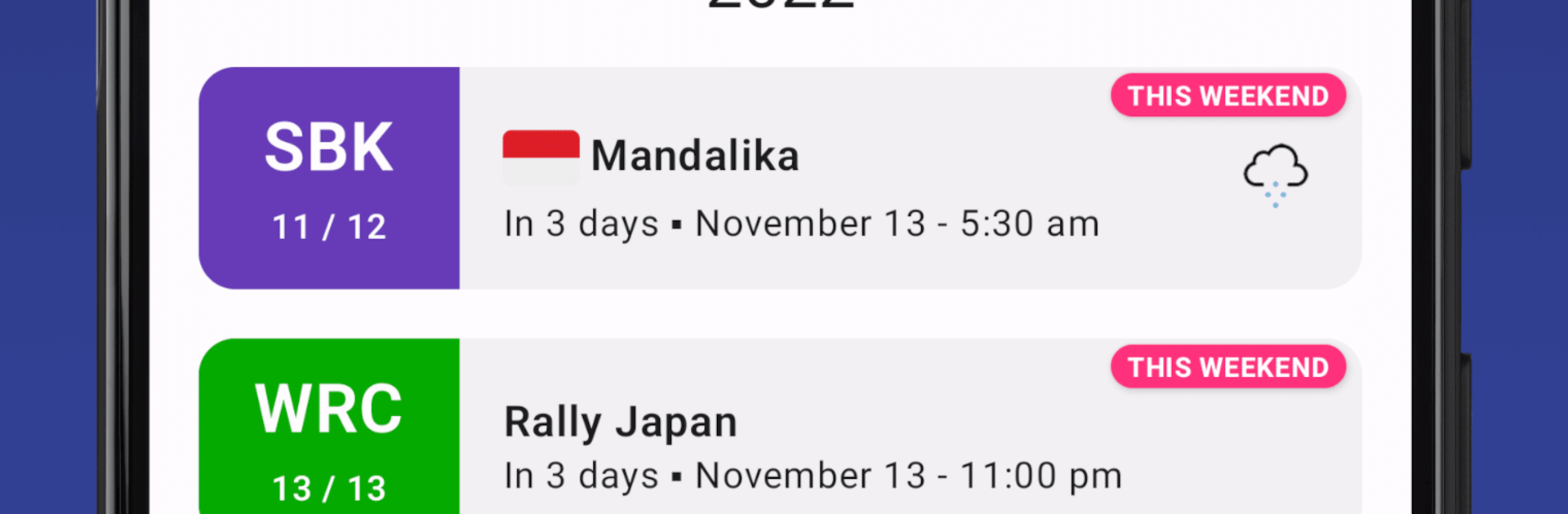
F1 x MotoGP | Agenda & Alerts is not a racer, it is a clean little companion for keeping race weekends straight. It pulls schedules for Formula 1, Formula E, WRC, IndyCar, Superbike, Moto2, Moto3, and MotoGP, then lines everything up in one simple agenda. You pick the series you care about, filter by season, and open a race to see the full plan with practice, qualifying, and race times. It shows local time or track time, weather, and even flags night races so you know if it is a late one. There is a weekend view that lays out multiple sports in a daily grid, which is great for spotting overlaps before they sneak up.

Notifications do the important job here. You can set one or several reminders ahead of any session, and they actually fire on time because the app uses exact alarms. It runs offline once things are fetched and refreshes in the background when it can. Dark mode is there, the settings are flexible, and the interface stays minimal without extra fluff. TV channel info exists, though it is focused on FR, BE, and CH, so everyone else will just use their usual sources. On PC with BlueStacks it feels like a handy dashboard window next to whatever else is open, just scroll, click, done. There are the usual permissions for network, vibration, and alarms so alerts land correctly, and Huawei phones need that protected app tweak for reliability. Privacy is straight forward, no personal data, only technical logs for crashes. For anyone juggling multiple series and tired of missing lights out, this keeps the chaos tidy.

Ready to top the leaderboard? We bet you do. Let precise controls and sharp visuals optimized on BlueStacks lead you to victory.


Game Features

Enhancements

  • Macros
  • Multi Instance
  • Multi Instance Sync
  • Script
  • Enhancements
Macros

Macros

Automate the predictable in F1 x MotoGP | Agenda & Alerts and transform your gameplay with Macros. Get access to inventive Macros in the BlueStacks Macro Community
Multi Instance

Multi Instance

Play F1 x MotoGP | Agenda & Alerts on one window. And chat with your friend on the other. Press CTRL + Shift + 8 to open the Multi-Instance Manager. And start creating fresh instances or clone an existing one.
Multi Instance Sync

Multi Instance Sync

Play F1 x MotoGP | Agenda & Alerts with the power of Multi-Instance Sync. Replicate what you are doing on the main instance on all other instances. Level up faster, play more.
Script

Script

Script your way to gaming glory in F1 x MotoGP | Agenda & Alerts with BlueStacks Script. Write and run a set of commands to automate repeated tasks. Trigger the command by assigning it to any key.
Read More

How to Download and Play F1 x MotoGP | Agenda & Alerts on PC or Mac

  • Download and install BlueStacks on your PC or Mac

  • Complete Google sign-in to access the Play Store, or do it later

  • Look for F1 x MotoGP | Agenda & Alerts in the search bar at the top right corner

  • Click to install F1 x MotoGP | Agenda & Alerts from the search results

  • Complete Google sign-in (if you skipped step 2) to install F1 x MotoGP | Agenda & Alerts

  • Click the F1 x MotoGP | Agenda & Alerts icon on the home screen to start playing

video
Watch Video

Minimum System Requirements

With BlueStacks 5, you can get started on a PC that fulfills the following requirements.

  • Operating System

    Microsoft Windows 7 or above, macOS 11 (Big Sur) or above

  • Processor

    Intel, AMD or Apple Silicon Processor

  • RAM

    at least 4GB

  • HDD

    10GB Free Disk Space

Note:

* You must be an Administrator on your PC. Up to date graphics drivers from Microsoft or the chipset vendor.

F1 x MotoGP | Agenda & Alerts - FAQs

  • How to play F1 x MotoGP | Agenda & Alerts on Windows PC & Mac?

    Play F1 x MotoGP | Agenda & Alerts on your PC or Mac by following these simple steps.

    • Click on 'Play F1 x MotoGP | Agenda & Alerts on PC’ to download BlueStacks
    • Install it and log-in to Google Play Store
    • Launch and play the game.
  • Why is BlueStacks the fastest and safest platform to play games on PC?

    BlueStacks respects your privacy and is always safe and secure to use. It does not carry any malware, spyware, or any sort of additional software that could harm your PC.

    It is engineered to optimize speed and performance for a seamless gaming experience.

  • What are F1 x MotoGP | Agenda & Alerts PC requirements?

    Minimum requirement to run F1 x MotoGP | Agenda & Alerts on your PC

    • OS: Microsoft Windows 7 or above MacOS 11 (Big Sur) or above
    • Processor: Intel, AMD or Apple Silicon Processor
    • RAM: Your PC must have at least 4GB of RAM. (Note that having 4GB or more disk space is not a substitute for RAM)
    • HDD: 10GB Free Disk Space.
    • You must be an Administrator on your PC.