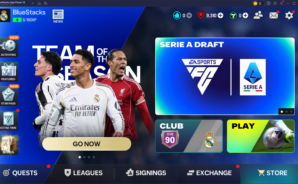
EA SPORTS FC™ Mobile Soccer

EA SPORTS FC™ Mobile Soccer

Sports

| ELECTRONIC ARTS

BlueStacks Verified

Play on PC with BlueStacks or from our cloud

  • Overview
  • Tips & Tricks
  • Game Features
  • How to Play

Page Modified On: April 07, 2026

Play EA SPORTS FC™ Mobile Soccer on PC or Mac

EA SPORTS FC™ Mobile Soccer 26 brings the Sports genre to life, and throws up exciting challenges for gamers. Developed by ELECTRONIC ARTS, this Android game is best experienced on BlueStacks, the World’s #1 app player for PC and Mac users.

About the Game

EA SPORTS FC™ Mobile Soccer 26 is all about football your way—quick matches when you’ve got a minute, deep squad building when you’ve got time. This Sports game from ELECTRONIC ARTS lets you put real clubs and real players on the pitch, then test your tactics against everyone else. Expect authentic competitions, fast PvP, and plenty of ways to shape a team that feels truly yours.

Game Features

  • Club Challenge PvP: Step into real-time matches as an authentic Premier League or LALIGA EA SPORTS club—think Real Madrid or Liverpool—and battle other managers head-on for bragging rights and ranking.
  • Build Your Ultimate Team: Collect Player Items and assemble a dream squad featuring current stars like Jude Bellingham, Son Heung-Min, Virgil van Dijk, Cole Palmer, Jamal Musiala, plus ICONs such as Ronaldinho, David Beckham, Zinedine Zidane, and Zlatan Ibrahimović.
  • Massive Football World: Play through global competitions and leagues, including the UEFA Champions League, Premier League, Bundesliga, Serie A, Ligue 1, and MLS.
  • Competitive Modes Galore: Climb Division Rivals with 1v1 H2H, go rapid-fire in VS Attack, try Football Manager Mode, or stick with Club Challenge—each mode feels distinct and rewards smart play.
  • Bigger, Better Leagues: Join or create Leagues with up to 100 members, tag communities by language or region to find your crew faster, and team up for tournaments and seasonal rewards.
  • On-Pitch Upgrades: Enjoy crisper passing, more believable player attributes and skill moves, fairer foul detection, and toned-down kickoff rushes that keep matches balanced.
  • New Formations & Tactics: Experiment with fresh setups in both PvP and PvE, tweak roles, and shape a system that fits your style.
  • Steady Progress: Daily Training, Quests, and Achievements help you earn rewards without the grind taking over.
  • FCM TV Content: Watch guides, FCM LIVE streams, and league highlights from places like the Premier League, LALIGA, and MLS to sharpen your game sense.
  • Subtle PC Comfort: Prefer a bigger screen and steady controls? You can play on your PC with BlueStacks without changing how you like to manage your squad.
  • Optional Purchases: If you want them, optional in-game purchases for virtual currency and items (including random rewards) are available.

Slay your opponents with your epic moves. Play it your way on BlueStacks and dominate the battlefield.

Game Features

Game controls

  • Movement
  • Skill Cast

Enhancements

  • Macros
  • Multi Instance
  • Multi Instance Sync
  • Script
  • Game controls
  • Enhancements
Movement
Skill Cast
Macros

Macros

Automate the predictable in EA SPORTS FC™ Mobile Soccer and transform your gameplay with Macros. Get access to inventive Macros in the BlueStacks Macro Community
Multi Instance

Multi Instance

Play EA SPORTS FC™ Mobile Soccer on one window. And chat with your friend on the other. Press CTRL + Shift + 8 to open the Multi-Instance Manager. And start creating fresh instances or clone an existing one.
Multi Instance Sync

Multi Instance Sync

Play EA SPORTS FC™ Mobile Soccer with the power of Multi-Instance Sync. Replicate what you are doing on the main instance on all other instances. Level up faster, play more.
Script

Script

Script your way to gaming glory in EA SPORTS FC™ Mobile Soccer with BlueStacks Script. Write and run a set of commands to automate repeated tasks. Trigger the command by assigning it to any key.
Read More

How to Download and Play EA SPORTS FC™ Mobile Soccer on PC or Mac

  • Download and install BlueStacks on your PC or Mac

  • Complete Google sign-in to access the Play Store, or do it later

  • Look for EA SPORTS FC™ Mobile Soccer in the search bar at the top right corner

  • Click to install EA SPORTS FC™ Mobile Soccer from the search results

  • Complete Google sign-in (if you skipped step 2) to install EA SPORTS FC™ Mobile Soccer

  • Click the EA SPORTS FC™ Mobile Soccer icon on the home screen to start playing

video
Watch Video

Minimum System Requirements

With BlueStacks 5, you can get started on a PC that fulfills the following requirements.

  • Operating System

    Microsoft Windows 7 or above, macOS 11 (Big Sur) or above

  • Processor

    Intel, AMD or Apple Silicon Processor

  • RAM

    at least 4GB

  • HDD

    10GB Free Disk Space

Note:

* You must be an Administrator on your PC. Up to date graphics drivers from Microsoft or the chipset vendor.

EA SPORTS FC™ Mobile Soccer - FAQs

  • How to play EA SPORTS FC™ Mobile Soccer on Windows PC & Mac?

    Play EA SPORTS FC™ Mobile Soccer on your PC or Mac by following these simple steps.

    • Click on 'Play EA SPORTS FC™ Mobile Soccer on PC’ to download BlueStacks
    • Install it and log-in to Google Play Store
    • Launch and play the game.
  • Why is BlueStacks the fastest and safest platform to play games on PC?

    BlueStacks respects your privacy and is always safe and secure to use. It does not carry any malware, spyware, or any sort of additional software that could harm your PC.

    It is engineered to optimize speed and performance for a seamless gaming experience.

  • What are EA SPORTS FC™ Mobile Soccer PC requirements?

    Minimum requirement to run EA SPORTS FC™ Mobile Soccer on your PC

    • OS: Microsoft Windows 7 or above MacOS 11 (Big Sur) or above
    • Processor: Intel, AMD or Apple Silicon Processor
    • RAM: Your PC must have at least 4GB of RAM. (Note that having 4GB or more disk space is not a substitute for RAM)
    • HDD: 10GB Free Disk Space.
    • You must be an Administrator on your PC.