Football DE 2 (The German 2nd league)

Football DE 2 (The German 2nd league)

Sports

| XOOPsoft

Play on PC with BlueStacks or from our cloud

  • Overview
  • Game Features
  • How to Play

Page Modified On: September 02, 2025

Play Football DE 2 (The German 2nd league) on PC or Mac

Explore a whole new adventure with Football DE 2 (The German 2nd league), a Sports game created by XOOPsoft. Experience great gameplay with BlueStacks, the most popular gaming platform to play Android games on your PC or Mac.

About the Game

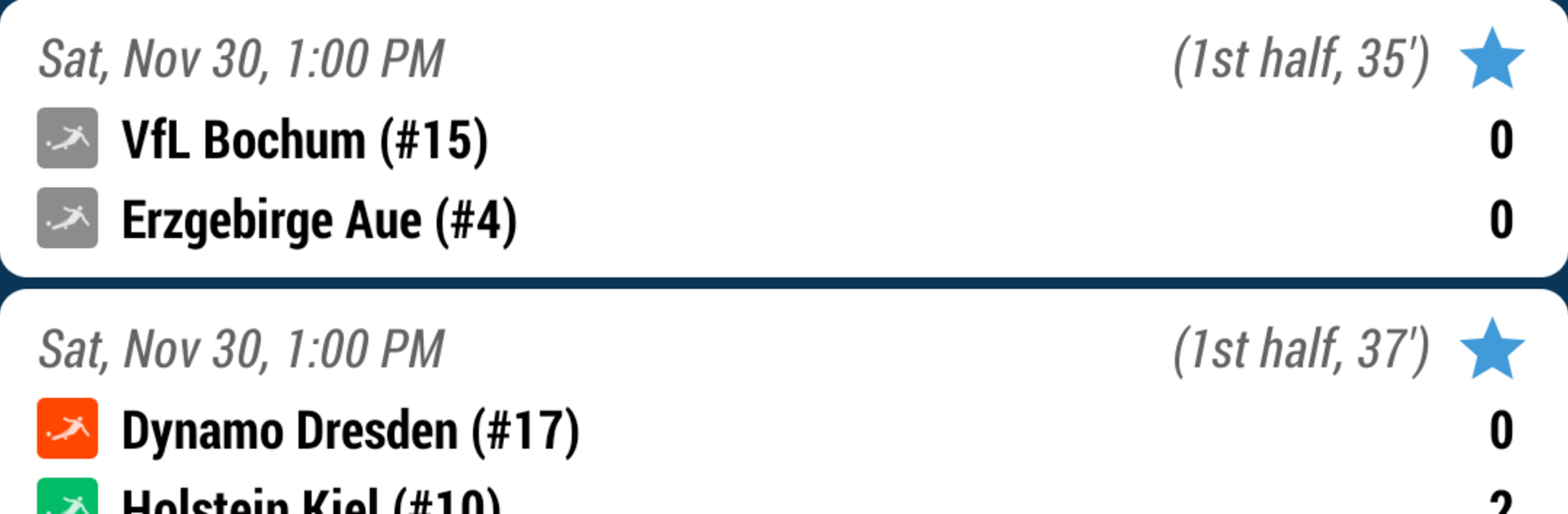
Football DE 2 (The German 2nd league) keeps you locked into the weekly chaos of Germany’s second tier without making you dig for info. It’s a clean, focused way to follow matches in real time—scores, standings, fixtures, the whole deal. Want quick updates during a tense promotion chase or a tight relegation scrap? This has you covered.

Game Features

  • Live scores, fast: Get instant score updates as matches unfold, with push alerts so you don’t miss a goal or final whistle.
  • Always-updated standings: See the table shift in real time as results come in—who’s up, who’s sliding, who’s closing the gap.
  • Complete fixtures calendar: Browse the full season’s fixtures and matchdays in one place to plan your weekend viewing.
  • Easy notification control: Flip notifications on or off in a snap so you decide when (and how often) your phone buzzes.
  • Android Wear support: Glance at scores right on your wrist with live notifications that are perfect for on-the-go check-ins.
  • Matchday at a glance: Today’s games, live scores, and upcoming kickoffs are presented clearly for quick skims between tasks.
  • Clean, no-frills design: Information first. It’s simple, readable, and speedy—great when you’ve got 30 seconds between stops.
  • Built for 2. Bundesliga fans: Focused coverage of the German second division from opening round to season finale.
  • Handy on desktop: Prefer checking scores from your PC? Running it through BlueStacks makes quick updates easy while you work.
  • From XOOPsoft, Sports: Made by XOOPsoft and firmly in the Sports genre, it’s designed for fans who want fast facts, not fluff.

Start your journey now. Download the game on BlueStacks, invite your friends, and march on a new adventure.


Game Features

Enhancements

  • Macros
  • Multi Instance
  • Multi Instance Sync
  • Script
  • Enhancements
Macros

Macros

Automate the predictable in Football DE 2 (The German 2nd league) and transform your gameplay with Macros. Get access to inventive Macros in the BlueStacks Macro Community
Multi Instance

Multi Instance

Play Football DE 2 (The German 2nd league) on one window. And chat with your friend on the other. Press CTRL + Shift + 8 to open the Multi-Instance Manager. And start creating fresh instances or clone an existing one.
Multi Instance Sync

Multi Instance Sync

Play Football DE 2 (The German 2nd league) with the power of Multi-Instance Sync. Replicate what you are doing on the main instance on all other instances. Level up faster, play more.
Script

Script

Script your way to gaming glory in Football DE 2 (The German 2nd league) with BlueStacks Script. Write and run a set of commands to automate repeated tasks. Trigger the command by assigning it to any key.
Read More

How to Download and Play Football DE 2 (The German 2nd league) on PC or Mac

  • Download and install BlueStacks on your PC or Mac

  • Complete Google sign-in to access the Play Store, or do it later

  • Look for Football DE 2 (The German 2nd league) in the search bar at the top right corner

  • Click to install Football DE 2 (The German 2nd league) from the search results

  • Complete Google sign-in (if you skipped step 2) to install Football DE 2 (The German 2nd league)

  • Click the Football DE 2 (The German 2nd league) icon on the home screen to start playing

video
Watch Video

Minimum System Requirements

With BlueStacks 5, you can get started on a PC that fulfills the following requirements.

  • Operating System

    Microsoft Windows 7 or above, macOS 11 (Big Sur) or above

  • Processor

    Intel, AMD or Apple Silicon Processor

  • RAM

    at least 4GB

  • HDD

    10GB Free Disk Space

Note:

* You must be an Administrator on your PC. Up to date graphics drivers from Microsoft or the chipset vendor.

Football DE 2 (The German 2nd league) - FAQs

  • How to play Football DE 2 (The German 2nd league) on Windows PC & Mac?

    Play Football DE 2 (The German 2nd league) on your PC or Mac by following these simple steps.

    • Click on 'Play Football DE 2 (The German 2nd league) on PC’ to download BlueStacks
    • Install it and log-in to Google Play Store
    • Launch and play the game.
  • Why is BlueStacks the fastest and safest platform to play games on PC?

    BlueStacks respects your privacy and is always safe and secure to use. It does not carry any malware, spyware, or any sort of additional software that could harm your PC.

    It is engineered to optimize speed and performance for a seamless gaming experience.

  • What are Football DE 2 (The German 2nd league) PC requirements?

    Minimum requirement to run Football DE 2 (The German 2nd league) on your PC

    • OS: Microsoft Windows 7 or above MacOS 11 (Big Sur) or above
    • Processor: Intel, AMD or Apple Silicon Processor
    • RAM: Your PC must have at least 4GB of RAM. (Note that having 4GB or more disk space is not a substitute for RAM)
    • HDD: 10GB Free Disk Space.
    • You must be an Administrator on your PC.