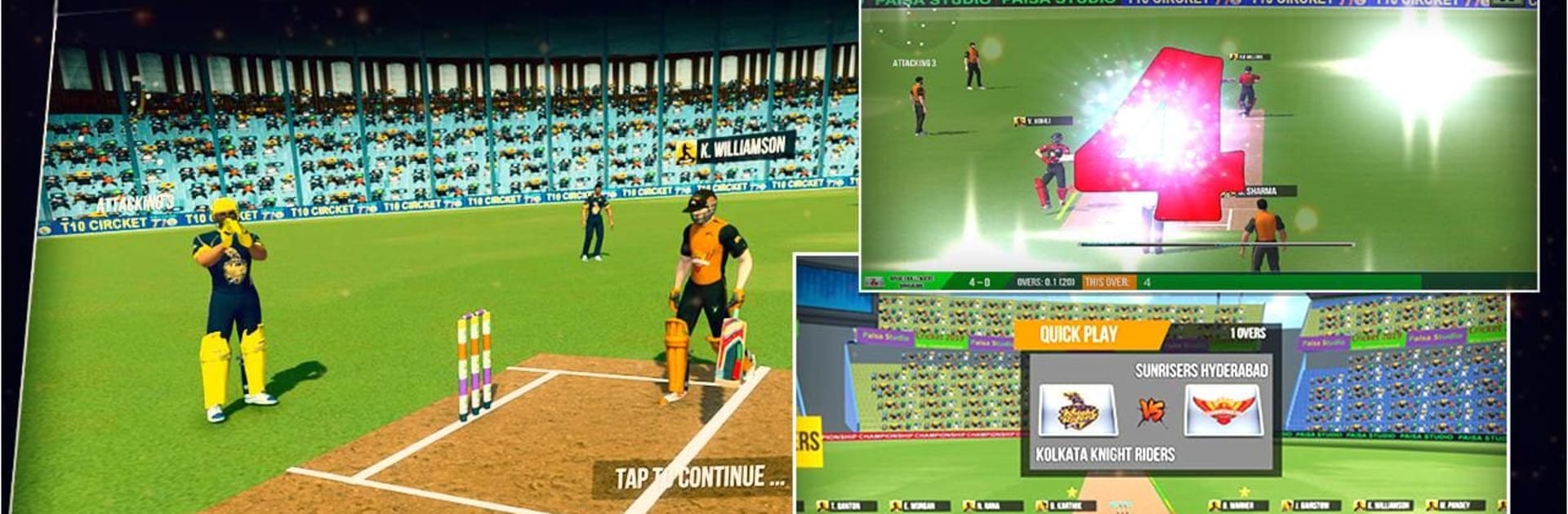
Indian Cricket Premiere League

Indian Cricket Premiere League

Sports

| Rockit Game Studio

Play on PC with BlueStacks or from our cloud

  • Overview
  • Game Features
  • How to Play

Page Modified On: July 04, 2025

Play Indian Cricket Premiere League on PC or Mac

From the innovators and creators at 300 Battle Games, Indian Cricket Premiere League is another fun addition to the World of Sports games. Go beyond your mobile screen and play it bigger and better on your PC or Mac. An immersive experience awaits you.

About the Game

If you’re a cricket fan looking for a fresh sports experience, Indian Cricket Premiere League by 300 Battle Games brings all the excitement of T20 action right to your screen. Pick your favorite team, knock out massive sixes, and keep up with live scores as you battle it out in some fast-paced matches. Whether you’re itching for a quick round or want to chase the thrill of a tournament, this game has you covered—with plenty of twists and quick plays that’ll keep you playing “just one more” match.

Game Features

  • Play with Realistic Teams
    Step into the shoes of legendary franchises like Chennai Super Kings, Mumbai Indians, and more. Take your pick, set your lineup, and try to outscore your rivals.

  • Live Match Thrills
    Love keeping up with live cricket scores? Stay in the action with real-time score updates as you play and relive the tension (and celebration) of each run, boundary, and wicket.

  • Multiple Game Modes
    Looking for variety? Tackle daily matchups, World Cups, and of course, the action-packed T20 Indian Cricket Premiere League tournaments. You can also sneak in a quick match when you’ve just got a few minutes.

  • Mini-Games & Challenges
    Feeling competitive? Jump into special mini-games like Super Over Target and Super Over Chase, where you’ll test your nerves and skills in intense, high-pressure moments.

  • Practice Makes Perfect
    Need to sharpen your batting or bowling? Hit the nets and hone your skills before the big matches. It’s perfect for mastering those tough deliveries or knocking out those perfect shots.

  • Chase High Scores
    Can you post a huge total with just one wicket and five overs? Push your limits and see how high you can score in these nail-biting challenges.

  • Daily Rewards
    Come back every day for some extra perks. From freebies to small surprises, there’s always something to look forward to.

  • Easy to Play Anywhere
    Whether you’re on your phone or sneaking in a game session with BlueStacks on your computer, the controls stay smooth and the gameplay feels natural.

  • Play as Your Favorite Players
    Step onto the pitch as cricket’s biggest stars, try to match their signature shots, and bring their energy into your own matches.

  • Realistic Batting & Bowling
    The game delivers an experience that’s easy to pick up yet rewarding if you like planning your shots or setting up batters with smart bowling.

Get your cricket fix, rally your favorite squad, and start swinging for those boundaries—there’s always a match waiting!

Start your journey now. Download the game on BlueStacks, invite your friends, and march on a new adventure.


Game Features

Enhancements

  • Macros
  • Multi Instance
  • Multi Instance Sync
  • Script
  • Enhancements
Macros

Macros

Automate the predictable in Indian Cricket Premiere League and transform your gameplay with Macros. Get access to inventive Macros in the BlueStacks Macro Community
Multi Instance

Multi Instance

Play Indian Cricket Premiere League on one window. And chat with your friend on the other. Press CTRL + Shift + 8 to open the Multi-Instance Manager. And start creating fresh instances or clone an existing one.
Multi Instance Sync

Multi Instance Sync

Play Indian Cricket Premiere League with the power of Multi-Instance Sync. Replicate what you are doing on the main instance on all other instances. Level up faster, play more.
Script

Script

Script your way to gaming glory in Indian Cricket Premiere League with BlueStacks Script. Write and run a set of commands to automate repeated tasks. Trigger the command by assigning it to any key.
Read More

How to Download and Play Indian Cricket Premiere League on PC or Mac

  • Download and install BlueStacks on your PC or Mac

  • Complete Google sign-in to access the Play Store, or do it later

  • Look for Indian Cricket Premiere League in the search bar at the top right corner

  • Click to install Indian Cricket Premiere League from the search results

  • Complete Google sign-in (if you skipped step 2) to install Indian Cricket Premiere League

  • Click the Indian Cricket Premiere League icon on the home screen to start playing

video
Watch Video

Minimum System Requirements

With BlueStacks 5, you can get started on a PC that fulfills the following requirements.

  • Operating System

    Microsoft Windows 7 or above, macOS 11 (Big Sur) or above

  • Processor

    Intel, AMD or Apple Silicon Processor

  • RAM

    at least 4GB

  • HDD

    10GB Free Disk Space

Note:

* You must be an Administrator on your PC. Up to date graphics drivers from Microsoft or the chipset vendor.

Indian Cricket Premiere League - FAQs

  • How to play Indian Cricket Premiere League on Windows PC & Mac?

    Play Indian Cricket Premiere League on your PC or Mac by following these simple steps.

    • Click on 'Play Indian Cricket Premiere League on PC’ to download BlueStacks
    • Install it and log-in to Google Play Store
    • Launch and play the game.
  • Why is BlueStacks the fastest and safest platform to play games on PC?

    BlueStacks respects your privacy and is always safe and secure to use. It does not carry any malware, spyware, or any sort of additional software that could harm your PC.

    It is engineered to optimize speed and performance for a seamless gaming experience.

  • What are Indian Cricket Premiere League PC requirements?

    Minimum requirement to run Indian Cricket Premiere League on your PC

    • OS: Microsoft Windows 7 or above MacOS 11 (Big Sur) or above
    • Processor: Intel, AMD or Apple Silicon Processor
    • RAM: Your PC must have at least 4GB of RAM. (Note that having 4GB or more disk space is not a substitute for RAM)
    • HDD: 10GB Free Disk Space.
    • You must be an Administrator on your PC.