Karate Scoreboard
Karate Scoreboard

Karate Scoreboard

Sports

| SeedsJP

Play on PC with BlueStacks or from our cloud

  • Overview
  • How to Download

Page Modified On: September 07, 2026

Run Karate Scoreboard on PC or Mac

Why limit yourself to your small screen on the phone? Run Karate Scoreboard, an app by SeedsJP, best experienced on your PC or Mac with BlueStacks, the world’s #1 Android emulator.

About the App

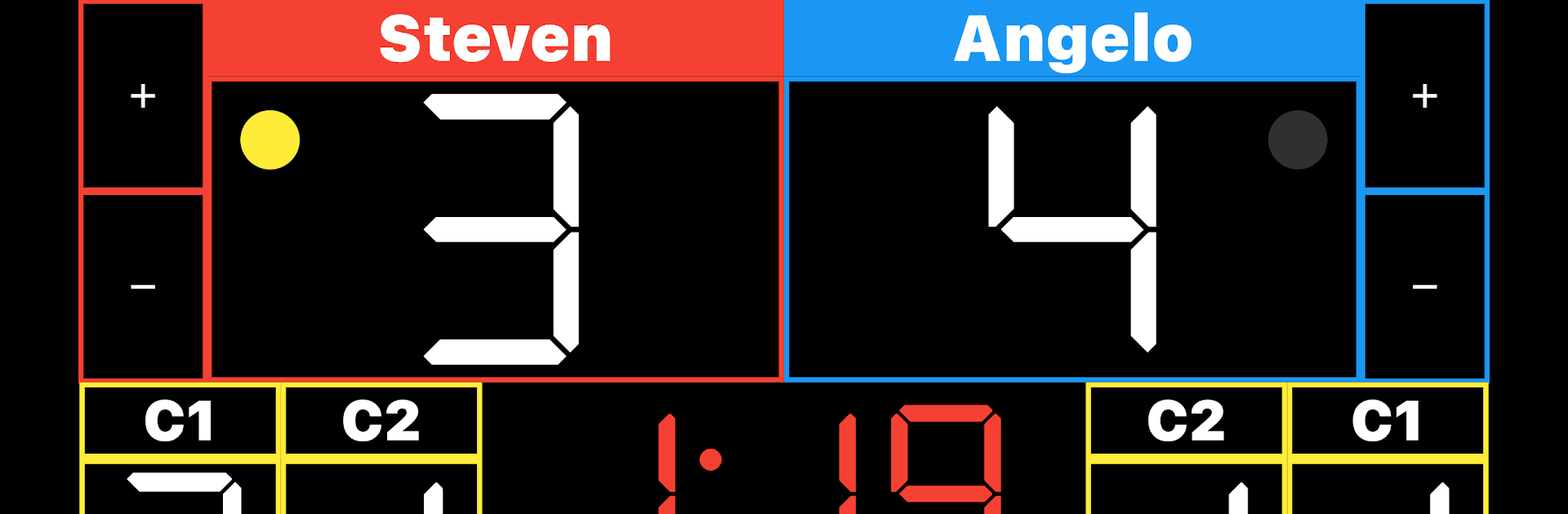
Karate Scoreboard makes running a bout feel easy, whether you’re judging a match, running drills, or keeping score at a local meet. It focuses on clear visuals, quick taps, and the essentials you need so you can pay attention to the action, not the controls. It’s a clean, no-frills tool in the Sports genre, and it even feels great on a bigger display with BlueStacks if that’s your setup.

App Features

  • Two theme options: Pick between a simple “+” scoring layout or a panel with Ippon, Waza-ari, and Yaku buttons—change it anytime in settings.
  • Named competitors: Tap “Player1” or “Player2” to enter real names so the scoreboard looks match-ready in seconds.
  • Fast scoring controls: Add or subtract points with dedicated buttons, or just tap the score itself when you need that split-second update.
  • Foul tracking with undo: Tap to add a foul; pressed the wrong side? Press and hold to reduce the count and keep things accurate.
  • SENSHU callout: The first scorer gets a clear yellow circle next to their total; need to revoke it after a foul? Tap the circle to cancel.
  • Simple match timer: Start or stop by tapping the time, and set the duration to 2 or 3 minutes from the settings screen.
  • Quick reset menu: Open the gear icon to reset scores, fouls, and the timer in one place before the next round.

BlueStacks brings your apps to life on a bigger screen—seamless and straightforward.

How to Download and Run Karate Scoreboard on PC or Mac

  • Download and install BlueStacks on your PC or Mac

  • Complete Google sign-in to access the Play Store, or do it later

  • Look for Karate Scoreboard in the search bar at the top right corner

  • Click to install Karate Scoreboard from the search results

  • Complete Google sign-in (if you skipped step 2) to install Karate Scoreboard

  • Click the Karate Scoreboard icon on the home screen to start playing

video
Watch Video

Minimum System Requirements

With BlueStacks 5, you can get started on a PC that fulfills the following requirements.

  • Operating System

    Microsoft Windows 7 or above, macOS 11 (Big Sur) or above

  • Processor

    Intel, AMD or Apple Silicon Processor

  • RAM

    at least 4GB

  • HDD

    10GB Free Disk Space

Note:

* You must be an Administrator on your PC. Up to date graphics drivers from Microsoft or the chipset vendor.

Karate Scoreboard - FAQs

  • How to Run Karate Scoreboard on Windows PC & Mac?

    Run Karate Scoreboard on your PC or Mac by following these simple steps.

    • Click on ‘Download Karate Scoreboard on PC’ to download BlueStacks
    • Install it and log-in to Google Play Store
    • Launch and run the app.
  • Why is BlueStacks the fastest and safest platform to play games on PC?

    BlueStacks respects your privacy and is always safe and secure to use. It does not carry any malware, spyware, or any sort of additional software that could harm your PC.

    It is engineered to optimize speed and performance for a seamless gaming experience.

  • What are Karate Scoreboard PC requirements?

    Minimum requirement to run Karate Scoreboard on your PC

    • OS: Microsoft Windows 7 and above:
    • Processor: Intel or AMD Processor:
    • RAM: Your PC must have at least 2GB of RAM. (Note that having 2GB or more disk space is not a substitute for RAM):
    • HDD: 5GB Free Disk Space.
    • You must be an Administrator on your PC.