Futbol Latino League

Futbol Latino League

Sports

| boukapps pro

Play on PC with BlueStacks or from our cloud

  • Overview
  • Game Features
  • How to Play

Page Modified On: July 20, 2026

Play Futbol Latino League on PC or Mac

Play Futbol Latino League by boukapps pro on PC or Mac with BlueStacks. Use a bigger screen, mouse and keyboard controls, and smoother performance while you play.

About the Game

Futbol Latino League is a fast, pick‑up‑and‑play Sports game that packs the heat of Latin American soccer into short, tense matches. Five‑player squads trade turns ripping shots and scrambling for saves, so every kick matters. Expect famous leagues, quick controls, and plenty of “one more match” moments.

Game Features

  • Real Latin Leagues
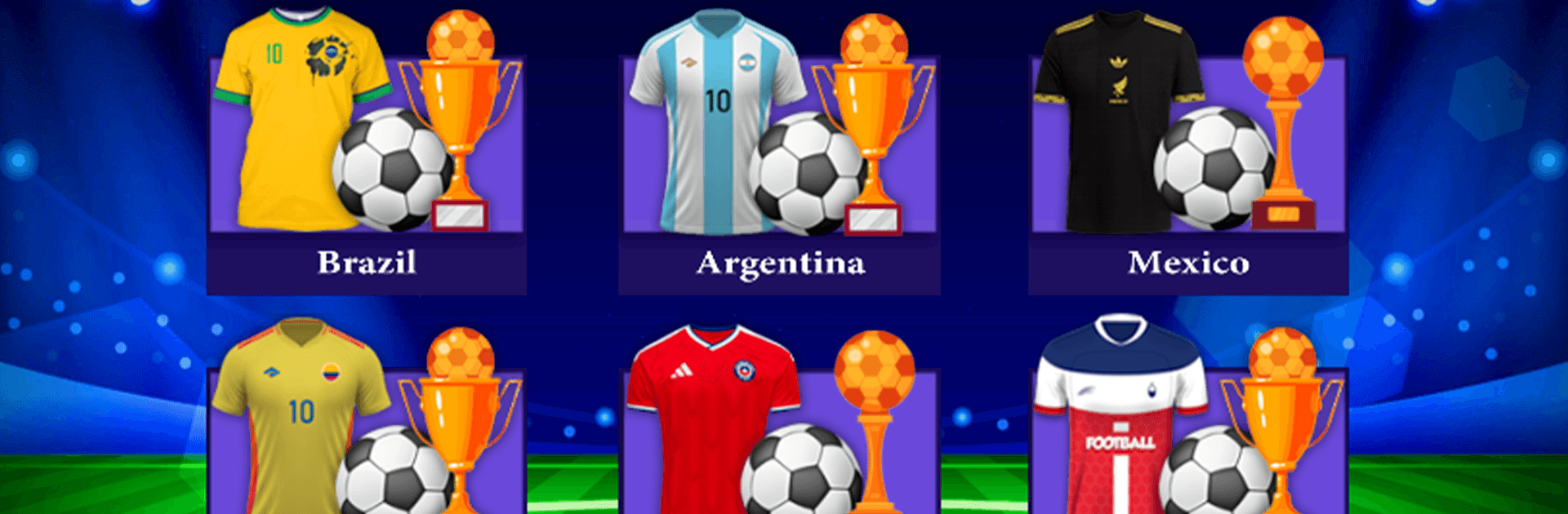
    Experience top competitions across the region: Brazil’s Série A, Mexico’s Liga MX (including the Apertura), Argentina’s top flight, Chile’s first division, and the Paulista Championship—plus a mixed league that mashes clubs from everywhere.

  • Five‑a‑Side Shootouts
    Each team fields five players who take turns going for goal, making every attempt feel like a mini penalty drama with big momentum swings.

  • Simple, Snappy Controls
    Tap, swipe, and flick to shoot or defend. It’s easy to learn in a minute and hard to put down once you’re chasing a clean finish.

  • Streaks and Saved Results
    Play friendlies, save your scorelines, and keep that win streak alive as you push toward trophies like the Série A title.

  • Extra Time When It Counts
    Ties don’t linger—go into extra time and settle championships with clutch plays and sudden‑death intensity.

  • Chilean Stage Play
    Try a tournament format that moves through stages, adding a different rhythm to how you advance and strategize.

  • Colombian Pace, Hockey‑Style Bounce
    A mode with quick rebounds and end‑to‑end action gives matches a fast, almost air‑hockey feel—great for short bursts.

  • Stadiums and Match Times
    Swap venues and play at different times of day to mix up the mood and the look of your matches.

  • Optional PC Play
    Prefer a bigger screen and keyboard controls? You can run it on BlueStacks when you want that setup.

BlueStacks gives you more room to focus on the game and less time adjusting around mobile limitations.


Game Features

Enhancements

  • Macros
  • Multi Instance
  • Multi Instance Sync
  • Script
  • Enhancements
Macros

Macros

Automate the predictable in Futbol Latino League and transform your gameplay with Macros. Get access to inventive Macros in the BlueStacks Macro Community
Multi Instance

Multi Instance

Play Futbol Latino League on one window. And chat with your friend on the other. Press CTRL + Shift + 8 to open the Multi-Instance Manager. And start creating fresh instances or clone an existing one.
Multi Instance Sync

Multi Instance Sync

Play Futbol Latino League with the power of Multi-Instance Sync. Replicate what you are doing on the main instance on all other instances. Level up faster, play more.
Script

Script

Script your way to gaming glory in Futbol Latino League with BlueStacks Script. Write and run a set of commands to automate repeated tasks. Trigger the command by assigning it to any key.
Read More

How to Download and Play Futbol Latino League on PC or Mac

  • Download and install BlueStacks on your PC or Mac

  • Complete Google sign-in to access the Play Store, or do it later

  • Look for Futbol Latino League in the search bar at the top right corner

  • Click to install Futbol Latino League from the search results

  • Complete Google sign-in (if you skipped step 2) to install Futbol Latino League

  • Click the Futbol Latino League icon on the home screen to start playing

video
Watch Video

Minimum System Requirements

With BlueStacks 5, you can get started on a PC that fulfills the following requirements.

  • Operating System

    Microsoft Windows 7 or above, macOS 11 (Big Sur) or above

  • Processor

    Intel, AMD or Apple Silicon Processor

  • RAM

    at least 4GB

  • HDD

    10GB Free Disk Space

Note:

* You must be an Administrator on your PC. Up to date graphics drivers from Microsoft or the chipset vendor.

Futbol Latino League - FAQs

  • How to play Futbol Latino League on Windows PC & Mac?

    Play Futbol Latino League on your PC or Mac by following these simple steps.

    • Click on 'Play Futbol Latino League on PC’ to download BlueStacks
    • Install it and log-in to Google Play Store
    • Launch and play the game.
  • Why is BlueStacks the fastest and safest platform to play games on PC?

    BlueStacks respects your privacy and is always safe and secure to use. It does not carry any malware, spyware, or any sort of additional software that could harm your PC.

    It is engineered to optimize speed and performance for a seamless gaming experience.

  • What are Futbol Latino League PC requirements?

    Minimum requirement to run Futbol Latino League on your PC

    • OS: Microsoft Windows 7 or above MacOS 11 (Big Sur) or above
    • Processor: Intel, AMD or Apple Silicon Processor
    • RAM: Your PC must have at least 4GB of RAM. (Note that having 4GB or more disk space is not a substitute for RAM)
    • HDD: 10GB Free Disk Space.
    • You must be an Administrator on your PC.