
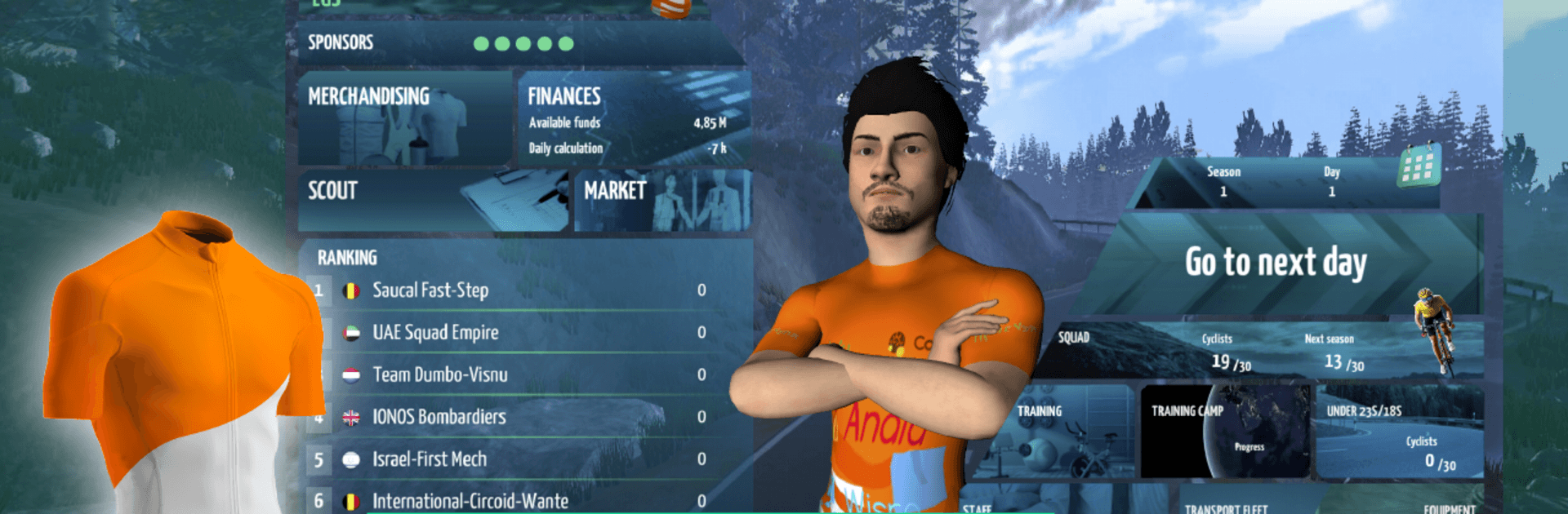
Live Cycling Manager 2026

Live Cycling Manager 2026

Sports

| Xagu Studios

Play on PC with BlueStacks or from our cloud

  • Overview
  • How to Download

Page Modified On: August 14, 2026

Run Live Cycling Manager 2026 on PC or Mac

Let BlueStacks turn your PC, Mac, or laptop into the perfect home for Live Cycling Manager 2026, a fun Sports app from Xagu Studios.

About the App
Live Cycling Manager 2026 puts you in the hot seat of a pro cycling team—building a roster, setting tactics, and steering your club through a full season of races. It’s a Sports management experience with real-time 3D stages, deep strategy, and plenty of decisions that actually matter. Prefer a bigger screen? It also runs nicely on BlueStacks.

App Features
– Build Your Club: Create or pick a team, design the kit, and set your identity before taking on a packed calendar.
– Race-Day Control: Jump into full 3D stages, issue live orders, react to breakaways, or hit quick-sim when you’ve nailed the plan.
– Smarter Rivals: Face opponents with their own tactics—sprinters, puncheurs, mountain goats—who won’t just roll over.
– Big-Time Calendar: Tackle two competitive divisions with grand tours and one-day classics across flat sprints, cobbles, time trials, and brutal climbs.
– Training & Camps: Schedule focused sessions, send riders to pre-race camps, and balance form, fitness, and fatigue so they peak at the right moment.
– Staff Matters: Hire mechanics, physios, trainers, and scouts; level them up to sharpen your edge all season long.
– Transfers & Academy: Sign stars, negotiate exits, scout promising youngsters, and promote talent from your junior squad.
– Gear & R&D: Partner with bike brands, test components, and squeeze out extra watts through research and fine-tuning.
– Logistics & Recovery: Arrange travel and support so your riders rest better and perform stronger.
– Money & Sponsors: Land sponsors, handle merchandising, and keep the books healthy while chasing podiums.
– Refreshed 3D Engine: Enjoy smoother visuals that make stage pacing, drafting, and attacks easier to read.
– Offline Season Control: Play at your pace; days only move forward when you’re ready.

Switch to BlueStacks and make the most of your apps on your PC or Mac.

How to Download and Run Live Cycling Manager 2026 on PC or Mac

  • Download and install BlueStacks on your PC or Mac

  • Complete Google sign-in to access the Play Store, or do it later

  • Look for Live Cycling Manager 2026 in the search bar at the top right corner

  • Click to install Live Cycling Manager 2026 from the search results

  • Complete Google sign-in (if you skipped step 2) to install Live Cycling Manager 2026

  • Click the Live Cycling Manager 2026 icon on the home screen to start playing

video
Watch Video

Minimum System Requirements

With BlueStacks 5, you can get started on a PC that fulfills the following requirements.

  • Operating System

    Microsoft Windows 7 or above, macOS 11 (Big Sur) or above

  • Processor

    Intel, AMD or Apple Silicon Processor

  • RAM

    at least 4GB

  • HDD

    10GB Free Disk Space

Note:

* You must be an Administrator on your PC. Up to date graphics drivers from Microsoft or the chipset vendor.

Live Cycling Manager 2026 - FAQs

  • How to Run Live Cycling Manager 2026 on Windows PC & Mac?

    Run Live Cycling Manager 2026 on your PC or Mac by following these simple steps.

    • Click on ‘Download Live Cycling Manager 2026 on PC’ to download BlueStacks
    • Install it and log-in to Google Play Store
    • Launch and run the app.
  • Why is BlueStacks the fastest and safest platform to play games on PC?

    BlueStacks respects your privacy and is always safe and secure to use. It does not carry any malware, spyware, or any sort of additional software that could harm your PC.

    It is engineered to optimize speed and performance for a seamless gaming experience.

  • What are Live Cycling Manager 2026 PC requirements?

    Minimum requirement to run Live Cycling Manager 2026 on your PC

    • OS: Microsoft Windows 7 and above:
    • Processor: Intel or AMD Processor:
    • RAM: Your PC must have at least 2GB of RAM. (Note that having 2GB or more disk space is not a substitute for RAM):
    • HDD: 5GB Free Disk Space.
    • You must be an Administrator on your PC.




