Lucky Looter
Lucky Looter

Lucky Looter

Sports

| RadPirates

Play on PC with BlueStacks or from our cloud

  • Overview
  • Game Features
  • How to Play

Page Modified On: September 07, 2026

Play Lucky Looter on PC or Mac

Bring your A-game to Lucky Looter, the Sports game sensation from RadPirates. Give your gameplay the much-needed boost with precise game controls, high FPS graphics, and top-tier features on your PC or Mac with BlueStacks.

About the Game

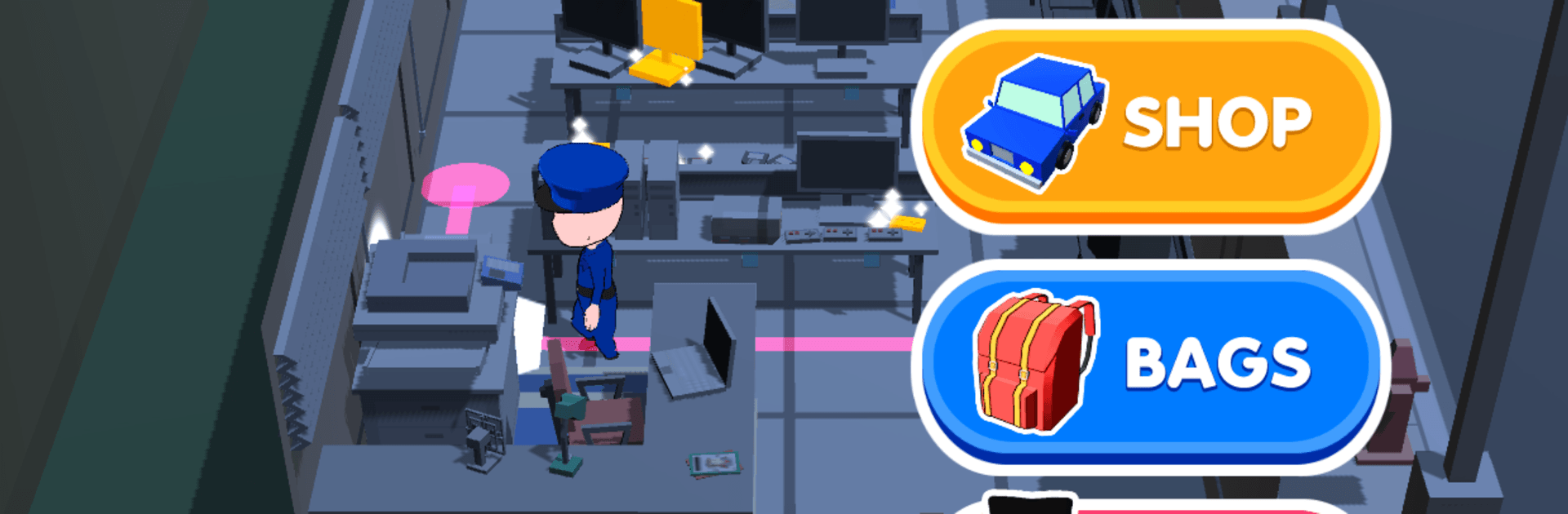
Meet Lucky Looter, a fast, lighthearted caper where you slip past guards, snatch shiny stuff, and vanish like a pro. Slotted under the Sports genre here, it leans on quick reflexes and split-second timing as you sketch the perfect route through each map. Play a round or three on the go, or kick back with BlueStacks for bigger visuals and comfy controls.

Game Features

  • Sneak-and-Swipe Controls: Steer your thief with a smooth drag, then lift your finger to freeze and blend into cover—it’s simple and super responsive.
  • Smart Patrol Patterns: Learn each guard’s loop, slip through gaps, and hug safe zones while scouting your next grab.
  • Instant Hiding Spots: Boxes and blind corners act like panic buttons—duck in, hold your breath, then pop back out when the coast is clear.
  • Colorful Low-Poly Worlds: Bright, uncluttered 3D maps keep the action readable, so you can plan routes without squinting.
  • Collect, Customize, Show Off: Trade loot for flashy cars, fresh outfits, and other unlocks that make every cleanup run feel new.
  • Quick Heists, Clean Getaways: Stages are short and snappy, perfect for chasing perfect clears or snagging a few coins between tasks.
  • Easy to Pick Up, Tough to Perfect: New players click fast, but nailing 100% sweeps without a siren takes patience and sharp timing.
  • Satisfying Loot Rush: Empty every corner for max rewards, or cut your losses and dash for safety when the heat gets too close.

BlueStacks gives you more room to focus on the game and less time adjusting around mobile limitations.


Game Features

Enhancements

  • Macros
  • Multi Instance
  • Multi Instance Sync
  • Script
  • Enhancements
Macros

Macros

Automate the predictable in Lucky Looter and transform your gameplay with Macros. Get access to inventive Macros in the BlueStacks Macro Community
Multi Instance

Multi Instance

Play Lucky Looter on one window. And chat with your friend on the other. Press CTRL + Shift + 8 to open the Multi-Instance Manager. And start creating fresh instances or clone an existing one.
Multi Instance Sync

Multi Instance Sync

Play Lucky Looter with the power of Multi-Instance Sync. Replicate what you are doing on the main instance on all other instances. Level up faster, play more.
Script

Script

Script your way to gaming glory in Lucky Looter with BlueStacks Script. Write and run a set of commands to automate repeated tasks. Trigger the command by assigning it to any key.
Read More

How to Download and Play Lucky Looter on PC or Mac

  • Download and install BlueStacks on your PC or Mac

  • Complete Google sign-in to access the Play Store, or do it later

  • Look for Lucky Looter in the search bar at the top right corner

  • Click to install Lucky Looter from the search results

  • Complete Google sign-in (if you skipped step 2) to install Lucky Looter

  • Click the Lucky Looter icon on the home screen to start playing

video
Watch Video

Minimum System Requirements

With BlueStacks 5, you can get started on a PC that fulfills the following requirements.

  • Operating System

    Microsoft Windows 7 or above, macOS 11 (Big Sur) or above

  • Processor

    Intel, AMD or Apple Silicon Processor

  • RAM

    at least 4GB

  • HDD

    10GB Free Disk Space

Note:

* You must be an Administrator on your PC. Up to date graphics drivers from Microsoft or the chipset vendor.

Lucky Looter - FAQs

  • How to play Lucky Looter on Windows PC & Mac?

    Play Lucky Looter on your PC or Mac by following these simple steps.

    • Click on 'Play Lucky Looter on PC’ to download BlueStacks
    • Install it and log-in to Google Play Store
    • Launch and play the game.
  • Why is BlueStacks the fastest and safest platform to play games on PC?

    BlueStacks respects your privacy and is always safe and secure to use. It does not carry any malware, spyware, or any sort of additional software that could harm your PC.

    It is engineered to optimize speed and performance for a seamless gaming experience.

  • What are Lucky Looter PC requirements?

    Minimum requirement to run Lucky Looter on your PC

    • OS: Microsoft Windows 7 or above MacOS 11 (Big Sur) or above
    • Processor: Intel, AMD or Apple Silicon Processor
    • RAM: Your PC must have at least 4GB of RAM. (Note that having 4GB or more disk space is not a substitute for RAM)
    • HDD: 10GB Free Disk Space.
    • You must be an Administrator on your PC.