
myCols - your cycling climbs

myCols - your cycling climbs

Sports

| myCols B.V.

Play on PC with BlueStacks or from our cloud

  • Overview
  • Game Features
  • How to Play

Page Modified On: October 24, 2025

Play myCols - your cycling climbs on PC or Mac

Bring your A-game to myCols – your cycling climbs, the Sports game sensation from myCols B.V.. Give your gameplay the much-needed boost with precise game controls, high FPS graphics, and top-tier features on your PC or Mac with BlueStacks.

About the Game

myCols – your cycling climbs turns real-world hills and mountain passes into a personal quest you can actually complete. From myCols B.V., this Sports experience blends your ride data with a collectible vibe—so every ascent you’ve done (or want to do) becomes part of your story. Prefer planning and browsing on a bigger screen? BlueStacks is a handy way to use it on your computer.

Game Features

  • 8,000+ real climbs
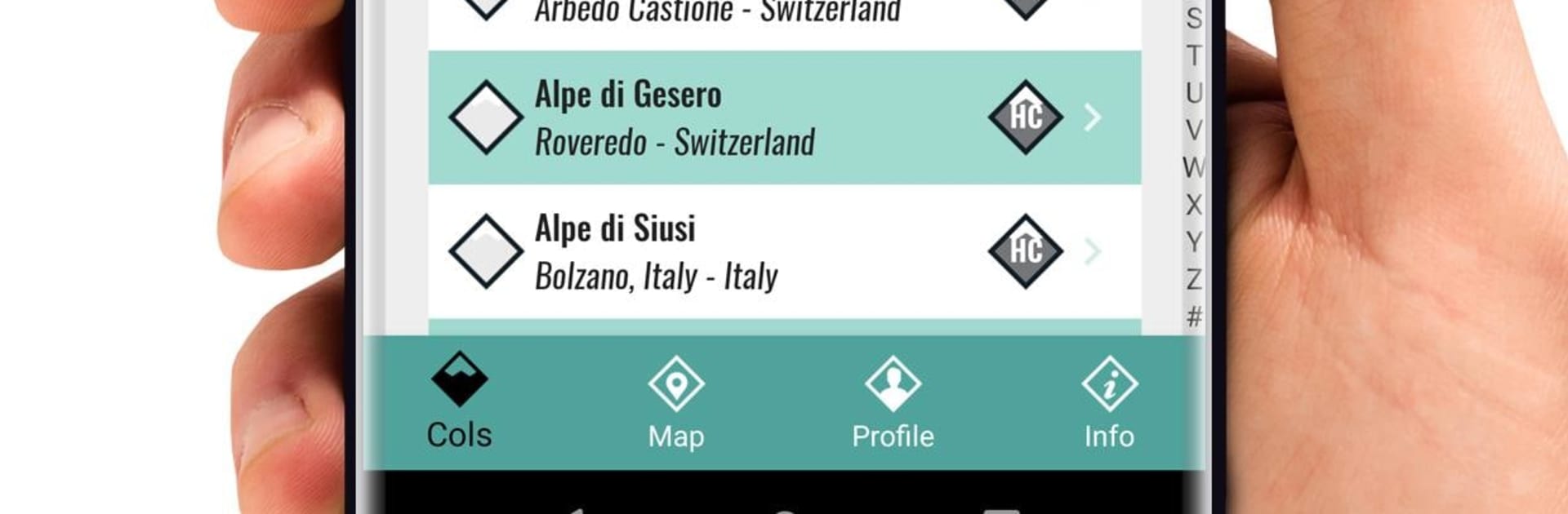
    Explore a massive library of cols with profiles that show length, elevation gain, average gradient, region/country, and start/finish points plotted on a map.

  • Seamless ride sync
    Connect Strava, Garmin, or Wahoo and let the game scan your past rides, tag the climbs you’ve already done, and automatically update new ones after each outing.

  • Accurate climb times
    Your efforts are calculated for every ascent, so you can see where you stood, where you’re at, and how much you’ve improved without manual number crunching.

  • Progress, not podiums
    Compare your times with your own history, friends, or even select pro riders—without chasing KOM/QOM leaderboards. It’s about collecting climbs and making memories.

  • Bucket list builder
    Save must-ride climbs for your next trip, or add that mountain you just saw on TV. Check them off one by one when you finally get there.

  • Virtual Jersey challenges
    Complete sets of real climbs to earn unique virtual jerseys for your trophy cabinet. Some challenges even come with special prizes announced in-game mailings.

  • Friends and pros
    Follow friends (and pro riders), scroll a shared timeline, and be the first to spot when someone nails Ventoux, Stelvio, or that punchy local wall.

  • Stories with photos
    Add your tale and best shots to each col, or read how others experienced the same climb—epic, windy, or just plain beautiful.

  • Cheer with “Bravo!”
    Give friends a quick nod for standout rides and stories. It’s simple, and it feels good.

  • Legendary race history
    Browse the backstory of iconic climbs from the Tour de France, Giro d’Italia, Vuelta a España, and Classics like Amstel Gold Race, Tour of Flanders, Milan–San Remo, Liège–Bastogne–Liège, and Flèche Wallonne.

Make your gaming sessions memorable with precise controls that give you an edge in close combats and visuals that pop up, bringing every character to life.


Game Features

Enhancements

  • Macros
  • Multi Instance
  • Multi Instance Sync
  • Script
  • Enhancements
Macros

Macros

Automate the predictable in myCols - your cycling climbs and transform your gameplay with Macros. Get access to inventive Macros in the BlueStacks Macro Community
Multi Instance

Multi Instance

Play myCols - your cycling climbs on one window. And chat with your friend on the other. Press CTRL + Shift + 8 to open the Multi-Instance Manager. And start creating fresh instances or clone an existing one.
Multi Instance Sync

Multi Instance Sync

Play myCols - your cycling climbs with the power of Multi-Instance Sync. Replicate what you are doing on the main instance on all other instances. Level up faster, play more.
Script

Script

Script your way to gaming glory in myCols - your cycling climbs with BlueStacks Script. Write and run a set of commands to automate repeated tasks. Trigger the command by assigning it to any key.
Read More

How to Download and Play myCols - your cycling climbs on PC or Mac

  • Download and install BlueStacks on your PC or Mac

  • Complete Google sign-in to access the Play Store, or do it later

  • Look for myCols - your cycling climbs in the search bar at the top right corner

  • Click to install myCols - your cycling climbs from the search results

  • Complete Google sign-in (if you skipped step 2) to install myCols - your cycling climbs

  • Click the myCols - your cycling climbs icon on the home screen to start playing

video
Watch Video

Minimum System Requirements

With BlueStacks 5, you can get started on a PC that fulfills the following requirements.

  • Operating System

    Microsoft Windows 7 or above, macOS 11 (Big Sur) or above

  • Processor

    Intel, AMD or Apple Silicon Processor

  • RAM

    at least 4GB

  • HDD

    10GB Free Disk Space

Note:

* You must be an Administrator on your PC. Up to date graphics drivers from Microsoft or the chipset vendor.

myCols - your cycling climbs - FAQs

  • How to play myCols - your cycling climbs on Windows PC & Mac?

    Play myCols - your cycling climbs on your PC or Mac by following these simple steps.

    • Click on 'Play myCols - your cycling climbs on PC’ to download BlueStacks
    • Install it and log-in to Google Play Store
    • Launch and play the game.
  • Why is BlueStacks the fastest and safest platform to play games on PC?

    BlueStacks respects your privacy and is always safe and secure to use. It does not carry any malware, spyware, or any sort of additional software that could harm your PC.

    It is engineered to optimize speed and performance for a seamless gaming experience.

  • What are myCols - your cycling climbs PC requirements?

    Minimum requirement to run myCols - your cycling climbs on your PC

    • OS: Microsoft Windows 7 or above MacOS 11 (Big Sur) or above
    • Processor: Intel, AMD or Apple Silicon Processor
    • RAM: Your PC must have at least 4GB of RAM. (Note that having 4GB or more disk space is not a substitute for RAM)
    • HDD: 10GB Free Disk Space.
    • You must be an Administrator on your PC.







