PRO Live Scores S-Center

PRO Live Scores S-Center

Sports

| AJFC development

Play on PC with BlueStacks or from our cloud

  • Overview
  • Game Features
  • How to Play

Page Modified On: August 25, 2025

Play PRO Live Scores S-Center on PC or Mac

Join millions to experience PRO Live Scores S-Center, an exciting Sports game from AJFC development. With BlueStacks App Player, you are always a step ahead of your opponent, ready to outplay them with faster gameplay and better control with the mouse and keyboard on your PC or Mac.

About the Game

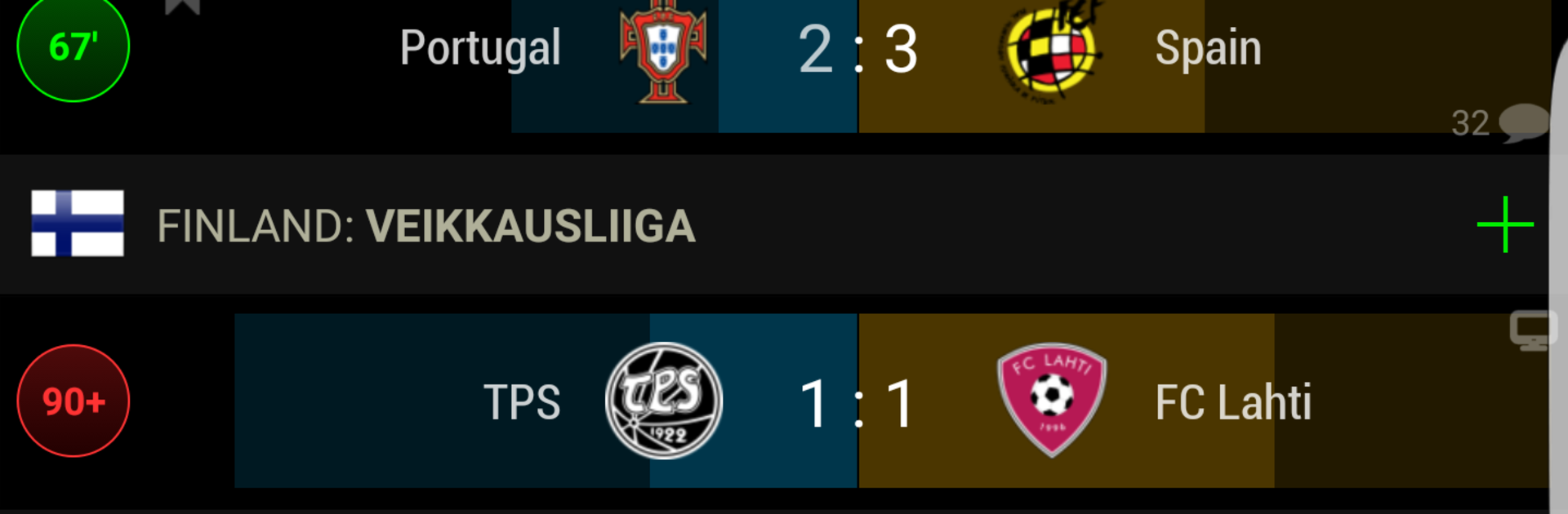
Keeping up with soccer action from around the world just got a whole lot easier. PRO Live Scores S-Center from AJFC development brings live scores, updates, and all the details fans care about right to your fingertips. You’ll get a quick look at matches, leagues, and teams—whether you’re checking in during a lunch break or watching the numbers roll in on game night. If you’ve ever wanted to track your favorite players or chat about the latest transfer, this app makes it smooth and simple. Oh, and if you’re on your computer with BlueStacks, browsing through updates is even more of a breeze.

Game Features

  • Real-Time Stats Galore
    Want to see how players are performing, not just teams? You’ll get detailed statistics for each player, plus a look at their unique skills. It’s all there during live matches.

  • Match Predictions
    Can’t decide which way a game might go? The live match prediction feature crunches the numbers and offers up-to-date odds based on what’s happening on the pitch.

  • Custom Push Notifications
    Never miss the moments that matter. You can set up alerts for specific matches, tournaments, or your favorite teams—and if you upgrade to the PRO version, you’ll even get player-specific notifications.

  • Switchable Themes
    Into dark mode, or just change your mind about your app’s look now and then? Easily swap between themes to keep things fresh or easy on the eyes.

  • In-App Messaging
    Got a hot take or want to cheer with others? The messaging system makes it easy to comment and chat about matches, whether it’s goals, game-changing plays, or league news.

  • Transfer & Multilanguage News
    Keep tabs on player transfers and breaking stories, all in your choice of language—including English, Spanish, Italian, Russian, and more.

  • Highlight Videos
    Missed that jaw-dropping goal? Catch video clips of key match moments without leaving the app.

  • Ad-Free PRO Version
    Unlock a cleaner experience with no ads and enjoy even more custom notifications when you go PRO.

Whether you’re a stats junkie, a casual fan, or love arguing about transfers, PRO Live Scores S-Center has you covered—plus, scrolling through everything on BlueStacks feels right at home.

Make your gaming sessions memorable with precise controls that give you an edge in close combats and visuals that pop up, bringing every character to life.


Game Features

Enhancements

  • Macros
  • Multi Instance
  • Multi Instance Sync
  • Script
  • Enhancements
Macros

Macros

Automate the predictable in PRO Live Scores S-Center and transform your gameplay with Macros. Get access to inventive Macros in the BlueStacks Macro Community
Multi Instance

Multi Instance

Play PRO Live Scores S-Center on one window. And chat with your friend on the other. Press CTRL + Shift + 8 to open the Multi-Instance Manager. And start creating fresh instances or clone an existing one.
Multi Instance Sync

Multi Instance Sync

Play PRO Live Scores S-Center with the power of Multi-Instance Sync. Replicate what you are doing on the main instance on all other instances. Level up faster, play more.
Script

Script

Script your way to gaming glory in PRO Live Scores S-Center with BlueStacks Script. Write and run a set of commands to automate repeated tasks. Trigger the command by assigning it to any key.
Read More

How to Download and Play PRO Live Scores S-Center on PC or Mac

  • Download and install BlueStacks on your PC or Mac

  • Complete Google sign-in to access the Play Store, or do it later

  • Look for PRO Live Scores S-Center in the search bar at the top right corner

  • Click to install PRO Live Scores S-Center from the search results

  • Complete Google sign-in (if you skipped step 2) to install PRO Live Scores S-Center

  • Click the PRO Live Scores S-Center icon on the home screen to start playing

video
Watch Video

Minimum System Requirements

With BlueStacks 5, you can get started on a PC that fulfills the following requirements.

  • Operating System

    Microsoft Windows 7 or above, macOS 11 (Big Sur) or above

  • Processor

    Intel, AMD or Apple Silicon Processor

  • RAM

    at least 4GB

  • HDD

    10GB Free Disk Space

Note:

* You must be an Administrator on your PC. Up to date graphics drivers from Microsoft or the chipset vendor.

PRO Live Scores S-Center - FAQs

  • How to play PRO Live Scores S-Center on Windows PC & Mac?

    Play PRO Live Scores S-Center on your PC or Mac by following these simple steps.

    • Click on 'Play PRO Live Scores S-Center on PC’ to download BlueStacks
    • Install it and log-in to Google Play Store
    • Launch and play the game.
  • Why is BlueStacks the fastest and safest platform to play games on PC?

    BlueStacks respects your privacy and is always safe and secure to use. It does not carry any malware, spyware, or any sort of additional software that could harm your PC.

    It is engineered to optimize speed and performance for a seamless gaming experience.

  • What are PRO Live Scores S-Center PC requirements?

    Minimum requirement to run PRO Live Scores S-Center on your PC

    • OS: Microsoft Windows 7 or above MacOS 11 (Big Sur) or above
    • Processor: Intel, AMD or Apple Silicon Processor
    • RAM: Your PC must have at least 4GB of RAM. (Note that having 4GB or more disk space is not a substitute for RAM)
    • HDD: 10GB Free Disk Space.
    • You must be an Administrator on your PC.