RVG Real World Cricket Game 3D

RVG Real World Cricket Game 3D

Sports

| Rockville Games

Play on PC with BlueStacks or from our cloud

  • Overview
  • Game Features
  • How to Play

Page Modified On: October 04, 2025

Play RVG Real World Cricket Game 3D on PC or Mac

From the innovators and creators at Rockville Games, RVG Real World Cricket Game 3D is another fun addition to the World of Sports games. Go beyond your mobile screen and play it bigger and better on your PC or Mac. An immersive experience awaits you.

About the Game

RVG Real World Cricket Game 3D from Rockville Games is all about crisp shots, clever bowling, and that edge-of-the-seat tension only cricket can deliver. This Sports title blends easy-to-learn controls with deep strategy, letting you build a career, jump into quick matches, or chase trophies across formats. It looks great, moves smoothly, and gives you plenty of ways to play—whether you’ve got five minutes or a whole afternoon.

Game Features

  • Career and Tournaments: Start as a rookie and work your way through intense World Cricket Tournament events. Face rival nations, complete challenges, and aim for that T20 crown—or push on into ODI and Test glory.

  • Formats You Love: Jump into T20 for instant thrills, settle in for an ODI, or test your patience and skill in classic Test matches. Quick Match is perfect when you just want to swing the bat or hit a tight spell.

  • Custom Matches, Your Rules: Pick an international side or a premier league team, set the overs, choose the difficulty, and decide to bat or bowl first. Short break or full session, tailor the game to your schedule.

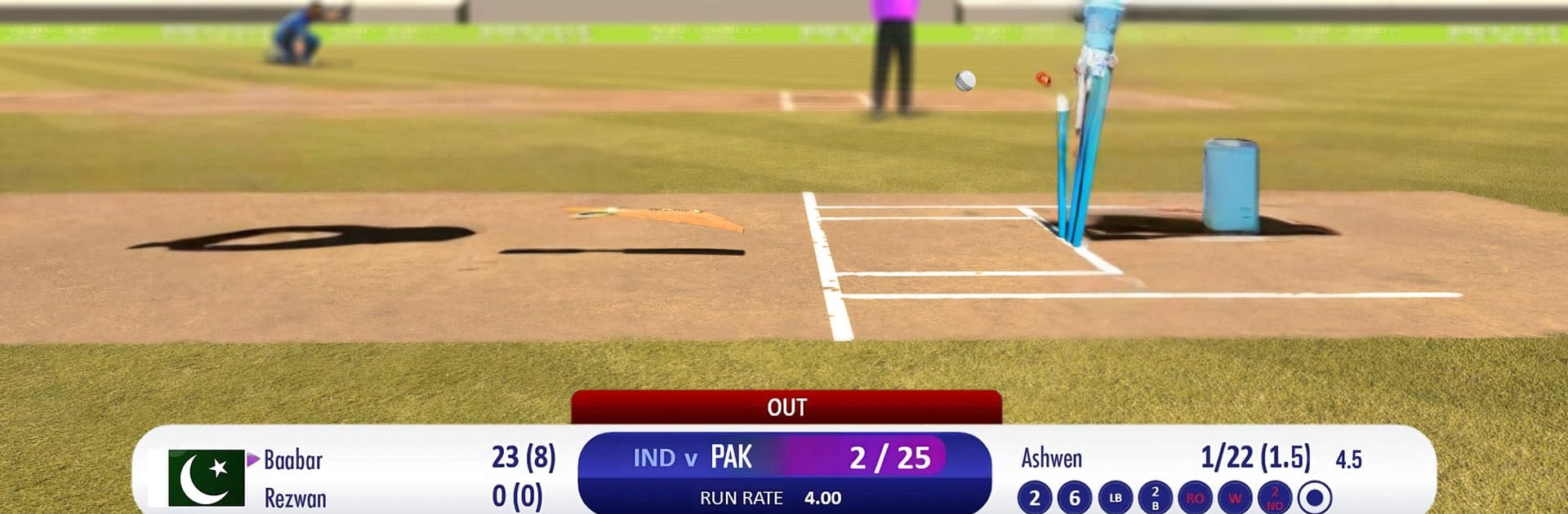
  • Real Stadium Vibes: Play across iconic venues—from Melbourne and Mumbai to Dubai and Sydney—with fresh camera angles and slick animations that make every over feel big.

  • Batting That Rewards Timing: Thread shots through gaps, clear the ropes, and use skill cards to boost key moments. Clean timing matters here.

  • Bowling With Real Variety: Mix pace, length, and line to outfox batters. Rip leg-breaks and off-breaks, slip in a slider or top-spinner, swing it both ways, or crank up the speed.

  • Smooth, Intuitive Controls: Taps and swipes keep things simple, but mastering them takes practice. Aggressive hitters, classic stylists, tearaway pacers, crafty spinners—use each role to your advantage.

  • Multiplayer and Friendly Duels: Take on friends or jump online for quick contests that turn into bragging rights fast.

  • Match-Day Atmosphere: Lively commentary, proper umpire calls, and sharp fielding with diving grabs pull you right into the action.

  • Play on a Bigger Screen: Prefer a desktop setup? You can also enjoy it on BlueStacks for comfy controls and wider views.

Start your journey now. Download the game on BlueStacks, invite your friends, and march on a new adventure.


Game Features

Enhancements

  • Macros
  • Multi Instance
  • Multi Instance Sync
  • Script
  • Enhancements
Macros

Macros

Automate the predictable in RVG Real World Cricket Game 3D and transform your gameplay with Macros. Get access to inventive Macros in the BlueStacks Macro Community
Multi Instance

Multi Instance

Play RVG Real World Cricket Game 3D on one window. And chat with your friend on the other. Press CTRL + Shift + 8 to open the Multi-Instance Manager. And start creating fresh instances or clone an existing one.
Multi Instance Sync

Multi Instance Sync

Play RVG Real World Cricket Game 3D with the power of Multi-Instance Sync. Replicate what you are doing on the main instance on all other instances. Level up faster, play more.
Script

Script

Script your way to gaming glory in RVG Real World Cricket Game 3D with BlueStacks Script. Write and run a set of commands to automate repeated tasks. Trigger the command by assigning it to any key.
Read More

How to Download and Play RVG Real World Cricket Game 3D on PC or Mac

  • Download and install BlueStacks on your PC or Mac

  • Complete Google sign-in to access the Play Store, or do it later

  • Look for RVG Real World Cricket Game 3D in the search bar at the top right corner

  • Click to install RVG Real World Cricket Game 3D from the search results

  • Complete Google sign-in (if you skipped step 2) to install RVG Real World Cricket Game 3D

  • Click the RVG Real World Cricket Game 3D icon on the home screen to start playing

video
Watch Video

Minimum System Requirements

With BlueStacks 5, you can get started on a PC that fulfills the following requirements.

  • Operating System

    Microsoft Windows 7 or above, macOS 11 (Big Sur) or above

  • Processor

    Intel, AMD or Apple Silicon Processor

  • RAM

    at least 4GB

  • HDD

    10GB Free Disk Space

Note:

* You must be an Administrator on your PC. Up to date graphics drivers from Microsoft or the chipset vendor.

RVG Real World Cricket Game 3D - FAQs

  • How to play RVG Real World Cricket Game 3D on Windows PC & Mac?

    Play RVG Real World Cricket Game 3D on your PC or Mac by following these simple steps.

    • Click on 'Play RVG Real World Cricket Game 3D on PC’ to download BlueStacks
    • Install it and log-in to Google Play Store
    • Launch and play the game.
  • Why is BlueStacks the fastest and safest platform to play games on PC?

    BlueStacks respects your privacy and is always safe and secure to use. It does not carry any malware, spyware, or any sort of additional software that could harm your PC.

    It is engineered to optimize speed and performance for a seamless gaming experience.

  • What are RVG Real World Cricket Game 3D PC requirements?

    Minimum requirement to run RVG Real World Cricket Game 3D on your PC

    • OS: Microsoft Windows 7 or above MacOS 11 (Big Sur) or above
    • Processor: Intel, AMD or Apple Silicon Processor
    • RAM: Your PC must have at least 4GB of RAM. (Note that having 4GB or more disk space is not a substitute for RAM)
    • HDD: 10GB Free Disk Space.
    • You must be an Administrator on your PC.