
Sail Expert: Sailing App

Sail Expert: Sailing App

Sports

| Poterion

Play on PC with BlueStacks or from our cloud

  • Overview
  • Game Features
  • How to Play

Page Modified On: October 10, 2025

Play Sail Expert: Sailing App on PC or Mac

Sail Expert: Sailing App brings the Sports genre to life, and throws up exciting challenges for gamers. Developed by Poterion, this Android game is best experienced on BlueStacks, the World’s #1 app player for PC and Mac users.

About the Game

Sail Expert: Sailing App is a clever Sports title from Poterion that turns your phone into a full-on sailing cockpit. Whether you’re out for a relaxed coastal hop or pushing for a clean regatta start, it helps you plan, navigate, and keep track of everything that matters on the water. It works great on mobile and Wear OS; prefer a bigger screen? You can also run it on BlueStacks to plan routes and review logs on your PC.

Game Features

  • Smart navigation coach: Get your target course, off-course alerts, distance remaining, and ETA at a glance so you stay on track without constant guesswork.
  • Routes, targets, and POIs: Build routes, lock onto a bearing, or pick a point of interest and let the app guide you there.
  • Passage planner: Use a simple distance–time graph to sketch a passage, compare options, and set realistic arrival windows.
  • Race-day tools: Hit the startline on time and at speed with dedicated regatta features that help you nail the countdown and approach.
  • Charts your way: Use offline nautical charts out of the box, import MBTiles, bring in scanned charts, or point the app to custom map servers.
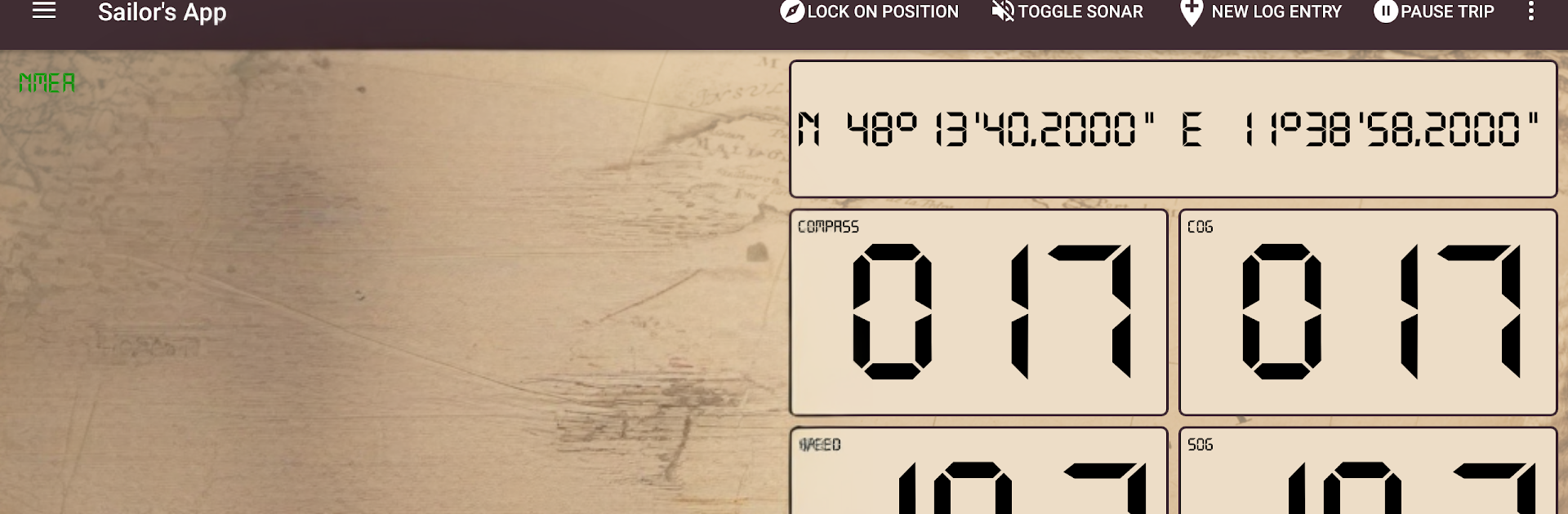
  • Real instruments, real data: Pull live data from your phone’s sensors or connect to your boat’s NMEA stream over WiFi (TCP/UDP) for heading, speed, depth, wind, and more.
  • Wear OS companion: View key instruments on your wrist so you can keep your eyes outside the cockpit.
  • Weather that matters: Download global forecasts and keep them onboard for trips, then overlay wind and conditions right on your charts.
  • Trip logbook: Automatically record position, course, speed, and conditions. Prep trips ahead, check in/out for boat handovers, and keep your history tidy.
  • Easy exports: Share tracks and logs with a tap—export to GPX, CSV, or PDF when you need a clean record or want to analyze later.
  • Sync and share: Optional sync across devices and quick P2P transfers let crew members stay aligned without cables.
  • Safety first: Set an anchor alarm with a radius or custom polygon, trigger Man Over Board, and even monitor the anchor from a second device.
  • Maintenance and crew: Track maintenance per boat and keep simple crew details handy when organizing trips.
  • Alarms and coaching: Configure instrument-based alerts and use the audible speed coach to fine-tune your trim and pace.
  • Made for the sea: Works offline and doesn’t require registration for core features. Pick metric or imperial units and customize instruments to your style.

Ready to top the leaderboard? We bet you do. Let precise controls and sharp visuals optimized on BlueStacks lead you to victory.


Game Features

Enhancements

  • Macros
  • Multi Instance
  • Multi Instance Sync
  • Script
  • Enhancements
Macros

Macros

Automate the predictable in Sail Expert: Sailing App and transform your gameplay with Macros. Get access to inventive Macros in the BlueStacks Macro Community
Multi Instance

Multi Instance

Play Sail Expert: Sailing App on one window. And chat with your friend on the other. Press CTRL + Shift + 8 to open the Multi-Instance Manager. And start creating fresh instances or clone an existing one.
Multi Instance Sync

Multi Instance Sync

Play Sail Expert: Sailing App with the power of Multi-Instance Sync. Replicate what you are doing on the main instance on all other instances. Level up faster, play more.
Script

Script

Script your way to gaming glory in Sail Expert: Sailing App with BlueStacks Script. Write and run a set of commands to automate repeated tasks. Trigger the command by assigning it to any key.
Read More

How to Download and Play Sail Expert: Sailing App on PC or Mac

  • Download and install BlueStacks on your PC or Mac

  • Complete Google sign-in to access the Play Store, or do it later

  • Look for Sail Expert: Sailing App in the search bar at the top right corner

  • Click to install Sail Expert: Sailing App from the search results

  • Complete Google sign-in (if you skipped step 2) to install Sail Expert: Sailing App

  • Click the Sail Expert: Sailing App icon on the home screen to start playing

video
Watch Video

Minimum System Requirements

With BlueStacks 5, you can get started on a PC that fulfills the following requirements.

  • Operating System

    Microsoft Windows 7 or above, macOS 11 (Big Sur) or above

  • Processor

    Intel, AMD or Apple Silicon Processor

  • RAM

    at least 4GB

  • HDD

    10GB Free Disk Space

Note:

* You must be an Administrator on your PC. Up to date graphics drivers from Microsoft or the chipset vendor.

Sail Expert: Sailing App - FAQs

  • How to play Sail Expert: Sailing App on Windows PC & Mac?

    Play Sail Expert: Sailing App on your PC or Mac by following these simple steps.

    • Click on 'Play Sail Expert: Sailing App on PC’ to download BlueStacks
    • Install it and log-in to Google Play Store
    • Launch and play the game.
  • Why is BlueStacks the fastest and safest platform to play games on PC?

    BlueStacks respects your privacy and is always safe and secure to use. It does not carry any malware, spyware, or any sort of additional software that could harm your PC.

    It is engineered to optimize speed and performance for a seamless gaming experience.

  • What are Sail Expert: Sailing App PC requirements?

    Minimum requirement to run Sail Expert: Sailing App on your PC

    • OS: Microsoft Windows 7 or above MacOS 11 (Big Sur) or above
    • Processor: Intel, AMD or Apple Silicon Processor
    • RAM: Your PC must have at least 4GB of RAM. (Note that having 4GB or more disk space is not a substitute for RAM)
    • HDD: 10GB Free Disk Space.
    • You must be an Administrator on your PC.







