Score Badminton
Score Badminton

Score Badminton

Sports

| Iddo Hoeve

Play on PC with BlueStacks or from our cloud

  • Overview
  • Game Features
  • How to Play

Page Modified On: January 09, 2026

Play Score Badminton on PC or Mac

Score Badminton brings the Sports genre to life, and throws up exciting challenges for gamers. Developed by Iddo Hoeve, this Android game is best experienced on BlueStacks, the World’s #1 app player for PC and Mac users.

About the Game

Score Badminton is your courtside companion for keeping matches organized, fair, and easy to follow. Built for players, refs, and club organizers, it tracks every rally, shows who’s serving, and makes sharing results a breeze. It’s a handy Sports tool from Iddo Hoeve, and if you prefer a bigger screen, it runs nicely on BlueStacks too.

Game Features

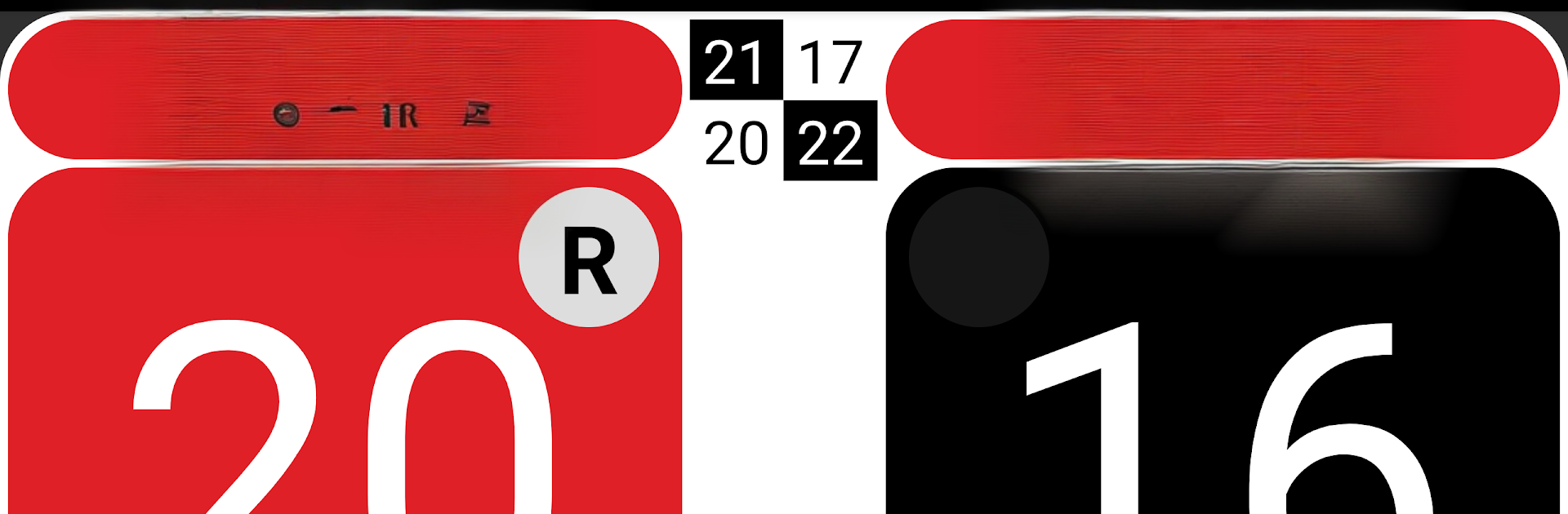
  • Clear live score: See the current score at a glance, laid out so anyone around the court can follow along.
  • Server and side indicator: Always know who serves next and from which side of the court.
  • Quick undo: Made a tap mistake? Undo it in a second—no stress.
  • Smart end changes: Flip players automatically or manually when they swap ends.
  • Rally history and graphs: Review how each game unfolded with clean, easy-to-read visuals.
  • Built-in timers: Set intervals with optional sound or vibration alerts so you don’t miss rest or warm-up windows.
  • Big-screen mode: Cast the scoreboard to a TV with Chromecast for spectators and coaches.
  • Second-screen mirroring: Mirror the score to another Android device over Bluetooth.
  • NFC handoff: Transfer an in-progress match to a teammate’s device with a quick tap.
  • Doubles-ready: Includes clear tools for refereeing doubles matches.
  • Share your way: Send full results (and even complete rally history) by text or email, or post summaries for club match days.
  • Name autocomplete: Pull player names from your contacts if you enable it—handy for repeat matchups.
  • Memory that helps: The app remembers players and past matches for faster setup next time.
  • Color coding and themes: Assign colors per player and customize the app to match your club look.
  • Flexible formats: Choose different tie-break options to fit your event’s rules.
  • Prep and import: Define matches ahead of time or import them from supported feeds; export finished ones for records.
  • Any orientation: Use it comfortably in portrait or landscape—whatever suits your stand or tablet.
  • Rules at your fingertips: Quick access to official badminton rules (if enabled).
  • Club site posting: Optionally push results to your club’s website when configured.

Ready to top the leaderboard? We bet you do. Let precise controls and sharp visuals optimized on BlueStacks lead you to victory.


Game Features

Enhancements

  • Macros
  • Multi Instance
  • Multi Instance Sync
  • Script
  • Enhancements
Macros

Macros

Automate the predictable in Score Badminton and transform your gameplay with Macros. Get access to inventive Macros in the BlueStacks Macro Community
Multi Instance

Multi Instance

Play Score Badminton on one window. And chat with your friend on the other. Press CTRL + Shift + 8 to open the Multi-Instance Manager. And start creating fresh instances or clone an existing one.
Multi Instance Sync

Multi Instance Sync

Play Score Badminton with the power of Multi-Instance Sync. Replicate what you are doing on the main instance on all other instances. Level up faster, play more.
Script

Script

Script your way to gaming glory in Score Badminton with BlueStacks Script. Write and run a set of commands to automate repeated tasks. Trigger the command by assigning it to any key.
Read More

How to Download and Play Score Badminton on PC or Mac

  • Download and install BlueStacks on your PC or Mac

  • Complete Google sign-in to access the Play Store, or do it later

  • Look for Score Badminton in the search bar at the top right corner

  • Click to install Score Badminton from the search results

  • Complete Google sign-in (if you skipped step 2) to install Score Badminton

  • Click the Score Badminton icon on the home screen to start playing

video
Watch Video

Minimum System Requirements

With BlueStacks 5, you can get started on a PC that fulfills the following requirements.

  • Operating System

    Microsoft Windows 7 or above, macOS 11 (Big Sur) or above

  • Processor

    Intel, AMD or Apple Silicon Processor

  • RAM

    at least 4GB

  • HDD

    10GB Free Disk Space

Note:

* You must be an Administrator on your PC. Up to date graphics drivers from Microsoft or the chipset vendor.

Score Badminton - FAQs

  • How to play Score Badminton on Windows PC & Mac?

    Play Score Badminton on your PC or Mac by following these simple steps.

    • Click on 'Play Score Badminton on PC’ to download BlueStacks
    • Install it and log-in to Google Play Store
    • Launch and play the game.
  • Why is BlueStacks the fastest and safest platform to play games on PC?

    BlueStacks respects your privacy and is always safe and secure to use. It does not carry any malware, spyware, or any sort of additional software that could harm your PC.

    It is engineered to optimize speed and performance for a seamless gaming experience.

  • What are Score Badminton PC requirements?

    Minimum requirement to run Score Badminton on your PC

    • OS: Microsoft Windows 7 or above MacOS 11 (Big Sur) or above
    • Processor: Intel, AMD or Apple Silicon Processor
    • RAM: Your PC must have at least 4GB of RAM. (Note that having 4GB or more disk space is not a substitute for RAM)
    • HDD: 10GB Free Disk Space.
    • You must be an Administrator on your PC.