
SmackTok
SmackTok

SmackTok

Sports

| Smacktok

Play on PC with BlueStacks or from our cloud

  • Overview
  • Game Features
  • How to Play

Page Modified On: September 21, 2026

Play SmackTok on PC or Mac

SmackTok brings the Sports genre to life, and throws up exciting challenges for gamers. Developed by Smacktok, this Android game is best experienced on BlueStacks, the World’s #1 app player for PC and Mac users.

About the Game

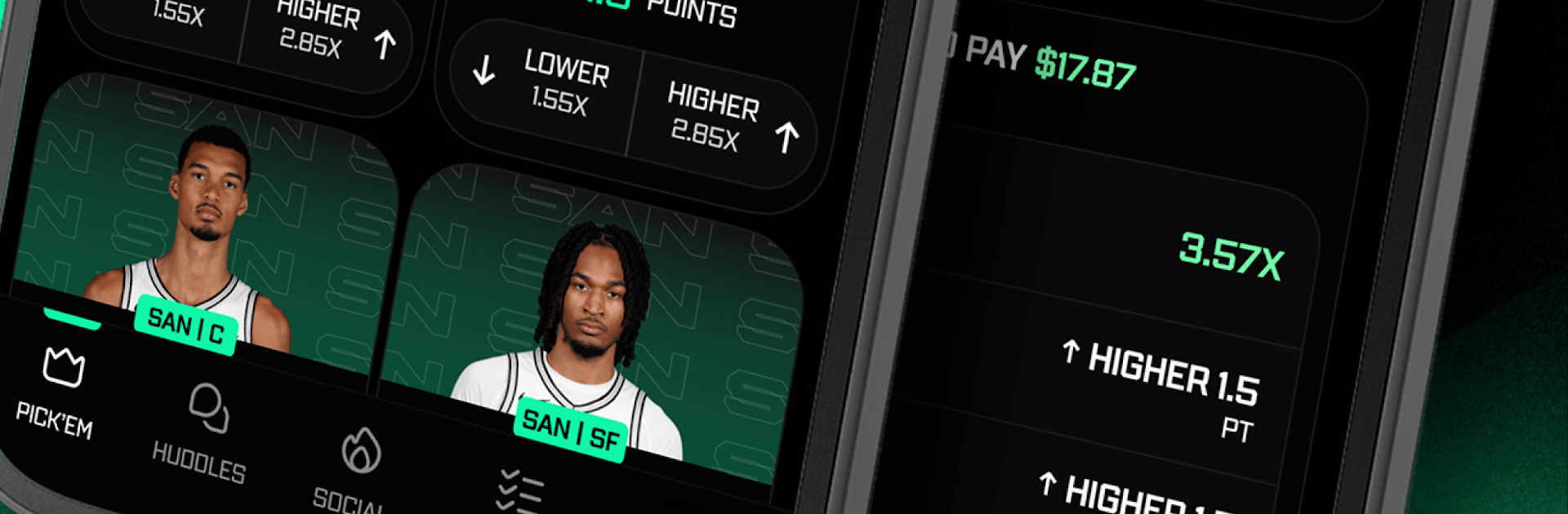
SmackTok turns sports talk into a real game you can play. It blends daily fantasy-style picks with a buzzing social feed so your predictions, hot takes, and bragging rights all live in the same place. It’s a Sports experience that feels fast, chatty, and a little competitive in the best way. Prefer a bigger screen? It runs smoothly on BlueStacks.

Game Features

  • Team Huddles: Jump into dedicated spaces for each team where fans react in real time, trade insights, and keep the conversation rolling before, during, and after the game.
  • Community-Powered Picks: Peek at what the crowd is building, then choose to ride with their slips or fade them—right from the same thread.
  • Real Money or Free Plays: Make confident picks for cash where eligible, or stick to free contests for a shot at fun rewards without the pressure.
  • Pick ’Em Across Major Leagues: NFL, CFB, NBA, CBB, MLB, NHL, Boxing, and UFC are all here—call whether a player clears or falls short on stats like yards, boards, or strikeouts.
  • Instant Build, Live Sweat: Create an entry in seconds, then track every stat as it updates so those small moments suddenly feel massive.
  • Direct Messages and Groups: DM another fan, spin up a group chat, or start your own mini-community around a team, league, or niche topic.
  • Smart Debates, Real Reactions: Post your take, ask questions, and challenge someone’s pick without losing the friendly back-and-forth that keeps sports fun.
  • Responsible Play Tools: Built with features that encourage smart, responsible play so the fun stays front and center.

BlueStacks gives you more room to focus on the game and less time adjusting around mobile limitations.


Game Features

Enhancements

  • Macros
  • Multi Instance
  • Multi Instance Sync
  • Script
  • Enhancements
Macros

Macros

Automate the predictable in SmackTok and transform your gameplay with Macros. Get access to inventive Macros in the BlueStacks Macro Community
Multi Instance

Multi Instance

Play SmackTok on one window. And chat with your friend on the other. Press CTRL + Shift + 8 to open the Multi-Instance Manager. And start creating fresh instances or clone an existing one.
Multi Instance Sync

Multi Instance Sync

Play SmackTok with the power of Multi-Instance Sync. Replicate what you are doing on the main instance on all other instances. Level up faster, play more.
Script

Script

Script your way to gaming glory in SmackTok with BlueStacks Script. Write and run a set of commands to automate repeated tasks. Trigger the command by assigning it to any key.
Read More

How to Download and Play SmackTok on PC or Mac

  • Download and install BlueStacks on your PC or Mac

  • Complete Google sign-in to access the Play Store, or do it later

  • Look for SmackTok in the search bar at the top right corner

  • Click to install SmackTok from the search results

  • Complete Google sign-in (if you skipped step 2) to install SmackTok

  • Click the SmackTok icon on the home screen to start playing

video
Watch Video

Minimum System Requirements

With BlueStacks 5, you can get started on a PC that fulfills the following requirements.

  • Operating System

    Microsoft Windows 7 or above, macOS 11 (Big Sur) or above

  • Processor

    Intel, AMD or Apple Silicon Processor

  • RAM

    at least 4GB

  • HDD

    10GB Free Disk Space

Note:

* You must be an Administrator on your PC. Up to date graphics drivers from Microsoft or the chipset vendor.

SmackTok - FAQs

  • How to play SmackTok on Windows PC & Mac?

    Play SmackTok on your PC or Mac by following these simple steps.

    • Click on 'Play SmackTok on PC’ to download BlueStacks
    • Install it and log-in to Google Play Store
    • Launch and play the game.
  • Why is BlueStacks the fastest and safest platform to play games on PC?

    BlueStacks respects your privacy and is always safe and secure to use. It does not carry any malware, spyware, or any sort of additional software that could harm your PC.

    It is engineered to optimize speed and performance for a seamless gaming experience.

  • What are SmackTok PC requirements?

    Minimum requirement to run SmackTok on your PC

    • OS: Microsoft Windows 7 or above MacOS 11 (Big Sur) or above
    • Processor: Intel, AMD or Apple Silicon Processor
    • RAM: Your PC must have at least 4GB of RAM. (Note that having 4GB or more disk space is not a substitute for RAM)
    • HDD: 10GB Free Disk Space.
    • You must be an Administrator on your PC.







