
Sportzfy TV: World Cup 2026

Sportzfy TV: World Cup 2026

Sports

| PROJECT NEXT WORLD

Play on PC with BlueStacks or from our cloud

  • Overview
  • How to Download

Page Modified On: July 14, 2026

Run Sportzfy TV: World Cup 2026 on PC or Mac

Why limit yourself to your small screen on the phone? Run Sportzfy TV: World Cup 2026, an app by PROJECT NEXT WORLD, best experienced on your PC or Mac with BlueStacks, the world’s #1 Android emulator.

About the Game

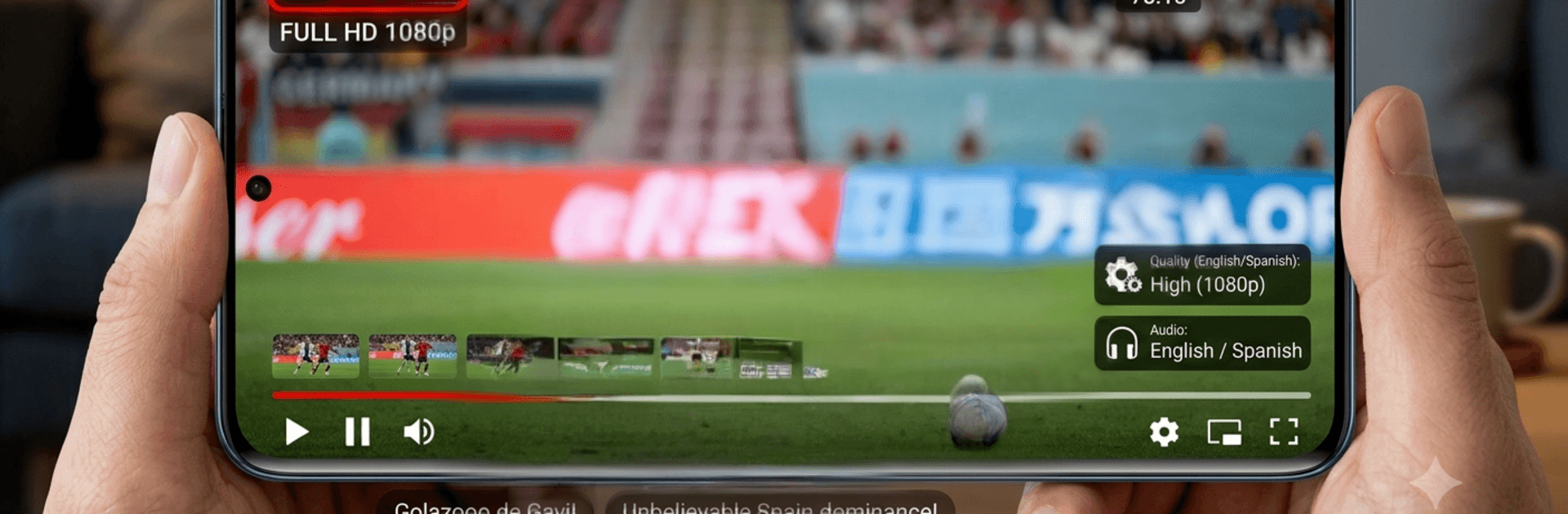
Sportzfy TV: World Cup 2026 is your match-day headquarters for the biggest soccer show on the planet. Watch every game live in crisp 1080p, switch commentary languages on the fly, and keep tabs on scores, stats, and standings without juggling a dozen apps. Whether you’re glued to every minute or catching up between errands, it keeps you in the loop with smart alerts and quick highlights. Prefer a bigger screen? It runs smoothly on BlueStacks, too.

Game Features

  • Live Matches in 1080p: Stream every World Cup 2026 game in clear, Full HD quality.
  • Smooth Playback: Built for steady, low-lag streaming—even when your connection isn’t perfect.
  • Multi‑Language Commentary: Choose English, Spanish, and other options with a quick tap.
  • Real‑Time Scores & Stats: Minute‑by‑minute updates, key moments, and team info as they happen.
  • Full Schedule & Reminders: Browse group and knockout fixtures, then set alerts so you never miss kickoff.
  • Group Standings at a Glance: See live tables and points to track who’s leading and who’s chasing.
  • Fast Highlights: Missed kickoff because life happened? Catch goals and big moments shortly after the final whistle.
  • Clean, TV‑Style Interface: A straightforward layout that gets you to the action fast—no clutter, no fuss.
  • Smart Notifications: Get goal pings, match start alerts, and breaking updates when you want them.

Big screen. Bigger performance. Use BlueStacks on your PC or Mac to run your favorite apps.

How to Download and Run Sportzfy TV: World Cup 2026 on PC or Mac

  • Download and install BlueStacks on your PC or Mac

  • Complete Google sign-in to access the Play Store, or do it later

  • Look for Sportzfy TV: World Cup 2026 in the search bar at the top right corner

  • Click to install Sportzfy TV: World Cup 2026 from the search results

  • Complete Google sign-in (if you skipped step 2) to install Sportzfy TV: World Cup 2026

  • Click the Sportzfy TV: World Cup 2026 icon on the home screen to start playing

video
Watch Video

Minimum System Requirements

With BlueStacks 5, you can get started on a PC that fulfills the following requirements.

  • Operating System

    Microsoft Windows 7 or above, macOS 11 (Big Sur) or above

  • Processor

    Intel, AMD or Apple Silicon Processor

  • RAM

    at least 4GB

  • HDD

    10GB Free Disk Space

Note:

* You must be an Administrator on your PC. Up to date graphics drivers from Microsoft or the chipset vendor.

Sportzfy TV: World Cup 2026 - FAQs

  • How to Run Sportzfy TV: World Cup 2026 on Windows PC & Mac?

    Run Sportzfy TV: World Cup 2026 on your PC or Mac by following these simple steps.

    • Click on ‘Download Sportzfy TV: World Cup 2026 on PC’ to download BlueStacks
    • Install it and log-in to Google Play Store
    • Launch and run the app.
  • Why is BlueStacks the fastest and safest platform to play games on PC?

    BlueStacks respects your privacy and is always safe and secure to use. It does not carry any malware, spyware, or any sort of additional software that could harm your PC.

    It is engineered to optimize speed and performance for a seamless gaming experience.

  • What are Sportzfy TV: World Cup 2026 PC requirements?

    Minimum requirement to run Sportzfy TV: World Cup 2026 on your PC

    • OS: Microsoft Windows 7 and above:
    • Processor: Intel or AMD Processor:
    • RAM: Your PC must have at least 2GB of RAM. (Note that having 2GB or more disk space is not a substitute for RAM):
    • HDD: 5GB Free Disk Space.
    • You must be an Administrator on your PC.




