
The Mantrailing App
The Mantrailing App

The Mantrailing App

Sports

| Niklas Kuse

Play on PC with BlueStacks or from our cloud

  • Overview
  • How to Download

Page Modified On: August 15, 2026

Run The Mantrailing App on PC or Mac

Multitask effortlessly on your PC or Mac as you try out The Mantrailing App, a Sports app by Niklas Kuse on BlueStacks.

About the App

The Mantrailing App helps you plan, run, and document scent trails with your dog without juggling clipboards or messy notes. It blends GPS recording, a smart Virtual Trainer, and shareable live tracking so every session feels organized and easy to review. Genre: Sports. If you like debriefing on a bigger screen, it also works smoothly on BlueStacks for crisp maps and cleaner analysis.

App Features

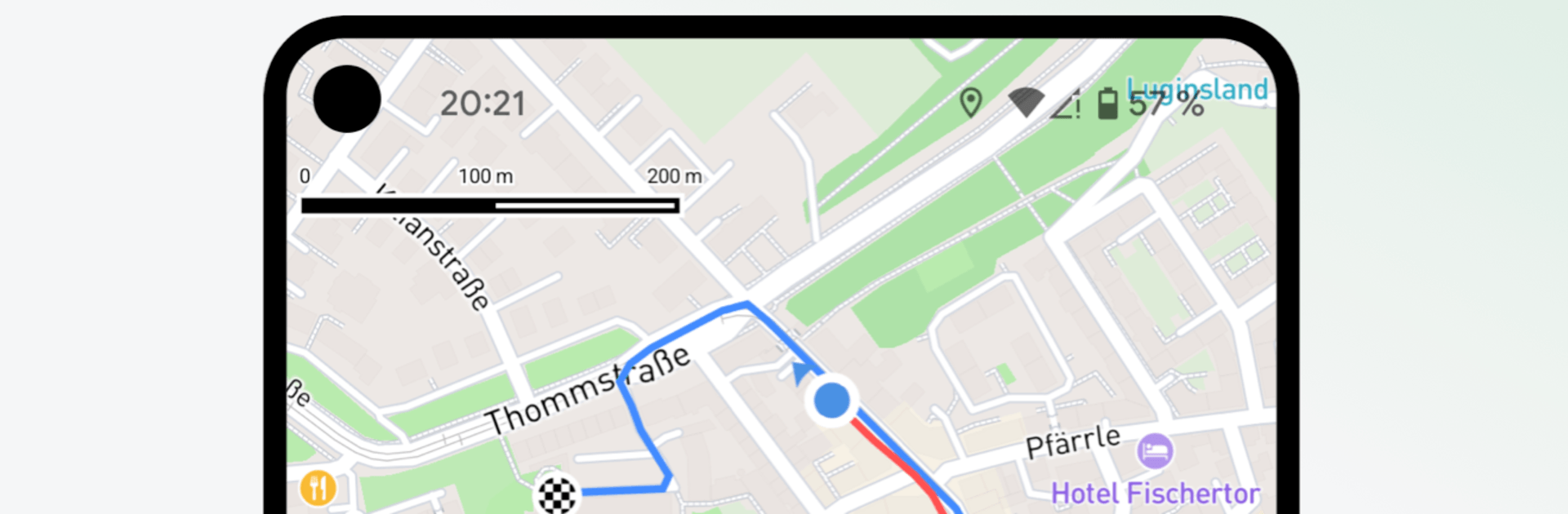
  • Dual-trail map view: See the runner’s route and the mantrailing team’s track on one map to spot deviations, corrections, and learning moments at a glance.
  • Virtual Trainer alerts: Load the runner’s track, set a corridor, and get instant feedback if your dog drifts off the scent—great when you don’t have a dedicated backup.
  • Waypoints on the fly: Drop markers for key moments—starts, negatives, big distractions, or behavior changes—right while recording.
  • Live tracking and sharing: Share a link so teammates can follow your progress in real time, whether they’re nearby or watching from elsewhere.
  • Runner workflow made easy: Record, export, and share the runner’s trail straight from the finish—no need to walk the whole thing again.
  • One-tap training reports: Generate clean PDFs with maps, weather, and your notes for quick debriefs or archiving.
  • Always in sync: Create an account to keep every trail updated across your devices, ready whenever you are.
  • Automatic weather logging: Temperature, wind, precipitation, and more are captured automatically for solid, consistent records.
  • Performance insights: Review drift, pace, search efficiency, and environmental influences; monitor live stats like distance and duration while you work.

Ready to experience The Mantrailing App on a bigger screen, in all its glory? Download BlueStacks now.


How to Download and Run The Mantrailing App on PC or Mac

  • Download and install BlueStacks on your PC or Mac

  • Complete Google sign-in to access the Play Store, or do it later

  • Look for The Mantrailing App in the search bar at the top right corner

  • Click to install The Mantrailing App from the search results

  • Complete Google sign-in (if you skipped step 2) to install The Mantrailing App

  • Click the The Mantrailing App icon on the home screen to start playing

video
Watch Video

Minimum System Requirements

With BlueStacks 5, you can get started on a PC that fulfills the following requirements.

  • Operating System

    Microsoft Windows 7 or above, macOS 11 (Big Sur) or above

  • Processor

    Intel, AMD or Apple Silicon Processor

  • RAM

    at least 4GB

  • HDD

    10GB Free Disk Space

Note:

* You must be an Administrator on your PC. Up to date graphics drivers from Microsoft or the chipset vendor.

The Mantrailing App - FAQs

  • How to Run The Mantrailing App on Windows PC & Mac?

    Run The Mantrailing App on your PC or Mac by following these simple steps.

    • Click on ‘Download The Mantrailing App on PC’ to download BlueStacks
    • Install it and log-in to Google Play Store
    • Launch and run the app.
  • Why is BlueStacks the fastest and safest platform to play games on PC?

    BlueStacks respects your privacy and is always safe and secure to use. It does not carry any malware, spyware, or any sort of additional software that could harm your PC.

    It is engineered to optimize speed and performance for a seamless gaming experience.

  • What are The Mantrailing App PC requirements?

    Minimum requirement to run The Mantrailing App on your PC

    • OS: Microsoft Windows 7 and above:
    • Processor: Intel or AMD Processor:
    • RAM: Your PC must have at least 2GB of RAM. (Note that having 2GB or more disk space is not a substitute for RAM):
    • HDD: 5GB Free Disk Space.
    • You must be an Administrator on your PC.



