Wrestling Empire Battle Royale

Wrestling Empire Battle Royale

Sports

| World Sports Arena

Play on PC with BlueStacks or from our cloud

  • Overview
  • Game Features
  • How to Play

Page Modified On: January 09, 2026

Play Wrestling Empire Battle Royale on PC or Mac

Explore a whole new adventure with Wrestling Empire Battle Royale, a Sports game created by World Sports Arena. Experience great gameplay with BlueStacks, the most popular gaming platform to play Android games on your PC or Mac.

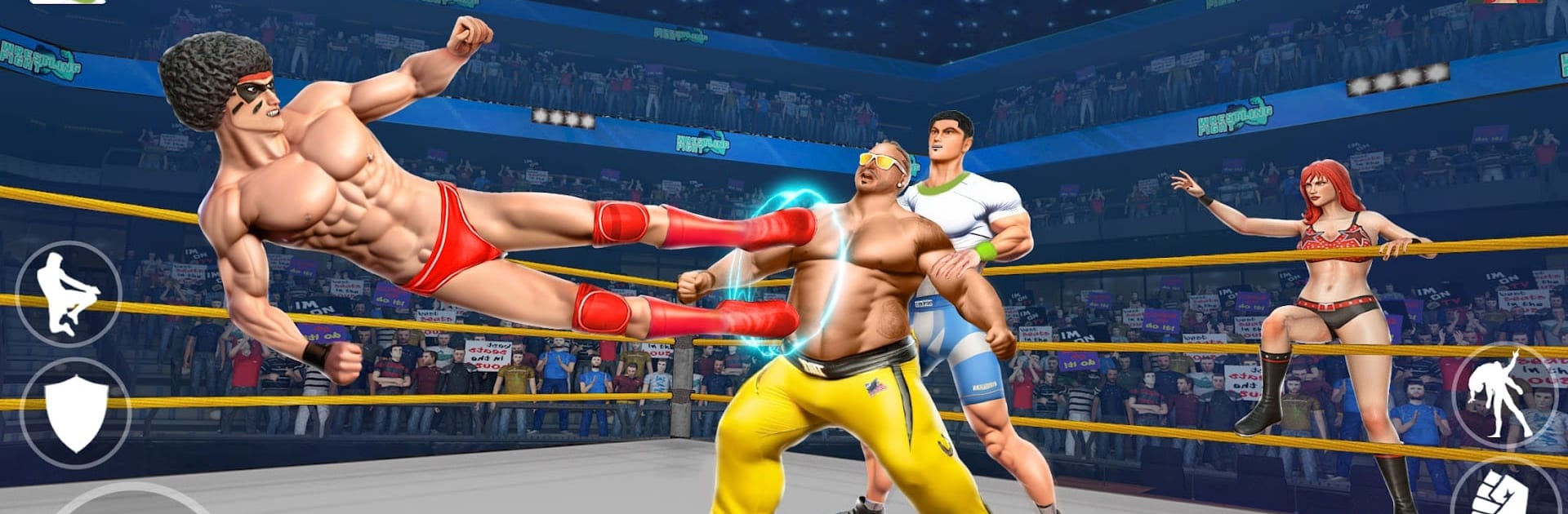
Wrestling Empire Battle Royale feels like a loud, scrappy ring fight that keeps throwing new tricks at the player. It is all about timing grapples, reading rivals, and picking moments to slam or counter. Fighters come with signature moves and different strengths, and there is a simple upgrade path so a favorite wrestler can handle tougher matchups over time. The move set is big for an arcade brawler, mixing kickboxing, karate, throws, arm locks, and those heavy smash punches. Weapons pop up and turn the ring into pure chaos when things get tight. Fights happen in a bunch of arenas, from bright TV-style rings to cage-style sets that feel a bit like a hell in a cell night.

Controls are easy to learn, which makes pulling off suplexes and reversals feel quick, but the game still wants players to think. Watching a rival’s tells and staying alert usually beats button mashing. Sound effects are chunky and loud in a good way, and the animations are exaggerated so every hit sells the moment. There are a lot of matches and modes to clear, with a leaderboard chase for anyone who wants to prove it. On PC with BlueStacks the bigger screen and key mapping help a lot, and a controller works nicely too. It is less sim, more arcade, so it suits anyone who wants fast action, flashy moves, and steady progression without a rulebook getting in the way.

Slay your opponents with your epic moves. Play it your way on BlueStacks and dominate the battlefield.


Game Features

Enhancements

  • Macros
  • Multi Instance
  • Multi Instance Sync
  • Script
  • Enhancements
Macros

Macros

Automate the predictable in Wrestling Empire Battle Royale and transform your gameplay with Macros. Get access to inventive Macros in the BlueStacks Macro Community
Multi Instance

Multi Instance

Play Wrestling Empire Battle Royale on one window. And chat with your friend on the other. Press CTRL + Shift + 8 to open the Multi-Instance Manager. And start creating fresh instances or clone an existing one.
Multi Instance Sync

Multi Instance Sync

Play Wrestling Empire Battle Royale with the power of Multi-Instance Sync. Replicate what you are doing on the main instance on all other instances. Level up faster, play more.
Script

Script

Script your way to gaming glory in Wrestling Empire Battle Royale with BlueStacks Script. Write and run a set of commands to automate repeated tasks. Trigger the command by assigning it to any key.
Read More

How to Download and Play Wrestling Empire Battle Royale on PC or Mac

  • Download and install BlueStacks on your PC or Mac

  • Complete Google sign-in to access the Play Store, or do it later

  • Look for Wrestling Empire Battle Royale in the search bar at the top right corner

  • Click to install Wrestling Empire Battle Royale from the search results

  • Complete Google sign-in (if you skipped step 2) to install Wrestling Empire Battle Royale

  • Click the Wrestling Empire Battle Royale icon on the home screen to start playing

video
Watch Video

Minimum System Requirements

With BlueStacks 5, you can get started on a PC that fulfills the following requirements.

  • Operating System

    Microsoft Windows 7 or above, macOS 11 (Big Sur) or above

  • Processor

    Intel, AMD or Apple Silicon Processor

  • RAM

    at least 4GB

  • HDD

    10GB Free Disk Space

Note:

* You must be an Administrator on your PC. Up to date graphics drivers from Microsoft or the chipset vendor.

Wrestling Empire Battle Royale - FAQs

  • How to play Wrestling Empire Battle Royale on Windows PC & Mac?

    Play Wrestling Empire Battle Royale on your PC or Mac by following these simple steps.

    • Click on 'Play Wrestling Empire Battle Royale on PC’ to download BlueStacks
    • Install it and log-in to Google Play Store
    • Launch and play the game.
  • Why is BlueStacks the fastest and safest platform to play games on PC?

    BlueStacks respects your privacy and is always safe and secure to use. It does not carry any malware, spyware, or any sort of additional software that could harm your PC.

    It is engineered to optimize speed and performance for a seamless gaming experience.

  • What are Wrestling Empire Battle Royale PC requirements?

    Minimum requirement to run Wrestling Empire Battle Royale on your PC

    • OS: Microsoft Windows 7 or above MacOS 11 (Big Sur) or above
    • Processor: Intel, AMD or Apple Silicon Processor
    • RAM: Your PC must have at least 4GB of RAM. (Note that having 4GB or more disk space is not a substitute for RAM)
    • HDD: 10GB Free Disk Space.
    • You must be an Administrator on your PC.