Wrestling Empire
Wrestling Empire

Wrestling Empire

Sports

| MDickie

Play on PC with BlueStacks or from our cloud

  • Overview
  • Game Features
  • How to Play

Page Modified On: April 09, 2026

Play Wrestling Empire on PC or Mac

Wrestling Empire brings the Sports genre to life, and throws up exciting challenges for gamers. Developed by MDickie, this Android game is best experienced on BlueStacks, the World’s #1 app player for PC and Mac users.

About the Game

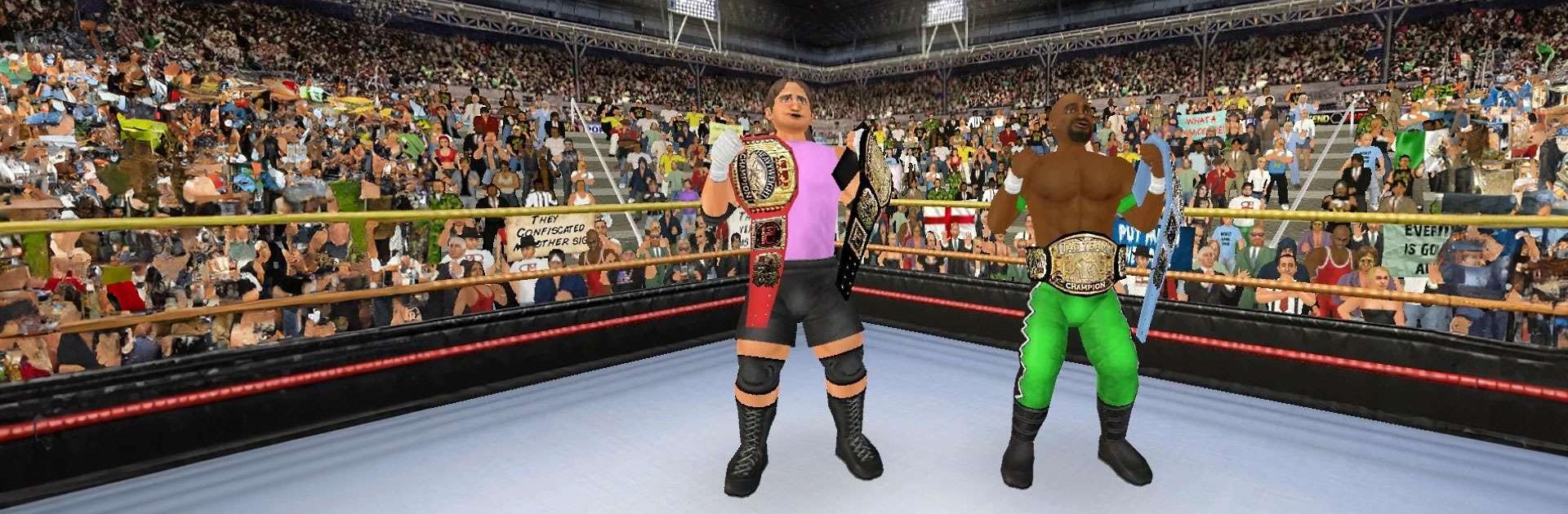
Wrestling Empire is a fast, scrappy, and surprisingly deep Sports brawler from MDickie where every suplex and side-eye counts. It’s got that throwback look with modern smoothness, quick matches, and a huge sandbox of wrestlers to tangle with. Want to play on a bigger screen? It runs nicely on BlueStacks, too.

Game Features

  • Build Your Star: Create your own wrestler and shape a full career, from hungry rookie to grizzled veteran—and everything that happens between the ropes and backstage.
  • Massive Shared Universe: Cross paths with 350+ personalities spread across 10 rosters, all living in the same bustling world where rumors, rivalries, and alliances evolve around you.
  • Backstage Politics Matter: What you say and do behind the scenes can be as important as your finisher. Manage relationships, negotiate opportunities, and protect your spot.
  • Roaming Mode Chaos: “Take it outside” in a free-roaming mode that unfolds in real time, letting you handle confrontations, accidents, and sudden drama the moment they erupt.
  • Snappy Retro Action: Crisp visuals, smooth performance, and that chunky old-school flavor—plus near-instant match starts so you’re not stuck on loading screens.
  • Go Pro, Go Wild: Upgrade to the Pro membership to ditch sponsor limits and lock in custom changes for every character, turning the whole world into your personal playground.
  • Dream Match Maker: Use the streamlined setup tools to stage anything from one-on-ones to wild multi-person brawls. Pack the arena with wrestlers and props for pure spectacle.
  • Run the Show: Jump into Booking mode to run your own promotion with a territorial twist. Build the best roster you can, tour cities, chase attendance records, and book cards that boost ratings.
  • Manage the Locker Room: Keep egos in check, balance star power with budget, and make the tough calls when tempers flare—because success isn’t just about the main event.

Ready to top the leaderboard? We bet you do. Let precise controls and sharp visuals optimized on BlueStacks lead you to victory.


Game Features

Enhancements

  • Macros
  • Multi Instance
  • Multi Instance Sync
  • Script
  • Enhancements
Macros

Macros

Automate the predictable in Wrestling Empire and transform your gameplay with Macros. Get access to inventive Macros in the BlueStacks Macro Community
Multi Instance

Multi Instance

Play Wrestling Empire on one window. And chat with your friend on the other. Press CTRL + Shift + 8 to open the Multi-Instance Manager. And start creating fresh instances or clone an existing one.
Multi Instance Sync

Multi Instance Sync

Play Wrestling Empire with the power of Multi-Instance Sync. Replicate what you are doing on the main instance on all other instances. Level up faster, play more.
Script

Script

Script your way to gaming glory in Wrestling Empire with BlueStacks Script. Write and run a set of commands to automate repeated tasks. Trigger the command by assigning it to any key.
Read More

How to Download and Play Wrestling Empire on PC or Mac

  • Download and install BlueStacks on your PC or Mac

  • Complete Google sign-in to access the Play Store, or do it later

  • Look for Wrestling Empire in the search bar at the top right corner

  • Click to install Wrestling Empire from the search results

  • Complete Google sign-in (if you skipped step 2) to install Wrestling Empire

  • Click the Wrestling Empire icon on the home screen to start playing

video
Watch Video

Minimum System Requirements

With BlueStacks 5, you can get started on a PC that fulfills the following requirements.

  • Operating System

    Microsoft Windows 7 or above, macOS 11 (Big Sur) or above

  • Processor

    Intel, AMD or Apple Silicon Processor

  • RAM

    at least 4GB

  • HDD

    10GB Free Disk Space

Note:

* You must be an Administrator on your PC. Up to date graphics drivers from Microsoft or the chipset vendor.

Wrestling Empire - FAQs

  • How to play Wrestling Empire on Windows PC & Mac?

    Play Wrestling Empire on your PC or Mac by following these simple steps.

    • Click on 'Play Wrestling Empire on PC’ to download BlueStacks
    • Install it and log-in to Google Play Store
    • Launch and play the game.
  • Why is BlueStacks the fastest and safest platform to play games on PC?

    BlueStacks respects your privacy and is always safe and secure to use. It does not carry any malware, spyware, or any sort of additional software that could harm your PC.

    It is engineered to optimize speed and performance for a seamless gaming experience.

  • What are Wrestling Empire PC requirements?

    Minimum requirement to run Wrestling Empire on your PC

    • OS: Microsoft Windows 7 or above MacOS 11 (Big Sur) or above
    • Processor: Intel, AMD or Apple Silicon Processor
    • RAM: Your PC must have at least 4GB of RAM. (Note that having 4GB or more disk space is not a substitute for RAM)
    • HDD: 10GB Free Disk Space.
    • You must be an Administrator on your PC.