Aggro Arena: PvP Tower Defense

Aggro Arena: PvP Tower Defense

Strategy

| Deviloper Limited

Play on PC with BlueStacks or from our cloud

  • Overview
  • Game Features
  • How to Play

Page Modified On: September 25, 2026

Play Aggro Arena: PvP Tower Defense on PC or Mac

Explore a whole new adventure with Aggro Arena: PvP Tower Defense, a Strategy game created by Deviloper Limited. Experience great gameplay with BlueStacks, the most popular gaming platform to play Android games on your PC or Mac.

About the Game

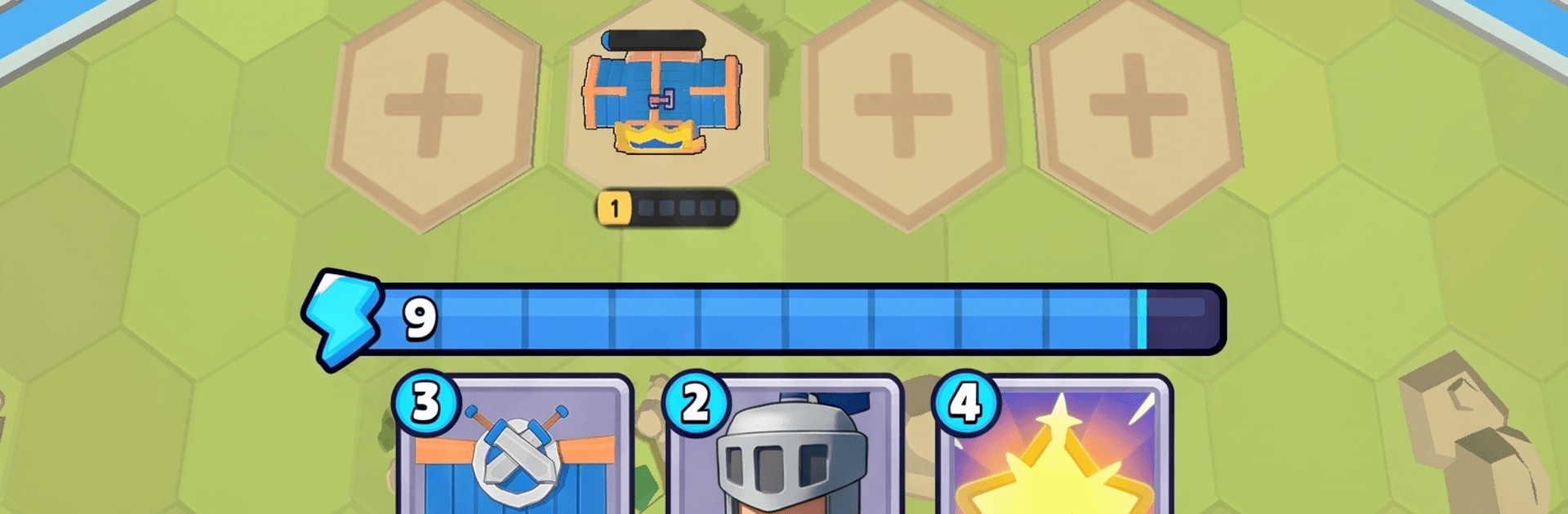
Aggro Arena: PvP Tower Defense throws you into fast, head-to-head battles where towers, troops, and spells collide. This is a Strategy game built around quick reads and bold plays—you’ll be defending and striking back at the same time, trying to crack your rival’s base while keeping yours standing. Matches are snappy, tense, and just a little bit chaotic in the best way. It also runs great on BlueStacks if you like playing on a larger screen.

Game Features

  • Real-time 1v1: Jump into quick, live showdowns where timing, placement, and energy use decide the winner.
  • Custom decks: Collect and upgrade units, spells, and defense towers, then mix them into a deck that fits your pace—rush, control, or something sneaky in between.
  • Offense-focused defense: Block a push cleanly, flip the field, and turn that stop into a brutal counter that cracks their core.
  • Arena climb: Earn trophies to move through competitive tiers, unlock fresh arenas, and snag better rewards as you rise.
  • Daily goals & events: Tackle bite-size quests and special events to grab chests, rare cards, and the materials you need to power up.
  • Tactical resource play: Manage energy like a pro—bait out counters, trade efficiently, and swing the tempo when it matters.
  • Quick matches: Short, high-stakes rounds that fit a break but still leave you thinking about the next tweak to your deck.
  • Read and react: Scout their plan, spot win conditions early, and land clutch counters that swing the entire match.

BlueStacks gives you more room to focus on the game and less time adjusting around mobile limitations.


Game Features

Enhancements

  • Macros
  • Multi Instance
  • Multi Instance Sync
  • Eco Mode
  • Enhancements
Macros

Macros

Skip the boring parts of a game. Play Aggro Arena: PvP Tower Defense with Macros and get the edge. Simply record a sequence of commands and execute them at any moment.
Multi Instance

Multi Instance

Why limit to one game on your phone when you can play many on your PC? Open multiple instances of Aggro Arena: PvP Tower Defense at once with Multi-Instance. Leverage the power of different accounts by doing more.
Multi Instance Sync

Multi Instance Sync

Get the best out of Aggro Arena: PvP Tower Defense with Multi-Instance Sync. Play the game from different accounts and build your own empire. Use Multi-instance sync to repeat the action in the main BlueStacks instance on all other instances.
Eco Mode

Eco Mode

Find the rarest heroes by making multiple summons in Aggro Arena: PvP Tower Defense. And while you are at it, reduce your PC’s resource consumption with the Eco Mode. Farm efficiently. Get the best results.
Read More

How to Download and Play Aggro Arena: PvP Tower Defense on PC or Mac

  • Download and install BlueStacks on your PC or Mac

  • Complete Google sign-in to access the Play Store, or do it later

  • Look for Aggro Arena: PvP Tower Defense in the search bar at the top right corner

  • Click to install Aggro Arena: PvP Tower Defense from the search results

  • Complete Google sign-in (if you skipped step 2) to install Aggro Arena: PvP Tower Defense

  • Click the Aggro Arena: PvP Tower Defense icon on the home screen to start playing

video
Watch Video

Minimum System Requirements

With BlueStacks 5, you can get started on a PC that fulfills the following requirements.

  • Operating System

    Microsoft Windows 7 or above, macOS 11 (Big Sur) or above

  • Processor

    Intel, AMD or Apple Silicon Processor

  • RAM

    at least 4GB

  • HDD

    10GB Free Disk Space

Note:

* You must be an Administrator on your PC. Up to date graphics drivers from Microsoft or the chipset vendor.

Aggro Arena: PvP Tower Defense - FAQs

  • How to play Aggro Arena: PvP Tower Defense on Windows PC & Mac?

    Play Aggro Arena: PvP Tower Defense on your PC or Mac by following these simple steps.

    • Click on 'Play Aggro Arena: PvP Tower Defense on PC’ to download BlueStacks
    • Install it and log-in to Google Play Store
    • Launch and play the game.
  • Why is BlueStacks the fastest and safest platform to play games on PC?

    BlueStacks respects your privacy and is always safe and secure to use. It does not carry any malware, spyware, or any sort of additional software that could harm your PC.

    It is engineered to optimize speed and performance for a seamless gaming experience.

  • What are Aggro Arena: PvP Tower Defense PC requirements?

    Minimum requirement to run Aggro Arena: PvP Tower Defense on your PC

    • OS: Microsoft Windows 7 or above MacOS 11 (Big Sur) or above
    • Processor: Intel, AMD or Apple Silicon Processor
    • RAM: Your PC must have at least 4GB of RAM. (Note that having 4GB or more disk space is not a substitute for RAM)
    • HDD: 10GB Free Disk Space.
    • You must be an Administrator on your PC.