Ape Warforts
Ape Warforts

Ape Warforts

Strategy

| Tap4fun Trident Limited

Play on PC with BlueStacks or from our cloud

  • Overview
  • Game Features
  • How to Play

Page Modified On: August 14, 2026

Play Ape Warforts on PC or Mac

Ape Warforts brings the Strategy genre to life, and throws up exciting challenges for gamers. Developed by Tap4fun Trident Limited, this Android game is best experienced on BlueStacks, the World’s #1 app player for PC and Mac users.

About the Game

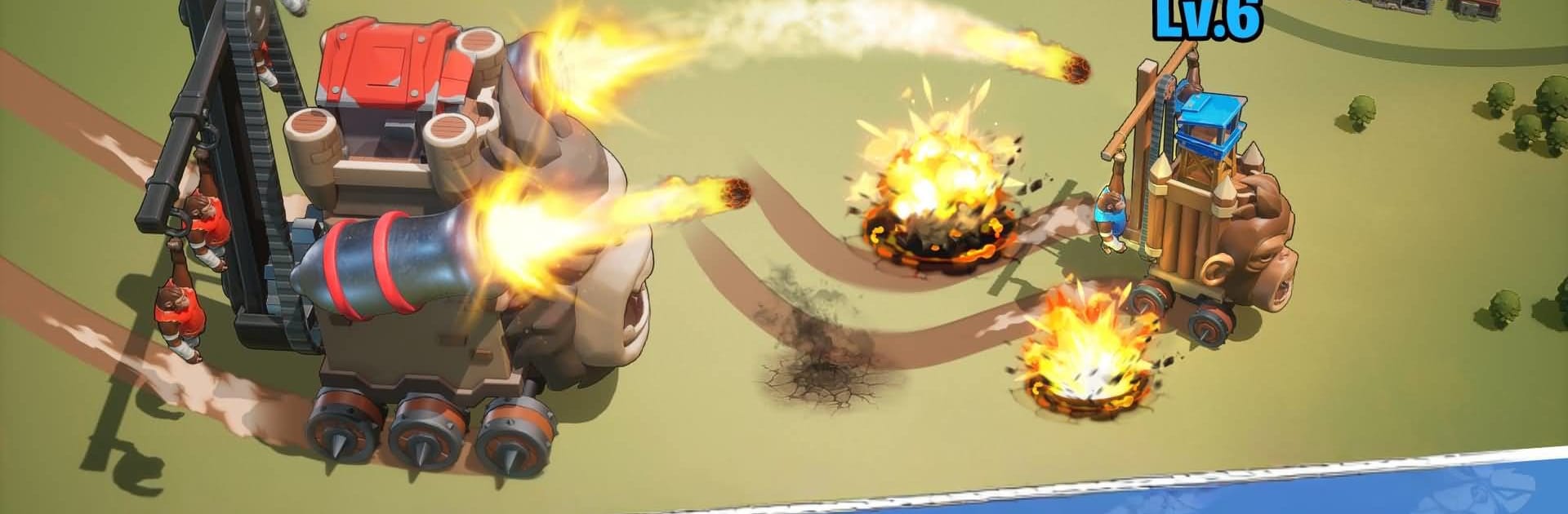
Strap into a stomping war machine and lead a clan of brainy primates in Ape Warforts, a wild Strategy experience where walking fortresses rule the battlefield. Swap between quick arena brawls and longer, map-spanning campaigns as you grow an outpost, coordinate with allies, and push your rivals in a high-stakes rocket race. Prefer a bigger screen? It also runs smoothly on PC with BlueStacks.

Game Features

  • Marching Fortresses: Pilot a customizable, mobile stronghold and smash through shifting battle maps with clever positioning.
  • Arena Skirmishes: Jump into fast, player-vs-player clashes when you want instant action and quick rewards.
  • Clan Allegiances: Join one of six distinct clans, rally your crew, and clash in massive wars that span the entire map.
  • Outpost Building: Expand your base, optimize production, and keep resources flowing to power every campaign.
  • Troop Training: Build specialized simian squads, tweak lineups, and counter enemy compositions with smart unit choices.
  • Rocket Race: Coordinate launches, outmaneuver rival factions, and seize milestones in a race that can flip the entire war.
  • PvE Hunts: Track down Mutant Monkeys and towering bosses for rare materials and brag-worthy victories.
  • World Exploration: Roam a ruined world, uncover ancient ruins, and snag high-value resource stashes before anyone else.
  • Command Chat & Social: Share intel, set rally points, call targets, and even gather followers on a built-in social feed.
  • Notable Faces: Meet a cheeky cast—from Roger the Intendant to Junior—that keeps missions lively and the banter sharp.
  • Play Your Way: Go for short arena bursts or settle in for drawn-out sieges; both paths push your clan forward.

Start playing Ape Warforts on BlueStacks and get a smoother, more comfortable PC or Mac setup.

Game Features

Enhancements

  • Macros
  • Multi Instance
  • Multi Instance Sync
  • Eco Mode
  • Enhancements
Macros

Macros

Skip the boring parts of a game. Play Ape Warforts with Macros and get the edge. Simply record a sequence of commands and execute them at any moment.
Multi Instance

Multi Instance

Why limit to one game on your phone when you can play many on your PC? Open multiple instances of Ape Warforts at once with Multi-Instance. Leverage the power of different accounts by doing more.
Multi Instance Sync

Multi Instance Sync

Get the best out of Ape Warforts with Multi-Instance Sync. Play the game from different accounts and build your own empire. Use Multi-instance sync to repeat the action in the main BlueStacks instance on all other instances.
Eco Mode

Eco Mode

Find the rarest heroes by making multiple summons in Ape Warforts. And while you are at it, reduce your PC’s resource consumption with the Eco Mode. Farm efficiently. Get the best results.
Read More

How to Download and Play Ape Warforts on PC or Mac

  • Download and install BlueStacks on your PC or Mac

  • Complete Google sign-in to access the Play Store, or do it later

  • Look for Ape Warforts in the search bar at the top right corner

  • Click to install Ape Warforts from the search results

  • Complete Google sign-in (if you skipped step 2) to install Ape Warforts

  • Click the Ape Warforts icon on the home screen to start playing

video
Watch Video

Minimum System Requirements

With BlueStacks 5, you can get started on a PC that fulfills the following requirements.

  • Operating System

    Microsoft Windows 7 or above, macOS 11 (Big Sur) or above

  • Processor

    Intel, AMD or Apple Silicon Processor

  • RAM

    at least 4GB

  • HDD

    10GB Free Disk Space

Note:

* You must be an Administrator on your PC. Up to date graphics drivers from Microsoft or the chipset vendor.

Ape Warforts - FAQs

  • How to play Ape Warforts on Windows PC & Mac?

    Play Ape Warforts on your PC or Mac by following these simple steps.

    • Click on 'Play Ape Warforts on PC’ to download BlueStacks
    • Install it and log-in to Google Play Store
    • Launch and play the game.
  • Why is BlueStacks the fastest and safest platform to play games on PC?

    BlueStacks respects your privacy and is always safe and secure to use. It does not carry any malware, spyware, or any sort of additional software that could harm your PC.

    It is engineered to optimize speed and performance for a seamless gaming experience.

  • What are Ape Warforts PC requirements?

    Minimum requirement to run Ape Warforts on your PC

    • OS: Microsoft Windows 7 or above MacOS 11 (Big Sur) or above
    • Processor: Intel, AMD or Apple Silicon Processor
    • RAM: Your PC must have at least 4GB of RAM. (Note that having 4GB or more disk space is not a substitute for RAM)
    • HDD: 10GB Free Disk Space.
    • You must be an Administrator on your PC.