Bounce Battle
Bounce Battle

Bounce Battle

Strategy

| Sugarscone

Play on PC with BlueStacks or from our cloud

  • Overview
  • Game Features
  • How to Play

Page Modified On: April 07, 2026

Play Bounce Battle on PC or Mac

Explore a whole new adventure with Bounce Battle, a Strategy game created by Sugarscone. Experience great gameplay with BlueStacks, the most popular gaming platform to play Android games on your PC or Mac.

About the Game

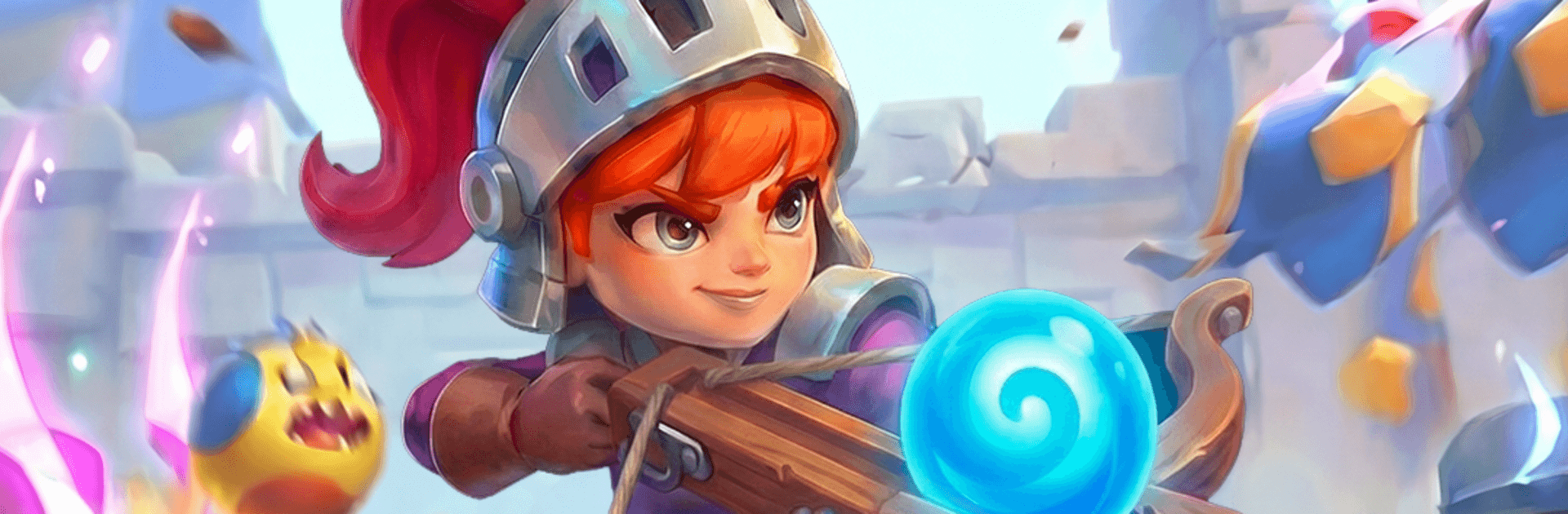
Bounce Battle is a Strategy game from Sugarscone that turns classic brick-breaker vibes into a tense, grin-inducing zombie defense. You sling a stream of powered-up balls, watch them ricochet around the arena, and shred undead formations before they swarm you. Prefer a bigger screen and tighter clicks? It also feels great on PC with BlueStacks.

Game Features

  • Ricochet-based combat: Line up your shot, bank it off walls, and chain bounces to wipe out clustered zombies in one slick sweep.
  • Zombie waves with bite: Face varied enemy types and steadily tougher formations that force you to rethink angles and timing.
  • Power-ups that matter: Ignite runs with fire shots, freeze packs with ice, blast crowds with explosives, or link hits with chain shots to keep the chaos rolling.
  • Support towers: Drop and upgrade shooting towers to cover lanes, clean up stragglers, and rescue risky angles when your aim gets spicy.
  • Quick-swipe controls: Flick to fire—easy to pick up in seconds, yet there’s plenty of nuance in how you place, pace, and angle each volley.
  • Smart upgrades: Boost damage, improve bounce potential, and expand your loadout so each round feels stronger and more strategic.
  • Satisfying physics: Snappy rebounds and crunchy hit feedback make every perfect bank shot feel earned.
  • Play your pace: Blast through short sessions or chase high-skill clears as the difficulty ramps and the screen fills with targets.

Make your gaming sessions memorable with precise controls that give you an edge in close combats and visuals that pop up, bringing every character to life.


Game Features

Enhancements

  • Macros
  • Multi Instance
  • Multi Instance Sync
  • Eco Mode
  • Enhancements
Macros

Macros

Skip the boring parts of a game. Play Bounce Battle with Macros and get the edge. Simply record a sequence of commands and execute them at any moment.
Multi Instance

Multi Instance

Why limit to one game on your phone when you can play many on your PC? Open multiple instances of Bounce Battle at once with Multi-Instance. Leverage the power of different accounts by doing more.
Multi Instance Sync

Multi Instance Sync

Get the best out of Bounce Battle with Multi-Instance Sync. Play the game from different accounts and build your own empire. Use Multi-instance sync to repeat the action in the main BlueStacks instance on all other instances.
Eco Mode

Eco Mode

Find the rarest heroes by making multiple summons in Bounce Battle. And while you are at it, reduce your PC’s resource consumption with the Eco Mode. Farm efficiently. Get the best results.
Read More

How to Download and Play Bounce Battle on PC or Mac

  • Download and install BlueStacks on your PC or Mac

  • Complete Google sign-in to access the Play Store, or do it later

  • Look for Bounce Battle in the search bar at the top right corner

  • Click to install Bounce Battle from the search results

  • Complete Google sign-in (if you skipped step 2) to install Bounce Battle

  • Click the Bounce Battle icon on the home screen to start playing

video
Watch Video

Minimum System Requirements

With BlueStacks 5, you can get started on a PC that fulfills the following requirements.

  • Operating System

    Microsoft Windows 7 or above, macOS 11 (Big Sur) or above

  • Processor

    Intel, AMD or Apple Silicon Processor

  • RAM

    at least 4GB

  • HDD

    10GB Free Disk Space

Note:

* You must be an Administrator on your PC. Up to date graphics drivers from Microsoft or the chipset vendor.

Bounce Battle - FAQs

  • How to play Bounce Battle on Windows PC & Mac?

    Play Bounce Battle on your PC or Mac by following these simple steps.

    • Click on 'Play Bounce Battle on PC’ to download BlueStacks
    • Install it and log-in to Google Play Store
    • Launch and play the game.
  • Why is BlueStacks the fastest and safest platform to play games on PC?

    BlueStacks respects your privacy and is always safe and secure to use. It does not carry any malware, spyware, or any sort of additional software that could harm your PC.

    It is engineered to optimize speed and performance for a seamless gaming experience.

  • What are Bounce Battle PC requirements?

    Minimum requirement to run Bounce Battle on your PC

    • OS: Microsoft Windows 7 or above MacOS 11 (Big Sur) or above
    • Processor: Intel, AMD or Apple Silicon Processor
    • RAM: Your PC must have at least 4GB of RAM. (Note that having 4GB or more disk space is not a substitute for RAM)
    • HDD: 10GB Free Disk Space.
    • You must be an Administrator on your PC.