Undead Rush
Undead Rush

Undead Rush

Strategy

| Sugarscone

Play on PC with BlueStacks or from our cloud

  • Overview
  • Game Features
  • How to Play

Page Modified On: June 17, 2026

Play Undead Rush on PC or Mac

Play Undead Rush by Sugarscone on PC or Mac with BlueStacks. Use a bigger screen, mouse and keyboard controls, and smoother performance while you play.

About the Game

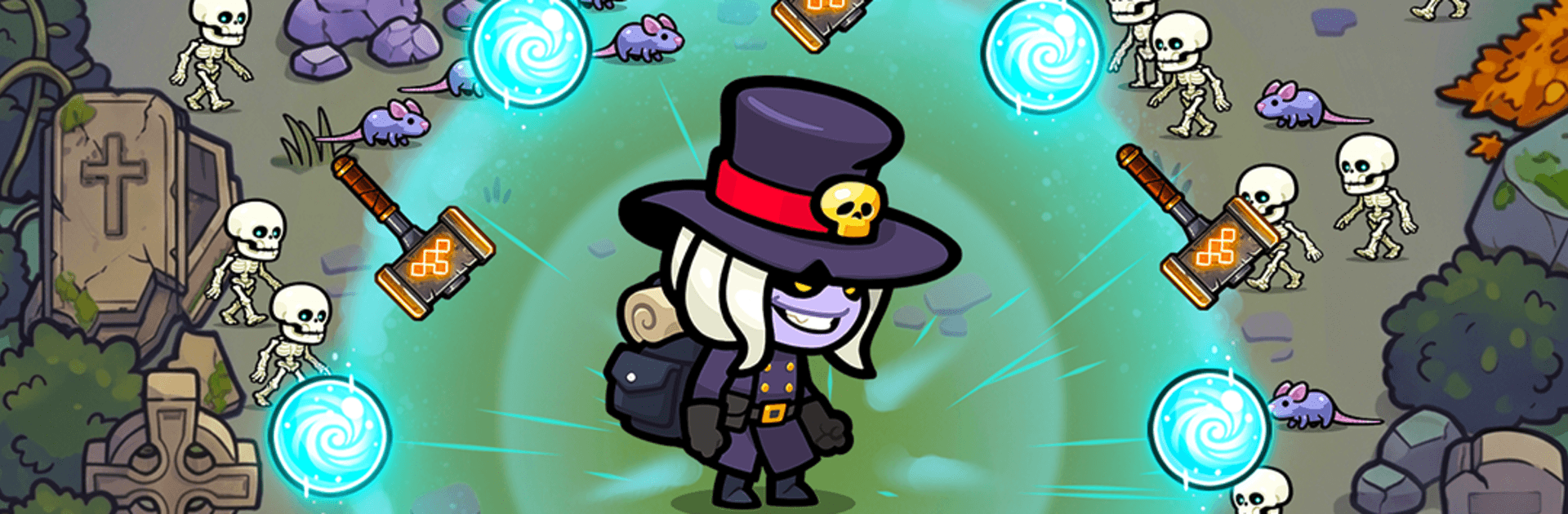
Undead Rush throws you into a top-down gauntlet where brains matter as much as reflexes. It’s a Strategy take on roguelike survival, blending frantic crowd control with a smart, grid-based backpack puzzle. Play on mobile or hop onto BlueStacks if you prefer laying out your gear with a mouse and keyboard.

Game Features

  • Pack-Smart Inventory: Loot isn’t the hard part—fitting it is. Drag and rotate weapons, armor, and trinkets into a limited grid, squeezing more power out of every square.
  • Synergy-Driven Builds: Place items so their effects connect and amplify. Slot a few right pieces together and you’ll turn modest gear into a devastating loadout.
  • Swarm Survival Action: Waves of ghouls and other nasties close in fast. Dodge through bullet patterns, position well, and let your auto-attacks chew through the crowd.
  • Choices After Every Clash: Between waves, pick your next perk or prize. More gold? A risky relic? A quirky power-up? Each decision nudges your build in a new direction.
  • Big, Nasty Bosses: Screen-filling terrors test whether your setup actually works. Read their patterns, find the gaps, and cash in on serious rewards when they drop.
  • Wild Combos and Abilities: From orbiting blades to explosive chains and magic rings, stack effects until your screen turns into a fireworks show.
  • Quick Progress, Fresh Runs: Runs play out fast but never feel the same thanks to randomized drops, branching options, and evolving strategies that reward experimentation.

Ready to top the leaderboard? We bet you do. Let precise controls and sharp visuals optimized on BlueStacks lead you to victory.


Game Features

Enhancements

  • Macros
  • Multi Instance
  • Multi Instance Sync
  • Eco Mode
  • Enhancements
Macros

Macros

Skip the boring parts of a game. Play Undead Rush with Macros and get the edge. Simply record a sequence of commands and execute them at any moment.
Multi Instance

Multi Instance

Why limit to one game on your phone when you can play many on your PC? Open multiple instances of Undead Rush at once with Multi-Instance. Leverage the power of different accounts by doing more.
Multi Instance Sync

Multi Instance Sync

Get the best out of Undead Rush with Multi-Instance Sync. Play the game from different accounts and build your own empire. Use Multi-instance sync to repeat the action in the main BlueStacks instance on all other instances.
Eco Mode

Eco Mode

Find the rarest heroes by making multiple summons in Undead Rush. And while you are at it, reduce your PC’s resource consumption with the Eco Mode. Farm efficiently. Get the best results.
Read More

How to Download and Play Undead Rush on PC or Mac

  • Download and install BlueStacks on your PC or Mac

  • Complete Google sign-in to access the Play Store, or do it later

  • Look for Undead Rush in the search bar at the top right corner

  • Click to install Undead Rush from the search results

  • Complete Google sign-in (if you skipped step 2) to install Undead Rush

  • Click the Undead Rush icon on the home screen to start playing

video
Watch Video

Minimum System Requirements

With BlueStacks 5, you can get started on a PC that fulfills the following requirements.

  • Operating System

    Microsoft Windows 7 or above, macOS 11 (Big Sur) or above

  • Processor

    Intel, AMD or Apple Silicon Processor

  • RAM

    at least 4GB

  • HDD

    10GB Free Disk Space

Note:

* You must be an Administrator on your PC. Up to date graphics drivers from Microsoft or the chipset vendor.

Undead Rush - FAQs

  • How to play Undead Rush on Windows PC & Mac?

    Play Undead Rush on your PC or Mac by following these simple steps.

    • Click on 'Play Undead Rush on PC’ to download BlueStacks
    • Install it and log-in to Google Play Store
    • Launch and play the game.
  • Why is BlueStacks the fastest and safest platform to play games on PC?

    BlueStacks respects your privacy and is always safe and secure to use. It does not carry any malware, spyware, or any sort of additional software that could harm your PC.

    It is engineered to optimize speed and performance for a seamless gaming experience.

  • What are Undead Rush PC requirements?

    Minimum requirement to run Undead Rush on your PC

    • OS: Microsoft Windows 7 or above MacOS 11 (Big Sur) or above
    • Processor: Intel, AMD or Apple Silicon Processor
    • RAM: Your PC must have at least 4GB of RAM. (Note that having 4GB or more disk space is not a substitute for RAM)
    • HDD: 10GB Free Disk Space.
    • You must be an Administrator on your PC.