Car Chase Game Cop Simulator

Car Chase Game Cop Simulator

Strategy

| Twins Inc.

Play on PC with BlueStacks or from our cloud

  • Overview
  • Game Features
  • How to Play

Page Modified On: September 07, 2026

Play Car Chase Game Cop Simulator on PC or Mac

Play Car Chase Game Cop Simulator by Twins Inc. on PC or Mac with BlueStacks. Use a bigger screen, mouse and keyboard controls, and smoother performance while you play.

About the Game

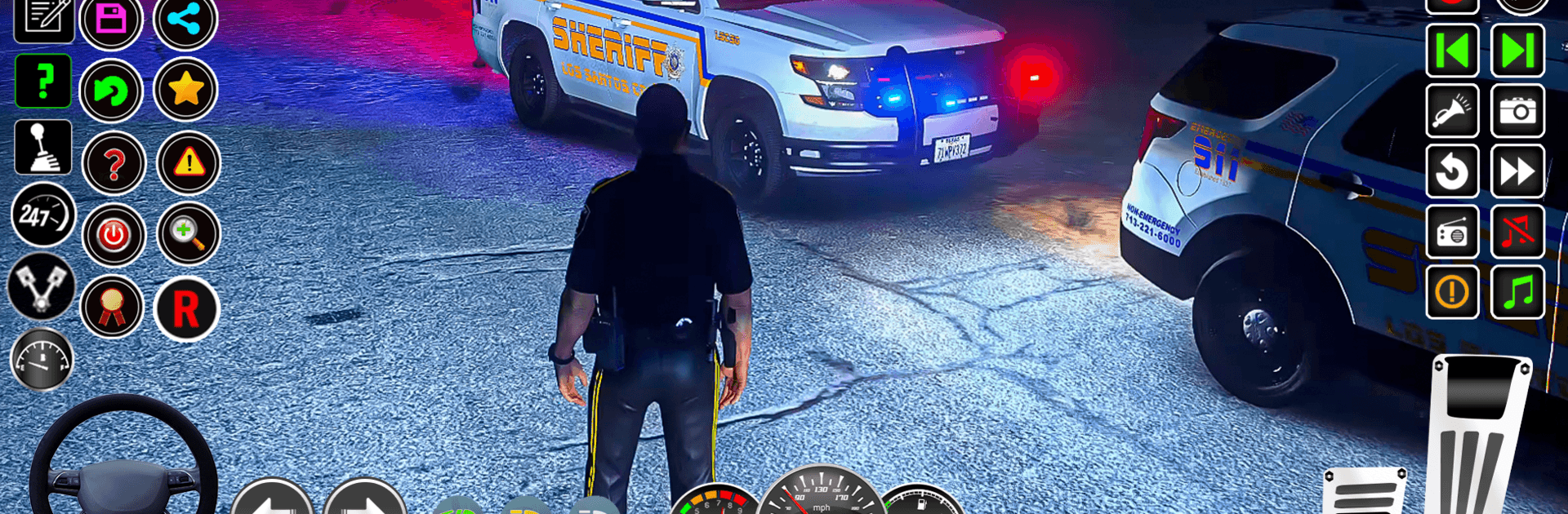
Car Chase Game Cop Simulator puts you behind the badge for high-stakes pursuits across a sprawling city. It’s a Strategy take on police chases, blending tight driving with split-second choices—tail quietly, box them in, or go loud when the moment’s right. Prefer playing on a bigger screen? It runs smoothly on BlueStacks.

Game Features

  • High-stakes pursuits: Chase down robbers, gangsters, and terror suspects as cases escalate from street crimes to full-on jailbreak getaways.
  • Ground-to-air action: Swap the sirens for rotors in helicopter segments and line up careful shots on fleeing vans without risking bystanders.
  • Clear suspect tracking: Follow directional arrows to pinpoint targets, cut off escape routes, and keep pressure on every turn.
  • Realistic city feel: Cruise through a detailed urban map with immersive cop-car vibes—from sharp engine growls to flashing lights.
  • Intuitive handling: Pick what fits your style with arrows, an on-screen steering wheel, or tilt controls for responsive driving.
  • Full camera control: Use a 360-degree camera to read corners, peek around traffic, and avoid blind spots mid-chase.
  • Different rides each level: Get behind the wheel of varied patrol cars across missions, each offering a distinct feel for pursuit work.
  • Risk-versus-reward moments: Weigh speed against precision; reckless blasts won’t help when a careful shot from the chopper does.
  • Mission variety: Respond to urgent callouts—ambushes, prison breaks, and boss-led convoys that demand quick thinking and sharp aim.
  • Play anywhere: Enjoy full pursuits offline, perfect for quick sessions or extended crime sweeps without a connection.

Ready to top the leaderboard? We bet you do. Let precise controls and sharp visuals optimized on BlueStacks lead you to victory.


Game Features

Enhancements

  • Macros
  • Multi Instance
  • Multi Instance Sync
  • Eco Mode
  • Enhancements
Macros

Macros

Skip the boring parts of a game. Play Car Chase Game Cop Simulator with Macros and get the edge. Simply record a sequence of commands and execute them at any moment.
Multi Instance

Multi Instance

Why limit to one game on your phone when you can play many on your PC? Open multiple instances of Car Chase Game Cop Simulator at once with Multi-Instance. Leverage the power of different accounts by doing more.
Multi Instance Sync

Multi Instance Sync

Get the best out of Car Chase Game Cop Simulator with Multi-Instance Sync. Play the game from different accounts and build your own empire. Use Multi-instance sync to repeat the action in the main BlueStacks instance on all other instances.
Eco Mode

Eco Mode

Find the rarest heroes by making multiple summons in Car Chase Game Cop Simulator. And while you are at it, reduce your PC’s resource consumption with the Eco Mode. Farm efficiently. Get the best results.
Read More

How to Download and Play Car Chase Game Cop Simulator on PC or Mac

  • Download and install BlueStacks on your PC or Mac

  • Complete Google sign-in to access the Play Store, or do it later

  • Look for Car Chase Game Cop Simulator in the search bar at the top right corner

  • Click to install Car Chase Game Cop Simulator from the search results

  • Complete Google sign-in (if you skipped step 2) to install Car Chase Game Cop Simulator

  • Click the Car Chase Game Cop Simulator icon on the home screen to start playing

video
Watch Video

Minimum System Requirements

With BlueStacks 5, you can get started on a PC that fulfills the following requirements.

  • Operating System

    Microsoft Windows 7 or above, macOS 11 (Big Sur) or above

  • Processor

    Intel, AMD or Apple Silicon Processor

  • RAM

    at least 4GB

  • HDD

    10GB Free Disk Space

Note:

* You must be an Administrator on your PC. Up to date graphics drivers from Microsoft or the chipset vendor.

Car Chase Game Cop Simulator - FAQs

  • How to play Car Chase Game Cop Simulator on Windows PC & Mac?

    Play Car Chase Game Cop Simulator on your PC or Mac by following these simple steps.

    • Click on 'Play Car Chase Game Cop Simulator on PC’ to download BlueStacks
    • Install it and log-in to Google Play Store
    • Launch and play the game.
  • Why is BlueStacks the fastest and safest platform to play games on PC?

    BlueStacks respects your privacy and is always safe and secure to use. It does not carry any malware, spyware, or any sort of additional software that could harm your PC.

    It is engineered to optimize speed and performance for a seamless gaming experience.

  • What are Car Chase Game Cop Simulator PC requirements?

    Minimum requirement to run Car Chase Game Cop Simulator on your PC

    • OS: Microsoft Windows 7 or above MacOS 11 (Big Sur) or above
    • Processor: Intel, AMD or Apple Silicon Processor
    • RAM: Your PC must have at least 4GB of RAM. (Note that having 4GB or more disk space is not a substitute for RAM)
    • HDD: 10GB Free Disk Space.
    • You must be an Administrator on your PC.