Car Driving & Drift Games 3D

Car Driving & Drift Games 3D

Strategy

| Gaming Zone Hub

Play on PC with BlueStacks or from our cloud

  • Overview
  • Game Features
  • How to Play

Page Modified On: April 24, 2026

Play Car Driving & Drift Games 3D on PC or Mac

From the innovators and creators at Gaming Zone Hub, Car Driving & Drift Games 3D is another fun addition to the World of Strategy games. Go beyond your mobile screen and play it bigger and better on your PC or Mac. An immersive experience awaits you.

About the Game

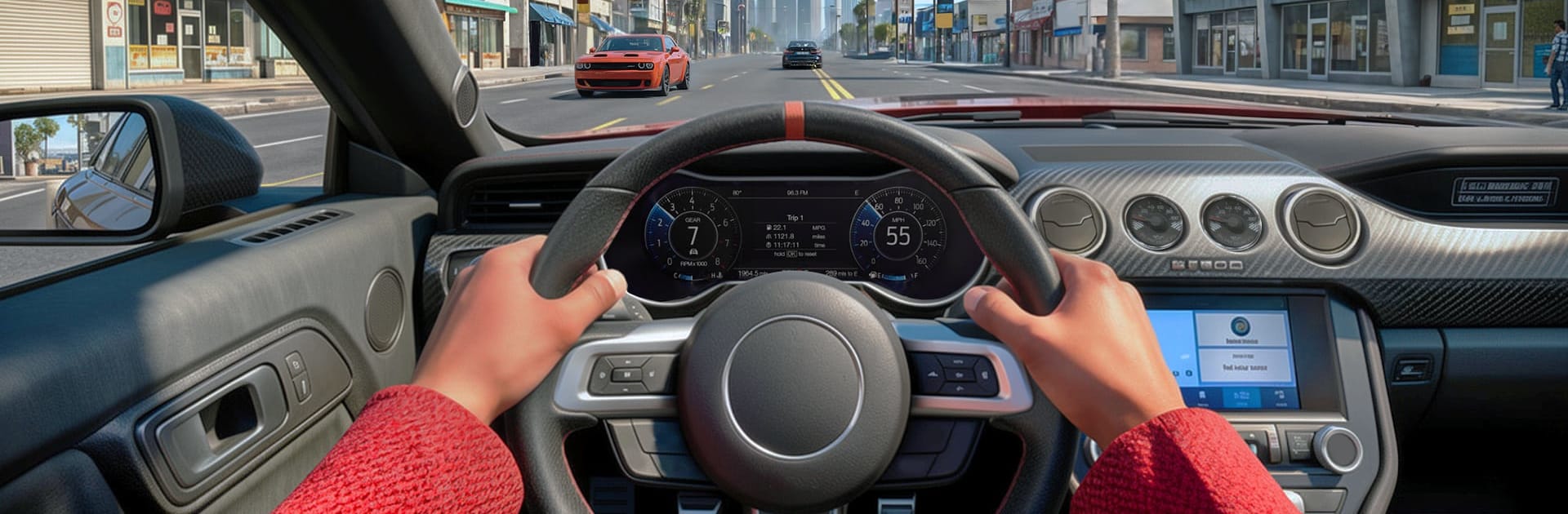
Car Driving & Drift Games 3D puts you in the driver’s seat of powerful rides and lets you slide through city corners like you own the streets. It’s all about precision, throttle control, and choosing the perfect line—very much a Strategy vibe from Gaming Zone Hub, just with more tire smoke. Want to cruise, chase high scores, or practice that perfect sideways exit? It’s all here, and it feels great on mobile—or on PC with BlueStacks if you like a bigger view and keyboard control.

Game Features

  • Open-city freedom: Roll through busy streets, long highways, and wide open spots at your own pace, switching from chill cruising to full-send drifts whenever the mood hits.
  • Drift-first handling: Weighty cars, quick steering, and a punchy handbrake make linking corners feel rewarding instead of random.
  • Missions with purpose: Short challenges push your timing, speed control, and angle management so every run teaches you something new.
  • A garage worth driving: Pick from modern machines with distinct personalities—light and twitchy or planted and grippy—and find your favorite.
  • Custom tweaks: Adjust visuals and basic setups to make each car feel more “you,” from look to driving feel.
  • Clean 3D presentation: Crisp environments, clear road read, and punchy effects help you judge distance, angle, and speed at a glance.
  • Simple, responsive controls: Intuitive inputs keep your focus on throttle, brake, and angle—less fuss, more flow.
  • Play how you like: Practice lines in open areas or chase targets and medals on tighter routes; both styles are supported.
  • Strategy at speed: Plan entries, manage momentum, and hit perfect exits—every corner is a small puzzle that rewards smart choices.
  • PC-friendly with BlueStacks: Prefer a keyboard and mouse? BlueStacks makes it smooth to steer and fine-tune drifts on a larger screen.

Get ready for a buttery smooth, high-performance gaming action only on BlueStacks.

Game Features

Enhancements

  • Macros
  • Multi Instance
  • Multi Instance Sync
  • Eco Mode
  • Enhancements
Macros

Macros

Skip the boring parts of a game. Play Car Driving & Drift Games 3D with Macros and get the edge. Simply record a sequence of commands and execute them at any moment.
Multi Instance

Multi Instance

Why limit to one game on your phone when you can play many on your PC? Open multiple instances of Car Driving & Drift Games 3D at once with Multi-Instance. Leverage the power of different accounts by doing more.
Multi Instance Sync

Multi Instance Sync

Get the best out of Car Driving & Drift Games 3D with Multi-Instance Sync. Play the game from different accounts and build your own empire. Use Multi-instance sync to repeat the action in the main BlueStacks instance on all other instances.
Eco Mode

Eco Mode

Find the rarest heroes by making multiple summons in Car Driving & Drift Games 3D. And while you are at it, reduce your PC’s resource consumption with the Eco Mode. Farm efficiently. Get the best results.
Read More

How to Download and Play Car Driving & Drift Games 3D on PC or Mac

  • Download and install BlueStacks on your PC or Mac

  • Complete Google sign-in to access the Play Store, or do it later

  • Look for Car Driving & Drift Games 3D in the search bar at the top right corner

  • Click to install Car Driving & Drift Games 3D from the search results

  • Complete Google sign-in (if you skipped step 2) to install Car Driving & Drift Games 3D

  • Click the Car Driving & Drift Games 3D icon on the home screen to start playing

video
Watch Video

Minimum System Requirements

With BlueStacks 5, you can get started on a PC that fulfills the following requirements.

  • Operating System

    Microsoft Windows 7 or above, macOS 11 (Big Sur) or above

  • Processor

    Intel, AMD or Apple Silicon Processor

  • RAM

    at least 4GB

  • HDD

    10GB Free Disk Space

Note:

* You must be an Administrator on your PC. Up to date graphics drivers from Microsoft or the chipset vendor.

Car Driving & Drift Games 3D - FAQs

  • How to play Car Driving & Drift Games 3D on Windows PC & Mac?

    Play Car Driving & Drift Games 3D on your PC or Mac by following these simple steps.

    • Click on 'Play Car Driving & Drift Games 3D on PC’ to download BlueStacks
    • Install it and log-in to Google Play Store
    • Launch and play the game.
  • Why is BlueStacks the fastest and safest platform to play games on PC?

    BlueStacks respects your privacy and is always safe and secure to use. It does not carry any malware, spyware, or any sort of additional software that could harm your PC.

    It is engineered to optimize speed and performance for a seamless gaming experience.

  • What are Car Driving & Drift Games 3D PC requirements?

    Minimum requirement to run Car Driving & Drift Games 3D on your PC

    • OS: Microsoft Windows 7 or above MacOS 11 (Big Sur) or above
    • Processor: Intel, AMD or Apple Silicon Processor
    • RAM: Your PC must have at least 4GB of RAM. (Note that having 4GB or more disk space is not a substitute for RAM)
    • HDD: 10GB Free Disk Space.
    • You must be an Administrator on your PC.