Chess Football
Chess Football

Chess Football

Strategy

| ASM Apps

Play on PC with BlueStacks or from our cloud

  • Overview
  • Game Features
  • How to Play

Page Modified On: October 12, 2026

Play Chess Football on PC or Mac

Bring your A-game to Chess Football, the Strategy game sensation from ASM Apps. Give your gameplay the much-needed boost with precise game controls, high FPS graphics, and top-tier features on your PC or Mac with BlueStacks.

About the Game

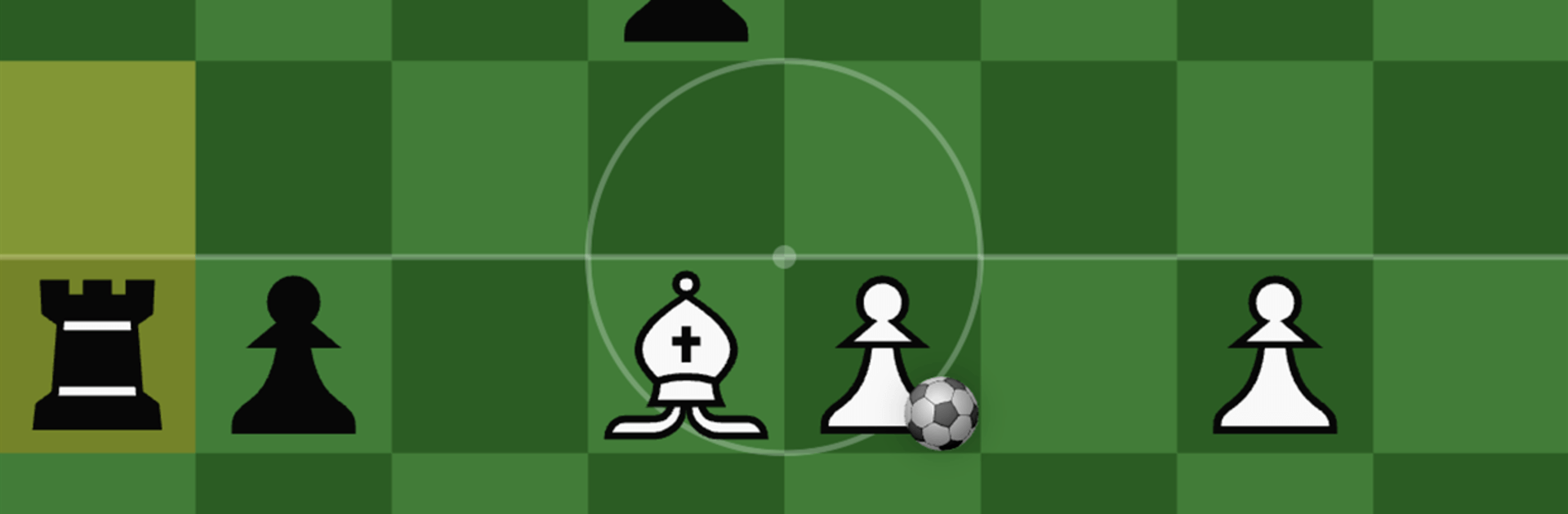
Chess Football blends the brainy moves of chess with the rush of a match, creating a Strategy experience that feels familiar and brand-new at the same time. You’re managing pieces, working the ball, and deciding when to press or play it safe—because a single turn can flip the scoreline. Prefer a larger view? It plays great on BlueStacks too.

Game Features

  • Hybrid rules that click: Classic chess movement meets passing lanes, tackles, and shots on goal—simple to learn, surprisingly deep.
  • Two ways to win: Score a clean goal or clear the board by taking every opposing piece. Either path keeps pressure high.
  • Possession and positioning matter: Shield the ball, block routes, and time your breaks to open a lane to the net.
  • Solo play with scalable challenge: Face AI that ranges across five levels, from learning the ropes to expert-caliber opposition.
  • Private 1v1 with friends: Create a match and send a private invite for a head-to-head showdown in real time.
  • Tactical puzzles to sharpen instincts: Practice setups that teach patterns, traps, and clutch recoveries without the risk.
  • Choose your side: Start as white or black to set the tone from move one.
  • Make it yours: Swap board styles, piece sets, and ball skins to match your taste.
  • Play in your language: Multiple language options keep menus and tips clear.
  • Snappy, intuitive controls: Quick turns, clean interactions, and smooth flow keep the focus on your next smart move.

Start playing Chess Football on BlueStacks and get a smoother, more comfortable PC or Mac setup.

Game Features

Enhancements

  • Macros
  • Multi Instance
  • Multi Instance Sync
  • Eco Mode
  • Enhancements
Macros

Macros

Skip the boring parts of a game. Play Chess Football with Macros and get the edge. Simply record a sequence of commands and execute them at any moment.
Multi Instance

Multi Instance

Why limit to one game on your phone when you can play many on your PC? Open multiple instances of Chess Football at once with Multi-Instance. Leverage the power of different accounts by doing more.
Multi Instance Sync

Multi Instance Sync

Get the best out of Chess Football with Multi-Instance Sync. Play the game from different accounts and build your own empire. Use Multi-instance sync to repeat the action in the main BlueStacks instance on all other instances.
Eco Mode

Eco Mode

Find the rarest heroes by making multiple summons in Chess Football. And while you are at it, reduce your PC’s resource consumption with the Eco Mode. Farm efficiently. Get the best results.
Read More

How to Download and Play Chess Football on PC or Mac

  • Download and install BlueStacks on your PC or Mac

  • Complete Google sign-in to access the Play Store, or do it later

  • Look for Chess Football in the search bar at the top right corner

  • Click to install Chess Football from the search results

  • Complete Google sign-in (if you skipped step 2) to install Chess Football

  • Click the Chess Football icon on the home screen to start playing

video
Watch Video

Minimum System Requirements

With BlueStacks 5, you can get started on a PC that fulfills the following requirements.

  • Operating System

    Microsoft Windows 7 or above, macOS 11 (Big Sur) or above

  • Processor

    Intel, AMD or Apple Silicon Processor

  • RAM

    at least 4GB

  • HDD

    10GB Free Disk Space

Note:

* You must be an Administrator on your PC. Up to date graphics drivers from Microsoft or the chipset vendor.

Chess Football - FAQs

  • How to play Chess Football on Windows PC & Mac?

    Play Chess Football on your PC or Mac by following these simple steps.

    • Click on 'Play Chess Football on PC’ to download BlueStacks
    • Install it and log-in to Google Play Store
    • Launch and play the game.
  • Why is BlueStacks the fastest and safest platform to play games on PC?

    BlueStacks respects your privacy and is always safe and secure to use. It does not carry any malware, spyware, or any sort of additional software that could harm your PC.

    It is engineered to optimize speed and performance for a seamless gaming experience.

  • What are Chess Football PC requirements?

    Minimum requirement to run Chess Football on your PC

    • OS: Microsoft Windows 7 or above MacOS 11 (Big Sur) or above
    • Processor: Intel, AMD or Apple Silicon Processor
    • RAM: Your PC must have at least 4GB of RAM. (Note that having 4GB or more disk space is not a substitute for RAM)
    • HDD: 10GB Free Disk Space.
    • You must be an Administrator on your PC.