Crash Balls - Match 3 Mania

Crash Balls - Match 3 Mania

Strategy

| ingames

Play on PC with BlueStacks or from our cloud

  • Overview
  • Game Features
  • How to Play

Page Modified On: September 25, 2026

Play Crash Balls - Match 3 Mania on PC or Mac

Step into the World of Crash Balls – Match 3 Mania, a thrilling Strategy game from the house of ingames. Play this Android game on BlueStacks App Player and experience immersive gaming on PC or Mac.

About the Game

Crash Balls – Match 3 Mania blends quick swipes with thoughtful planning, putting you in charge of every drop. It’s a Strategy take on the classic match-3 idea, where you guide pairs of balls to spark chain reactions and clear the board. Short levels, clever goals, and a steady “just one more” rhythm make it easy to settle in—on touch or with a comfy view on BlueStacks.

Game Features

  • Two-ball control: Aim and release a duo from the top, sliding to line them up before they fall—simple to pick up, surprisingly tactical.
  • Match rules with twists: Clear groups of three to pop; connect four or more to rack up bonus points and bigger blasts.
  • Flexible connections: Create lines horizontally or vertically; diagonals count too when you hit at least four in a row.
  • Fill-the-meter goals: Every pop charges a progress bar—max it out to complete the stage.
  • Four distinct modes: Classic, Adventure, Puzzle, and Arcade each change the pace and objectives.
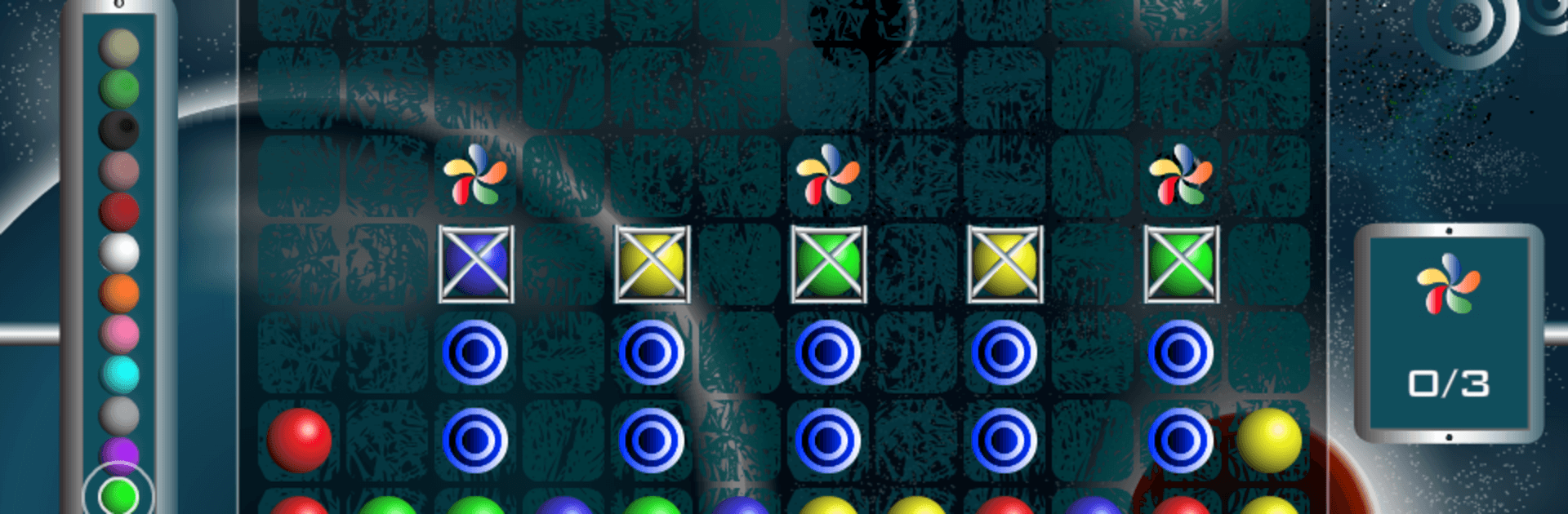
  • Objective variety: Collect specific colors, bust through jelly, drop lollipops to the bottom, and free locked pieces to hit your target.
  • Reactive obstacles: Work around fixed blocks, time your moves against shifting bricks, and unstick trapped balls to open the board.
  • Special balls galore: Unleash power pieces that sweep rows, punch through clutter, and set up juicy cascades.
  • Tension that matters: If a column reaches the top, it’s game over—smart placement keeps the board breathing.
  • Easy one-hand play: Quick taps and slides make it perfect for a quick burst or a longer session, no hassle.
  • Friendly competition: Earn achievements and climb leaderboards to compare scores with friends.
  • Smooth on bigger screens: Plays nicely on tablets and feels especially clean and precise on BlueStacks.

Start playing Crash Balls – Match 3 Mania on BlueStacks and get a smoother, more comfortable PC or Mac setup.


Game Features

Enhancements

  • Macros
  • Multi Instance
  • Multi Instance Sync
  • Eco Mode
  • Enhancements
Macros

Macros

Skip the boring parts of a game. Play Crash Balls - Match 3 Mania with Macros and get the edge. Simply record a sequence of commands and execute them at any moment.
Multi Instance

Multi Instance

Why limit to one game on your phone when you can play many on your PC? Open multiple instances of Crash Balls - Match 3 Mania at once with Multi-Instance. Leverage the power of different accounts by doing more.
Multi Instance Sync

Multi Instance Sync

Get the best out of Crash Balls - Match 3 Mania with Multi-Instance Sync. Play the game from different accounts and build your own empire. Use Multi-instance sync to repeat the action in the main BlueStacks instance on all other instances.
Eco Mode

Eco Mode

Find the rarest heroes by making multiple summons in Crash Balls - Match 3 Mania. And while you are at it, reduce your PC’s resource consumption with the Eco Mode. Farm efficiently. Get the best results.
Read More

How to Download and Play Crash Balls - Match 3 Mania on PC or Mac

  • Download and install BlueStacks on your PC or Mac

  • Complete Google sign-in to access the Play Store, or do it later

  • Look for Crash Balls - Match 3 Mania in the search bar at the top right corner

  • Click to install Crash Balls - Match 3 Mania from the search results

  • Complete Google sign-in (if you skipped step 2) to install Crash Balls - Match 3 Mania

  • Click the Crash Balls - Match 3 Mania icon on the home screen to start playing

video
Watch Video

Minimum System Requirements

With BlueStacks 5, you can get started on a PC that fulfills the following requirements.

  • Operating System

    Microsoft Windows 7 or above, macOS 11 (Big Sur) or above

  • Processor

    Intel, AMD or Apple Silicon Processor

  • RAM

    at least 4GB

  • HDD

    10GB Free Disk Space

Note:

* You must be an Administrator on your PC. Up to date graphics drivers from Microsoft or the chipset vendor.

Crash Balls - Match 3 Mania - FAQs

  • How to play Crash Balls - Match 3 Mania on Windows PC & Mac?

    Play Crash Balls - Match 3 Mania on your PC or Mac by following these simple steps.

    • Click on 'Play Crash Balls - Match 3 Mania on PC’ to download BlueStacks
    • Install it and log-in to Google Play Store
    • Launch and play the game.
  • Why is BlueStacks the fastest and safest platform to play games on PC?

    BlueStacks respects your privacy and is always safe and secure to use. It does not carry any malware, spyware, or any sort of additional software that could harm your PC.

    It is engineered to optimize speed and performance for a seamless gaming experience.

  • What are Crash Balls - Match 3 Mania PC requirements?

    Minimum requirement to run Crash Balls - Match 3 Mania on your PC

    • OS: Microsoft Windows 7 or above MacOS 11 (Big Sur) or above
    • Processor: Intel, AMD or Apple Silicon Processor
    • RAM: Your PC must have at least 4GB of RAM. (Note that having 4GB or more disk space is not a substitute for RAM)
    • HDD: 10GB Free Disk Space.
    • You must be an Administrator on your PC.