Defenders 3: Tower Defense CCG

Defenders 3: Tower Defense CCG

Strategy

| BATTLEPASS LTD

Play on PC with BlueStacks or from our cloud

  • Overview
  • Game Features
  • How to Play

Page Modified On: June 25, 2026

Play Defenders 3: Tower Defense CCG on PC or Mac

Explore a whole new adventure with Defenders 3: Tower Defense CCG, a Strategy game created by BATTLEPASS LTD. Experience great gameplay with BlueStacks, the most popular gaming platform to play Android games on your PC or Mac.

About the Game

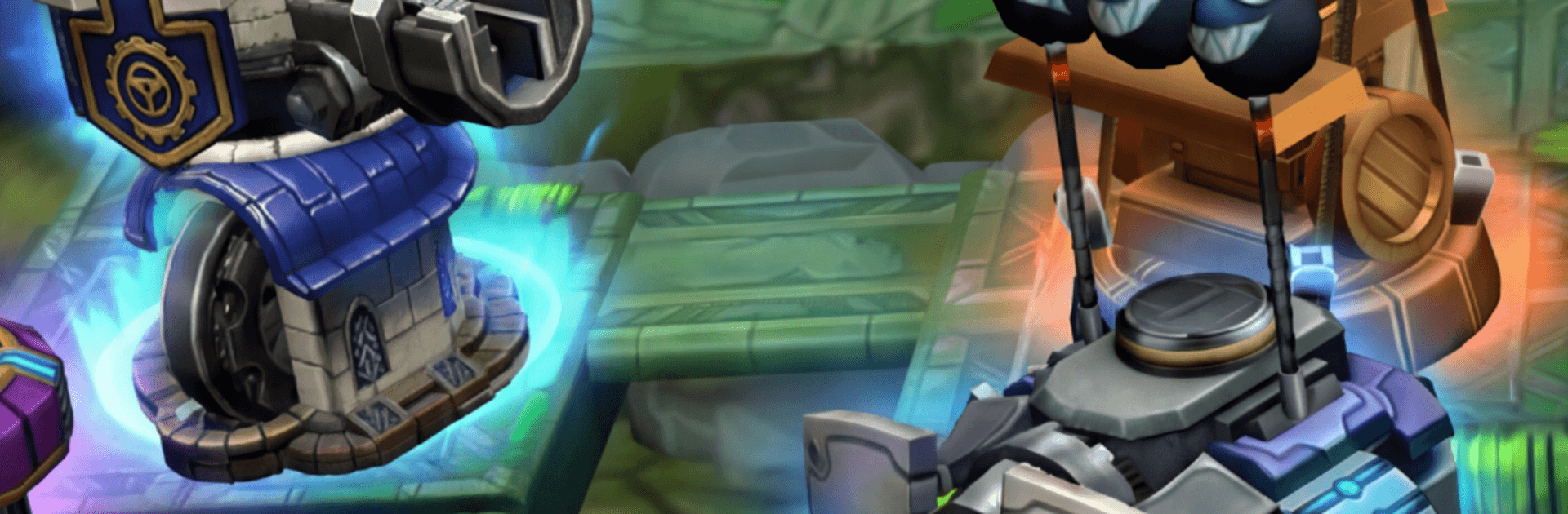
Defenders 3: Tower Defense CCG mixes tight lane control with smart, card-driven planning. Build out a loadout of towers, heroes, and spells, then react on the fly as waves get nastier and new threats roll in. It’s a Strategy experience where timing, combos, and clever placement matter more than brute force.

Game Features

  • Card-Driven Tactics: Assemble a deck of towers, heroes, and spells, then swap and play them at just the right moment to turn a losing skirmish into a clean hold.
  • Massive Tower Lineup: Experiment with a roster that breaks the fifty-mark, from rapid-fire staples to quirky specialists. Find pairings that cover weak spots and punish enemy types.
  • Heroes With Personality: Drop in heroes to anchor lanes, trigger ult-style abilities, and create openings for your defenses. They’re not just stat sticks—they shape the battlefield.
  • Spells That Change the Fight: Well-timed blasts, slows, shields, and more let you reset a push or finish off a boss phase. It’s all about when you pull the trigger.
  • Worlds to Conquer: Battle across distinct biomes—icy passes, scorching dunes, ancient ruins—and adapt to hazards and layouts that keep you guessing.
  • Modes for Every Mood: Tackle a story path, endurance-style runs, or challenge variations that stress-test specific strategies.
  • Bosses With Tricks: Face over two dozen big bads, each introducing odd mechanics—think shifting paths, armor quirks, or split phases—that force fresh plans.
  • Wins Earned by Smarts: Success hinges on synergy, positioning, and resource timing, not just card rarity. Outthink the waves and you’ll push farther.
  • PC-Friendly Option: Want a bigger view and smooth controls? It plays great on BlueStacks if that’s your setup.

Ready to top the leaderboard? We bet you do. Let precise controls and sharp visuals optimized on BlueStacks lead you to victory.


Game Features

Enhancements

  • Macros
  • Multi Instance
  • Multi Instance Sync
  • Eco Mode
  • Enhancements
Macros

Macros

Skip the boring parts of a game. Play Defenders 3: Tower Defense CCG with Macros and get the edge. Simply record a sequence of commands and execute them at any moment.
Multi Instance

Multi Instance

Why limit to one game on your phone when you can play many on your PC? Open multiple instances of Defenders 3: Tower Defense CCG at once with Multi-Instance. Leverage the power of different accounts by doing more.
Multi Instance Sync

Multi Instance Sync

Get the best out of Defenders 3: Tower Defense CCG with Multi-Instance Sync. Play the game from different accounts and build your own empire. Use Multi-instance sync to repeat the action in the main BlueStacks instance on all other instances.
Eco Mode

Eco Mode

Find the rarest heroes by making multiple summons in Defenders 3: Tower Defense CCG. And while you are at it, reduce your PC’s resource consumption with the Eco Mode. Farm efficiently. Get the best results.
Read More

How to Download and Play Defenders 3: Tower Defense CCG on PC or Mac

  • Download and install BlueStacks on your PC or Mac

  • Complete Google sign-in to access the Play Store, or do it later

  • Look for Defenders 3: Tower Defense CCG in the search bar at the top right corner

  • Click to install Defenders 3: Tower Defense CCG from the search results

  • Complete Google sign-in (if you skipped step 2) to install Defenders 3: Tower Defense CCG

  • Click the Defenders 3: Tower Defense CCG icon on the home screen to start playing

video
Watch Video

Minimum System Requirements

With BlueStacks 5, you can get started on a PC that fulfills the following requirements.

  • Operating System

    Microsoft Windows 7 or above, macOS 11 (Big Sur) or above

  • Processor

    Intel, AMD or Apple Silicon Processor

  • RAM

    at least 4GB

  • HDD

    10GB Free Disk Space

Note:

* You must be an Administrator on your PC. Up to date graphics drivers from Microsoft or the chipset vendor.

Defenders 3: Tower Defense CCG - FAQs

  • How to play Defenders 3: Tower Defense CCG on Windows PC & Mac?

    Play Defenders 3: Tower Defense CCG on your PC or Mac by following these simple steps.

    • Click on 'Play Defenders 3: Tower Defense CCG on PC’ to download BlueStacks
    • Install it and log-in to Google Play Store
    • Launch and play the game.
  • Why is BlueStacks the fastest and safest platform to play games on PC?

    BlueStacks respects your privacy and is always safe and secure to use. It does not carry any malware, spyware, or any sort of additional software that could harm your PC.

    It is engineered to optimize speed and performance for a seamless gaming experience.

  • What are Defenders 3: Tower Defense CCG PC requirements?

    Minimum requirement to run Defenders 3: Tower Defense CCG on your PC

    • OS: Microsoft Windows 7 or above MacOS 11 (Big Sur) or above
    • Processor: Intel, AMD or Apple Silicon Processor
    • RAM: Your PC must have at least 4GB of RAM. (Note that having 4GB or more disk space is not a substitute for RAM)
    • HDD: 10GB Free Disk Space.
    • You must be an Administrator on your PC.