Doomsday Tank:Zombie PVP Brawl

Doomsday Tank:Zombie PVP Brawl

Strategy

| Click.18 Mobile

Play on PC with BlueStacks or from our cloud

  • Overview
  • Game Features
  • How to Play

Page Modified On: November 10, 2025

Play Doomsday Tank:Zombie PVP Brawl on PC or Mac

Step into the World of Doomsday Tank:Zombie PVP Brawl, a thrilling Strategy game from the house of Click.18 Mobile. Play this Android game on BlueStacks App Player and experience immersive gaming on PC or Mac.

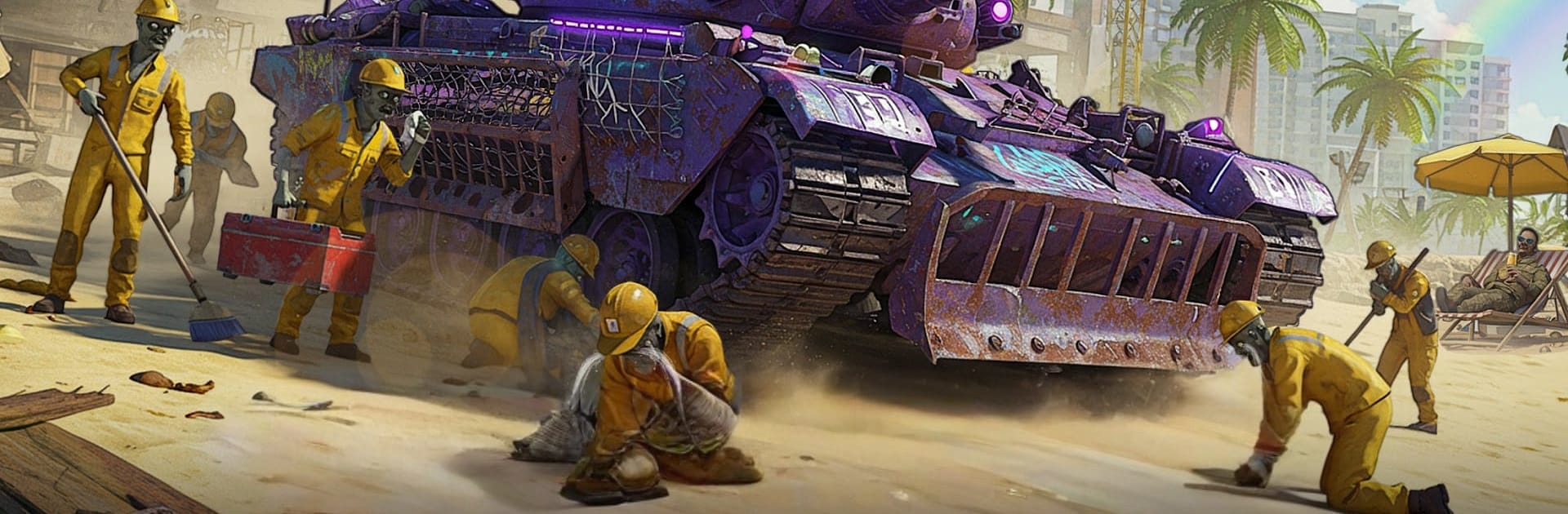
Doomsday Tank: Zombie PVP Brawl is a scrappy post‑apocalypse tank shooter where players juggle two headaches at once. There are swarms of undead pouring in from ruined streets, and there are other players trying to blast the turret off the chassis for parts and bragging rights. It leans into a gritty comic look, with dusty highways, broken city blocks, and sunset skies that make the explosions pop. The hook is the tank building and the constant pressure. Swap turrets, rockets, shields, drones, even oddball gadgets like mine layers, then roll out and see if the setup actually holds under a flood of biters and ambushes from human squads.

Combat feels chunky and noisy, with shells that thud, flamers that chew through crowds, and reload timing that matters. PvE and PvP overlap a lot, so third parties crash fights and turn a win into chaos fast. There is a story path with missions for those who want structure, plus ranked arenas for tighter matches and open maps full of events if free roaming sounds better. On PC with BlueStacks, keyboard steering and mouse aim make kiting hordes and flicking targets smoother, and hotkeys help juggle abilities without the thumb gymnastics. Progress is about collecting scrap and parts to upgrade modules and tweak builds, and there are optional subs and packs if faster unlocks are the goal. Skill still shows, though. Good positioning, peeking cover, and predicting where a rival will drive decides alot of duels.

Start your journey now. Download the game on BlueStacks, invite your friends, and march on a new adventure.


Game Features

Enhancements

  • Macros
  • Multi Instance
  • Multi Instance Sync
  • Eco Mode
  • Enhancements
Macros

Macros

Skip the boring parts of a game. Play Doomsday Tank:Zombie PVP Brawl with Macros and get the edge. Simply record a sequence of commands and execute them at any moment.
Multi Instance

Multi Instance

Why limit to one game on your phone when you can play many on your PC? Open multiple instances of Doomsday Tank:Zombie PVP Brawl at once with Multi-Instance. Leverage the power of different accounts by doing more.
Multi Instance Sync

Multi Instance Sync

Get the best out of Doomsday Tank:Zombie PVP Brawl with Multi-Instance Sync. Play the game from different accounts and build your own empire. Use Multi-instance sync to repeat the action in the main BlueStacks instance on all other instances.
Eco Mode

Eco Mode

Find the rarest heroes by making multiple summons in Doomsday Tank:Zombie PVP Brawl. And while you are at it, reduce your PC’s resource consumption with the Eco Mode. Farm efficiently. Get the best results.
Read More

How to Download and Play Doomsday Tank:Zombie PVP Brawl on PC or Mac

  • Download and install BlueStacks on your PC or Mac

  • Complete Google sign-in to access the Play Store, or do it later

  • Look for Doomsday Tank:Zombie PVP Brawl in the search bar at the top right corner

  • Click to install Doomsday Tank:Zombie PVP Brawl from the search results

  • Complete Google sign-in (if you skipped step 2) to install Doomsday Tank:Zombie PVP Brawl

  • Click the Doomsday Tank:Zombie PVP Brawl icon on the home screen to start playing

video
Watch Video

Minimum System Requirements

With BlueStacks 5, you can get started on a PC that fulfills the following requirements.

  • Operating System

    Microsoft Windows 7 or above, macOS 11 (Big Sur) or above

  • Processor

    Intel, AMD or Apple Silicon Processor

  • RAM

    at least 4GB

  • HDD

    10GB Free Disk Space

Note:

* You must be an Administrator on your PC. Up to date graphics drivers from Microsoft or the chipset vendor.

Doomsday Tank:Zombie PVP Brawl - FAQs

  • How to play Doomsday Tank:Zombie PVP Brawl on Windows PC & Mac?

    Play Doomsday Tank:Zombie PVP Brawl on your PC or Mac by following these simple steps.

    • Click on 'Play Doomsday Tank:Zombie PVP Brawl on PC’ to download BlueStacks
    • Install it and log-in to Google Play Store
    • Launch and play the game.
  • Why is BlueStacks the fastest and safest platform to play games on PC?

    BlueStacks respects your privacy and is always safe and secure to use. It does not carry any malware, spyware, or any sort of additional software that could harm your PC.

    It is engineered to optimize speed and performance for a seamless gaming experience.

  • What are Doomsday Tank:Zombie PVP Brawl PC requirements?

    Minimum requirement to run Doomsday Tank:Zombie PVP Brawl on your PC

    • OS: Microsoft Windows 7 or above MacOS 11 (Big Sur) or above
    • Processor: Intel, AMD or Apple Silicon Processor
    • RAM: Your PC must have at least 4GB of RAM. (Note that having 4GB or more disk space is not a substitute for RAM)
    • HDD: 10GB Free Disk Space.
    • You must be an Administrator on your PC.