Euro Bus Simulator : Bus Games

Euro Bus Simulator : Bus Games

Strategy

| GamesRebel

Play on PC with BlueStacks or from our cloud

  • Overview
  • Game Features
  • How to Play

Page Modified On: January 09, 2026

Play Euro Bus Simulator : Bus Games on PC or Mac

Bring your A-game to Euro Bus Simulator : Bus Games, the Strategy game sensation from GamesRebel. Give your gameplay the much-needed boost with precise game controls, high FPS graphics, and top-tier features on your PC or Mac with BlueStacks.

About the Game

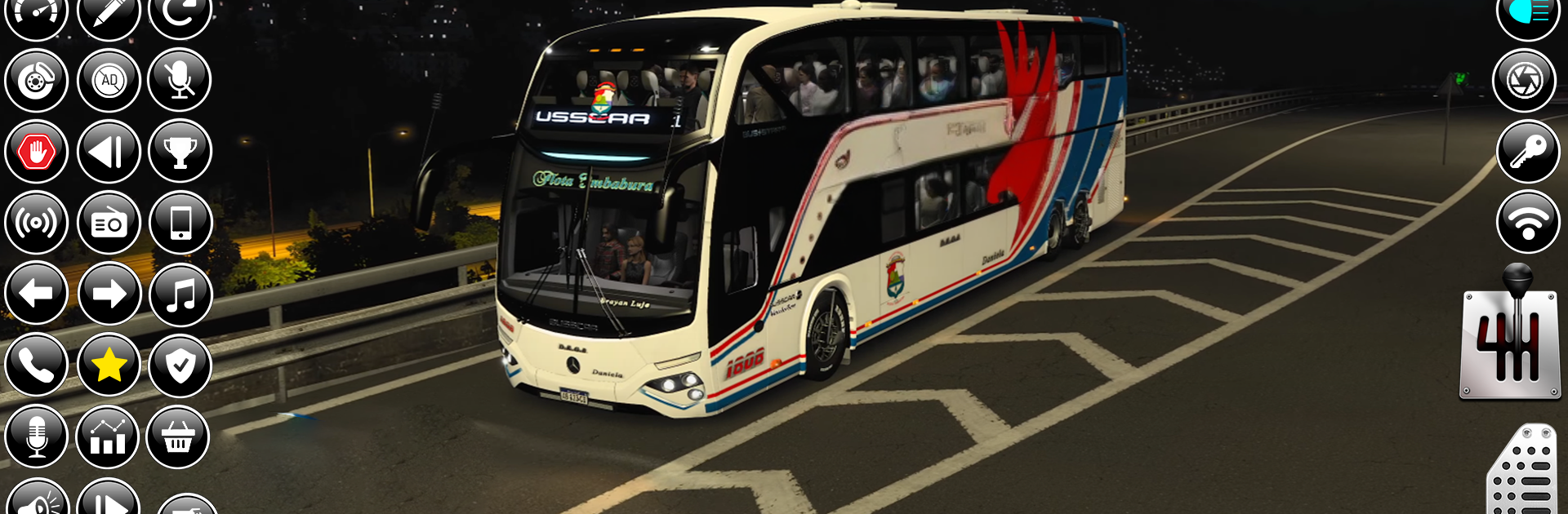
Euro Bus Simulator : Bus Games from GamesRebel puts you behind the wheel of a big, comfy coach and asks you to think like a pro. It’s not just about pressing the gas—it’s about planning routes, staying on schedule, and keeping passengers calm while you handle city traffic, offroad tracks, snowy mornings, and busy airport runs. There’s a Strategy vibe throughout, rewarding tidy driving and smart choices.

Game Features

  • Multiple game modes: Tackle a full career, offroad trails, snowy routes, school runs, airport shuttles, and intercity tourist trips—each with its own set of levels and goals.
  • Story-style progression: Work through structured missions that build your skills, from short city commutes to longer highway journeys.
  • Real rules, real pressure: Follow traffic laws, make clean stops, use signals, and avoid collisions—mess up and you’ll feel it with time penalties or fines.
  • Time and route management: Balance tight schedules with multi-stop pickups and drop-offs; being punctual actually matters here.
  • Three control setups: Choose steering wheel, tilt, or buttons, and rely on a handy mini-map for navigation when streets get busy.
  • A fleet to grow: Unlock different bus models and head to the garage to customize your ride to match the job.
  • Varied environments: Drive through dense cities, scenic highways, rugged dirt roads, and snowy passages, backed by crisp sound effects.
  • Kid-friendly look, serious driving: Bright visuals and approachable difficulty make it welcoming, but the driving still expects precision.
  • Smooth on PC: Prefer a bigger screen and tighter control? It plays great on BlueStacks with keyboard or gamepad support.

Start your journey now. Download the game on BlueStacks, invite your friends, and march on a new adventure.


Game Features

Enhancements

  • Macros
  • Multi Instance
  • Multi Instance Sync
  • Eco Mode
  • Enhancements
Macros

Macros

Skip the boring parts of a game. Play Euro Bus Simulator : Bus Games with Macros and get the edge. Simply record a sequence of commands and execute them at any moment.
Multi Instance

Multi Instance

Why limit to one game on your phone when you can play many on your PC? Open multiple instances of Euro Bus Simulator : Bus Games at once with Multi-Instance. Leverage the power of different accounts by doing more.
Multi Instance Sync

Multi Instance Sync

Get the best out of Euro Bus Simulator : Bus Games with Multi-Instance Sync. Play the game from different accounts and build your own empire. Use Multi-instance sync to repeat the action in the main BlueStacks instance on all other instances.
Eco Mode

Eco Mode

Find the rarest heroes by making multiple summons in Euro Bus Simulator : Bus Games. And while you are at it, reduce your PC’s resource consumption with the Eco Mode. Farm efficiently. Get the best results.
Read More

How to Download and Play Euro Bus Simulator : Bus Games on PC or Mac

  • Download and install BlueStacks on your PC or Mac

  • Complete Google sign-in to access the Play Store, or do it later

  • Look for Euro Bus Simulator : Bus Games in the search bar at the top right corner

  • Click to install Euro Bus Simulator : Bus Games from the search results

  • Complete Google sign-in (if you skipped step 2) to install Euro Bus Simulator : Bus Games

  • Click the Euro Bus Simulator : Bus Games icon on the home screen to start playing

video
Watch Video

Minimum System Requirements

With BlueStacks 5, you can get started on a PC that fulfills the following requirements.

  • Operating System

    Microsoft Windows 7 or above, macOS 11 (Big Sur) or above

  • Processor

    Intel, AMD or Apple Silicon Processor

  • RAM

    at least 4GB

  • HDD

    10GB Free Disk Space

Note:

* You must be an Administrator on your PC. Up to date graphics drivers from Microsoft or the chipset vendor.

Euro Bus Simulator : Bus Games - FAQs

  • How to play Euro Bus Simulator : Bus Games on Windows PC & Mac?

    Play Euro Bus Simulator : Bus Games on your PC or Mac by following these simple steps.

    • Click on 'Play Euro Bus Simulator : Bus Games on PC’ to download BlueStacks
    • Install it and log-in to Google Play Store
    • Launch and play the game.
  • Why is BlueStacks the fastest and safest platform to play games on PC?

    BlueStacks respects your privacy and is always safe and secure to use. It does not carry any malware, spyware, or any sort of additional software that could harm your PC.

    It is engineered to optimize speed and performance for a seamless gaming experience.

  • What are Euro Bus Simulator : Bus Games PC requirements?

    Minimum requirement to run Euro Bus Simulator : Bus Games on your PC

    • OS: Microsoft Windows 7 or above MacOS 11 (Big Sur) or above
    • Processor: Intel, AMD or Apple Silicon Processor
    • RAM: Your PC must have at least 4GB of RAM. (Note that having 4GB or more disk space is not a substitute for RAM)
    • HDD: 10GB Free Disk Space.
    • You must be an Administrator on your PC.