European War 2
European War 2

European War 2

Strategy

| EasyTech Games

Play on PC with BlueStacks or from our cloud

  • Overview
  • Game Features
  • How to Play

Page Modified On: August 13, 2025

Play European War 2 on PC or Mac

Step into the World of European War 2, a thrilling Strategy game from the house of EasyTech. Play this Android game on BlueStacks App Player and experience immersive gaming on PC or Mac.

About the Game

European War 2 drops you into the heart of World War II, putting you in charge of strategy, resource management, and battlefield tactics. You’ll pick a nation—maybe it’s the powerful armored divisions of Germany, Britain’s unstoppable navy, or the large-scale troops of the Soviet Union—and guide it through countless land and sea skirmishes across Europe. Whether you want to outmaneuver rivals or outbuild their armies, the game’s all about brains over brute force, and there’s always another decision demanding your attention. Play on your device or use BlueStacks to give your strategies a little extra room to breathe.

Game Features

  • Two Gameplay Modes
    Pick between a sweeping conquest where you try to rule all of Europe, or battle mode with focused, story-driven campaigns for Germany, Britain, France, or the Soviet Union. Each mode has its own flavor and challenges.

  • Tons of Territories and Nations
    Command one of 12 major countries from both Axis Powers and Allies, and fight across more than 200 distinct land and sea areas. There are 28 countries in total, each with its own personality on the battlefield.

  • Diverse Troops and Unique Units
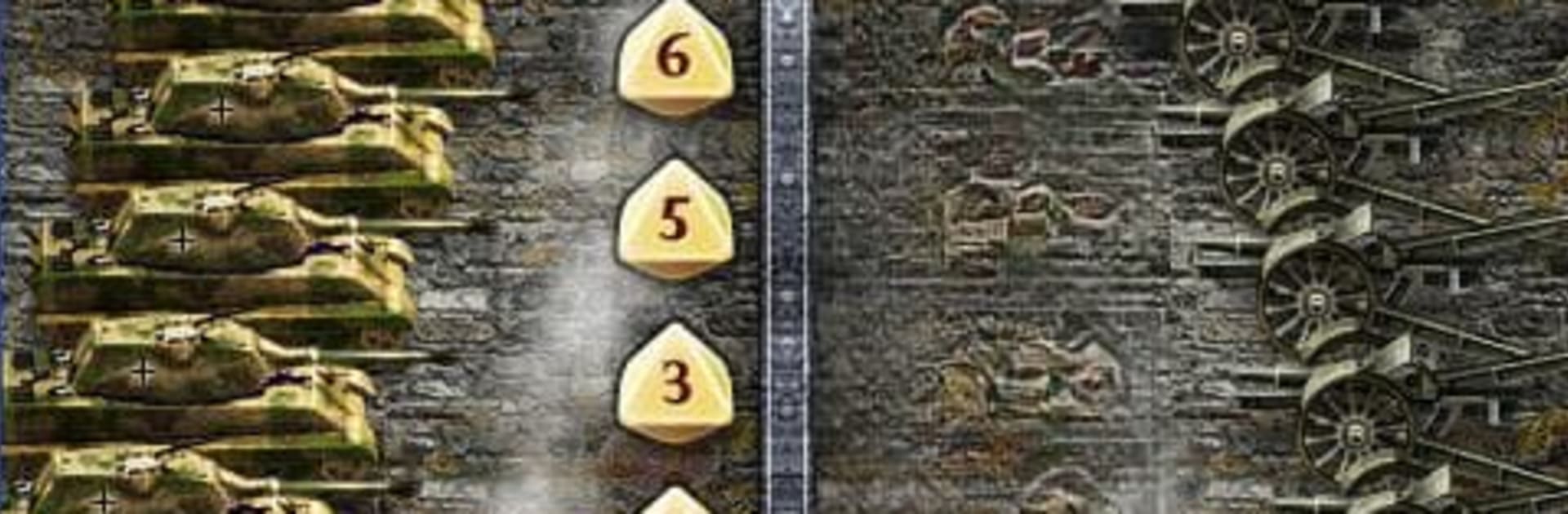
    Build your forces using soldiers, tanks, and artillery—each with their own strengths. For example, Germany’s tanks pack a punch, Britain’s ships rule the seas, and Soviet soldiers come in big, affordable numbers.

  • Tactical Military Cards
    Use an arsenal of military cards to shift the tide in your favor, whether it’s unleashing airstrikes, building up forts, or dropping a new general into the fight. Each card offers a different advantage, keeping your options fresh.

  • Challenging AI and Unique Country Abilities
    The AI’s smarter than you might expect, quick to pounce on mistakes, so you can’t just coast through. Each nation also brings a unique edge to the table, forcing you to switch up your approach based on your opponents.

  • Detailed Campaign Chapters
    Every major power has its own set of four battle campaigns based on famous WWII skirmishes, like the Maginot Line or the defense of Moscow.

  • Immersive Audio and Autosave
    Get pulled into the action with dramatic music and sound effects. Plus, autosave means you never lose progress—so you can focus on crushing your enemies, not remembering to hit “save.”

Start your journey now. Download the game on BlueStacks, invite your friends, and march on a new adventure.


Game Features

Enhancements

  • Macros
  • Multi Instance
  • Multi Instance Sync
  • Eco Mode
  • Enhancements
Macros

Macros

Skip the boring parts of a game. Play European War 2 with Macros and get the edge. Simply record a sequence of commands and execute them at any moment.
Multi Instance

Multi Instance

Why limit to one game on your phone when you can play many on your PC? Open multiple instances of European War 2 at once with Multi-Instance. Leverage the power of different accounts by doing more.
Multi Instance Sync

Multi Instance Sync

Get the best out of European War 2 with Multi-Instance Sync. Play the game from different accounts and build your own empire. Use Multi-instance sync to repeat the action in the main BlueStacks instance on all other instances.
Eco Mode

Eco Mode

Find the rarest heroes by making multiple summons in European War 2. And while you are at it, reduce your PC’s resource consumption with the Eco Mode. Farm efficiently. Get the best results.
Read More

How to Download and Play European War 2 on PC or Mac

  • Download and install BlueStacks on your PC or Mac

  • Complete Google sign-in to access the Play Store, or do it later

  • Look for European War 2 in the search bar at the top right corner

  • Click to install European War 2 from the search results

  • Complete Google sign-in (if you skipped step 2) to install European War 2

  • Click the European War 2 icon on the home screen to start playing

video
Watch Video

Minimum System Requirements

With BlueStacks 5, you can get started on a PC that fulfills the following requirements.

  • Operating System

    Microsoft Windows 7 or above, macOS 11 (Big Sur) or above

  • Processor

    Intel, AMD or Apple Silicon Processor

  • RAM

    at least 4GB

  • HDD

    10GB Free Disk Space

Note:

* You must be an Administrator on your PC. Up to date graphics drivers from Microsoft or the chipset vendor.

European War 2 - FAQs

  • How to play European War 2 on Windows PC & Mac?

    Play European War 2 on your PC or Mac by following these simple steps.

    • Click on 'Play European War 2 on PC’ to download BlueStacks
    • Install it and log-in to Google Play Store
    • Launch and play the game.
  • Why is BlueStacks the fastest and safest platform to play games on PC?

    BlueStacks respects your privacy and is always safe and secure to use. It does not carry any malware, spyware, or any sort of additional software that could harm your PC.

    It is engineered to optimize speed and performance for a seamless gaming experience.

  • What are European War 2 PC requirements?

    Minimum requirement to run European War 2 on your PC

    • OS: Microsoft Windows 7 or above MacOS 11 (Big Sur) or above
    • Processor: Intel, AMD or Apple Silicon Processor
    • RAM: Your PC must have at least 4GB of RAM. (Note that having 4GB or more disk space is not a substitute for RAM)
    • HDD: 10GB Free Disk Space.
    • You must be an Administrator on your PC.