Frontline
Frontline

Frontline

Strategy

| studioadept.com

Play on PC with BlueStacks or from our cloud

  • Overview
  • Game Features
  • How to Play

Page Modified On: November 17, 2026

Play Frontline on PC or Mac

Explore a whole new adventure with Frontline, a Strategy game created by studioadept.com. Experience great gameplay with BlueStacks, the most popular gaming platform to play Android games on your PC or Mac.

About the Game

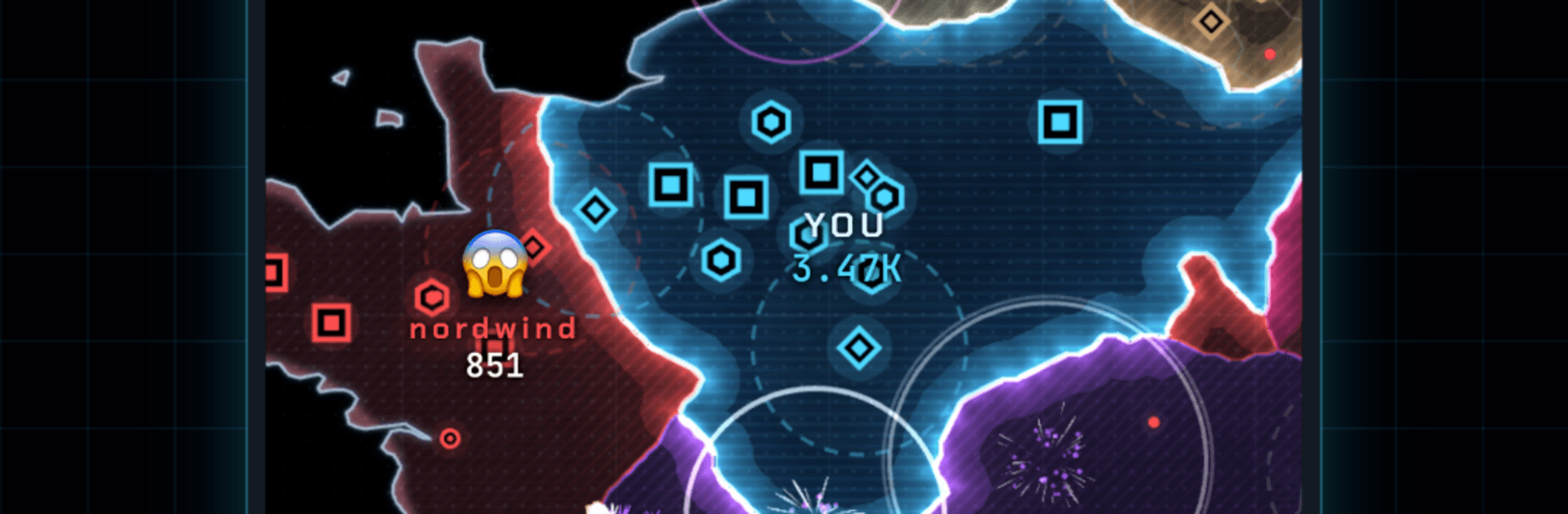
Frontline is a real-time Strategy game about carving up Europe one border at a time. You pick a beachhead, grow your economy city by city, and outthink human rivals in short, high-stakes battles. Prefer a bigger screen? It plays nicely on BlueStacks too.

Game Features

  • Real European maps: Fight across Western Europe, Iberia, Italy, Britain, Scandinavia, Central Europe, and the Low Countries, each packed with chokepoints and coastal routes.
  • Land, expand, sail: Choose a landing zone, spread into neutral territory, and use boats to cross seas and open new fronts.
  • City-driven economy: Every city you capture boosts income and troop growth, turning early grabs into late-game momentum.
  • One-tap troop orders: Send 25%, 50%, or 100% of your forces and watch the front shift in real time.
  • Build to outlast: Drop Barracks, Exchanges, and Bunkers to ramp production, trade smart, and harden defenses where it counts.
  • Diplomacy with teeth: Propose alliances, buy peace, and—when the moment’s right—pull the rug from under your “partner.”
  • Ten armies, one board: Share the same map with nine other commanders all chasing the same land, cash, and glory.
  • Win conditions that push action: Control 80% of the map or be the last flag standing—no slow drags, just decisive endings.
  • Permanent upgrades: Spend credits between matches for a stronger landing force, faster regen, and a richer starting treasury.
  • Ranked climb: Earn league points and rise from Bronze to Diamond as rivals get sharper and more ruthless.
  • Snappy sessions: Matches usually wrap in about 30 minutes, so there’s always time for one more push.

Ready to top the leaderboard? We bet you do. Let precise controls and sharp visuals optimized on BlueStacks lead you to victory.


Game Features

Enhancements

  • Macros
  • Multi Instance
  • Multi Instance Sync
  • Eco Mode
  • Enhancements
Macros

Macros

Skip the boring parts of a game. Play Frontline with Macros and get the edge. Simply record a sequence of commands and execute them at any moment.
Multi Instance

Multi Instance

Why limit to one game on your phone when you can play many on your PC? Open multiple instances of Frontline at once with Multi-Instance. Leverage the power of different accounts by doing more.
Multi Instance Sync

Multi Instance Sync

Get the best out of Frontline with Multi-Instance Sync. Play the game from different accounts and build your own empire. Use Multi-instance sync to repeat the action in the main BlueStacks instance on all other instances.
Eco Mode

Eco Mode

Find the rarest heroes by making multiple summons in Frontline. And while you are at it, reduce your PC’s resource consumption with the Eco Mode. Farm efficiently. Get the best results.
Read More

How to Download and Play Frontline on PC or Mac

  • Download and install BlueStacks on your PC or Mac

  • Complete Google sign-in to access the Play Store, or do it later

  • Look for Frontline in the search bar at the top right corner

  • Click to install Frontline from the search results

  • Complete Google sign-in (if you skipped step 2) to install Frontline

  • Click the Frontline icon on the home screen to start playing

video
Watch Video

Minimum System Requirements

With BlueStacks 5, you can get started on a PC that fulfills the following requirements.

  • Operating System

    Microsoft Windows 7 or above, macOS 11 (Big Sur) or above

  • Processor

    Intel, AMD or Apple Silicon Processor

  • RAM

    at least 4GB

  • HDD

    10GB Free Disk Space

Note:

* You must be an Administrator on your PC. Up to date graphics drivers from Microsoft or the chipset vendor.

Frontline - FAQs

  • How to play Frontline on Windows PC & Mac?

    Play Frontline on your PC or Mac by following these simple steps.

    • Click on 'Play Frontline on PC’ to download BlueStacks
    • Install it and log-in to Google Play Store
    • Launch and play the game.
  • Why is BlueStacks the fastest and safest platform to play games on PC?

    BlueStacks respects your privacy and is always safe and secure to use. It does not carry any malware, spyware, or any sort of additional software that could harm your PC.

    It is engineered to optimize speed and performance for a seamless gaming experience.

  • What are Frontline PC requirements?

    Minimum requirement to run Frontline on your PC

    • OS: Microsoft Windows 7 or above MacOS 11 (Big Sur) or above
    • Processor: Intel, AMD or Apple Silicon Processor
    • RAM: Your PC must have at least 4GB of RAM. (Note that having 4GB or more disk space is not a substitute for RAM)
    • HDD: 10GB Free Disk Space.
    • You must be an Administrator on your PC.