Gnomes Garden Chapter 3

Gnomes Garden Chapter 3

Strategy

| 8Floor Games

Play on PC with BlueStacks or from our cloud

  • Overview
  • Game Features
  • How to Play

Page Modified On: April 21, 2026

Play Gnomes Garden Chapter 3 on PC or Mac

Step into the World of Gnomes Garden Chapter 3, a thrilling Strategy game from the house of 8Floor Games. Play this Android game on BlueStacks App Player and experience immersive gaming on PC or Mac.

About the Game

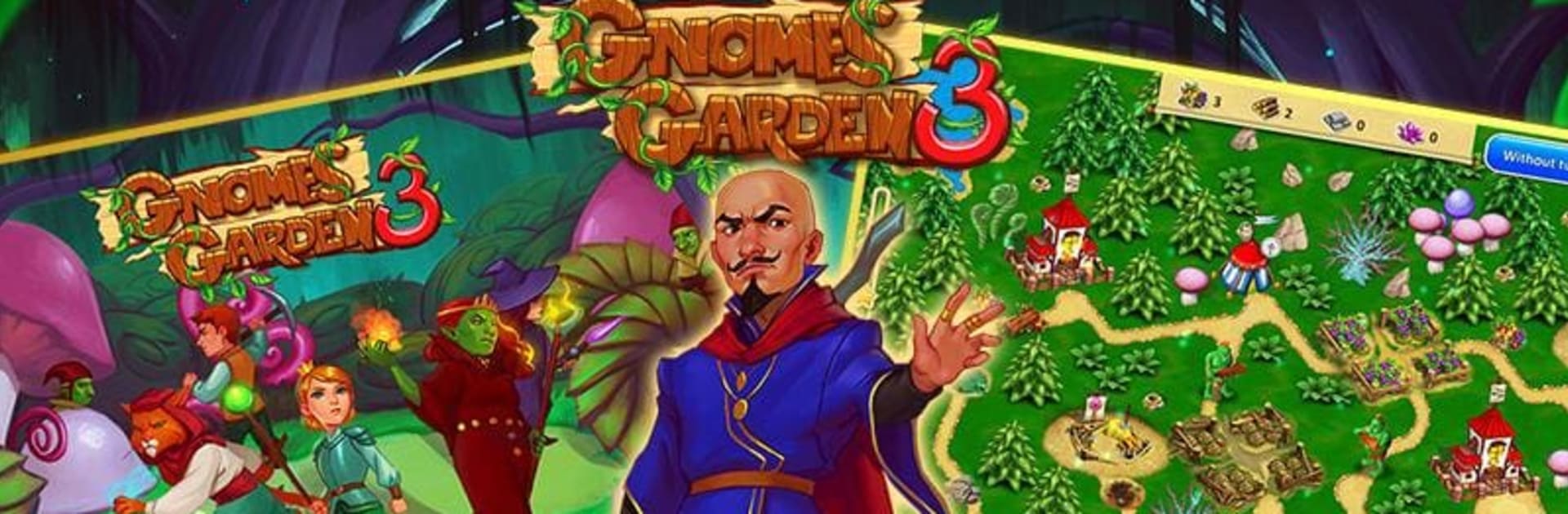
In Gnomes Garden Chapter 3, the gnome princess finally makes it home—only to find a scheming warlock has swiped the family castle and her loved ones. Time to rally a crew, rebuild what’s broken, and chase that villain across strange lands. It’s a snappy mix of time-management and Strategy from 8Floor Games, easy to learn but full of smart decisions and tight goals. Prefer playing on a bigger screen? It runs great on PC with BlueStacks and quick mouse clicks.

Game Features

  • Story-driven rescue: Follow a light, charming tale as the princess sets out to outwit a warlock and bring her family back.
  • Four distinct regions: Tackle lush forests, sparkling caverns, sun-baked dunes, and the bleak Grey Wastelands—each with new twists to master.
  • 40+ handcrafted stages: Every level has its own targets—repair roads, clear rubble, harvest resources, plant towering magic trees, and more.
  • Smart resource juggling: Decide what to build first, when to upgrade, and how to keep workers busy without wasting a second.
  • Quirky enemies and hurdles: Think living plants, pesky gremlins, sleepy stone critters, and even sea monsters—plus tricks to get past them.
  • Princess powers and boosts: Nudge the clock, speed up workers, or lean on the princess’s spells when the timer gets tight.
  • Friendly onboarding: Clean controls and a clear tutorial make it approachable, while three-star challenges keep veterans on their toes.
  • Trophies to chase: Earn colorful awards for fast times, smart routes, and completing special tasks.
  • Hours of cozy play: Dozens of goals, upbeat music, and a steady difficulty curve that’s satisfying without being punishing.

Slay your opponents with your epic moves. Play it your way on BlueStacks and dominate the battlefield.


Game Features

Enhancements

  • Macros
  • Multi Instance
  • Multi Instance Sync
  • Eco Mode
  • Enhancements
Macros

Macros

Skip the boring parts of a game. Play Gnomes Garden Chapter 3 with Macros and get the edge. Simply record a sequence of commands and execute them at any moment.
Multi Instance

Multi Instance

Why limit to one game on your phone when you can play many on your PC? Open multiple instances of Gnomes Garden Chapter 3 at once with Multi-Instance. Leverage the power of different accounts by doing more.
Multi Instance Sync

Multi Instance Sync

Get the best out of Gnomes Garden Chapter 3 with Multi-Instance Sync. Play the game from different accounts and build your own empire. Use Multi-instance sync to repeat the action in the main BlueStacks instance on all other instances.
Eco Mode

Eco Mode

Find the rarest heroes by making multiple summons in Gnomes Garden Chapter 3. And while you are at it, reduce your PC’s resource consumption with the Eco Mode. Farm efficiently. Get the best results.
Read More

How to Download and Play Gnomes Garden Chapter 3 on PC or Mac

  • Download and install BlueStacks on your PC or Mac

  • Complete Google sign-in to access the Play Store, or do it later

  • Look for Gnomes Garden Chapter 3 in the search bar at the top right corner

  • Click to install Gnomes Garden Chapter 3 from the search results

  • Complete Google sign-in (if you skipped step 2) to install Gnomes Garden Chapter 3

  • Click the Gnomes Garden Chapter 3 icon on the home screen to start playing

video
Watch Video

Minimum System Requirements

With BlueStacks 5, you can get started on a PC that fulfills the following requirements.

  • Operating System

    Microsoft Windows 7 or above, macOS 11 (Big Sur) or above

  • Processor

    Intel, AMD or Apple Silicon Processor

  • RAM

    at least 4GB

  • HDD

    10GB Free Disk Space

Note:

* You must be an Administrator on your PC. Up to date graphics drivers from Microsoft or the chipset vendor.

Gnomes Garden Chapter 3 - FAQs

  • How to play Gnomes Garden Chapter 3 on Windows PC & Mac?

    Play Gnomes Garden Chapter 3 on your PC or Mac by following these simple steps.

    • Click on 'Play Gnomes Garden Chapter 3 on PC’ to download BlueStacks
    • Install it and log-in to Google Play Store
    • Launch and play the game.
  • Why is BlueStacks the fastest and safest platform to play games on PC?

    BlueStacks respects your privacy and is always safe and secure to use. It does not carry any malware, spyware, or any sort of additional software that could harm your PC.

    It is engineered to optimize speed and performance for a seamless gaming experience.

  • What are Gnomes Garden Chapter 3 PC requirements?

    Minimum requirement to run Gnomes Garden Chapter 3 on your PC

    • OS: Microsoft Windows 7 or above MacOS 11 (Big Sur) or above
    • Processor: Intel, AMD or Apple Silicon Processor
    • RAM: Your PC must have at least 4GB of RAM. (Note that having 4GB or more disk space is not a substitute for RAM)
    • HDD: 10GB Free Disk Space.
    • You must be an Administrator on your PC.