Lost Artifacts 3
Lost Artifacts 3

Lost Artifacts 3

Strategy

| 8Floor Games

Play on PC with BlueStacks or from our cloud

  • Overview
  • Game Features
  • How to Play

Page Modified On: November 10, 2025

Play Lost Artifacts 3 on PC or Mac

From the innovators and creators at 8Floor Games, Lost Artifacts 3 is another fun addition to the World of Strategy games. Go beyond your mobile screen and play it bigger and better on your PC or Mac. An immersive experience awaits you.

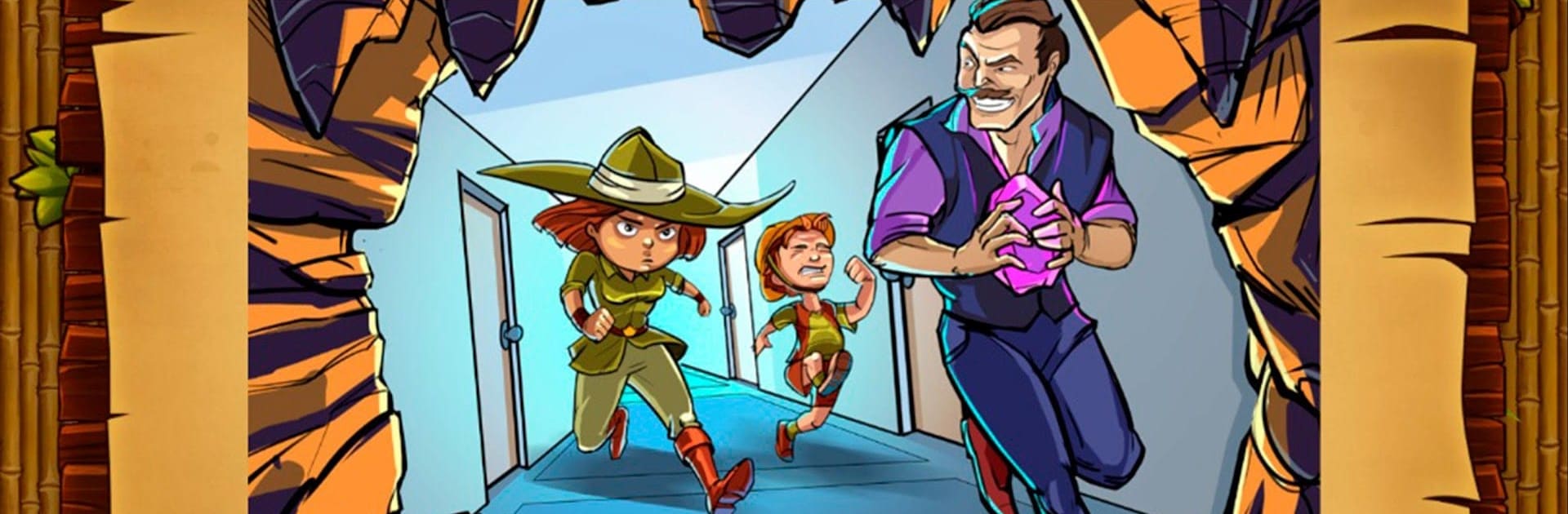
Lost Artifacts 3, the Soulstone one, plays like a cozy time-management strategy game where players send a small crew around each map to clear rubble, gather food and stone, fix paths, and rebuild old monuments while a silly museum-heist tale rolls along. The setup is fun: a stolen soulstone wakes the terracotta army and their Emperor, who plans to rouse a dragon inside a volcano, and Claire’s team chases across deserts, forests, snowy peaks, and a busted old city to stop it. Levels come quick and snappy, more than forty of them, each with a clear to-do list that slowly stacks into harder choices. Spend that last log to build a bridge or a workshop, grab a bonus to freeze the clock or make workers sprint, and try to stay ahead of enemies like terracotta soldiers, archers, snakes, even those stone lions that block the way.

Controls stay simple, the tutorial is very clear, and the comic-style story bits have that bright, Saturday-morning look. The timer pressure gives it a nice rhythm without getting cruel, so it suits all ages and anyone who likes planning a route and optimizing a few moves. On BlueStacks the mouse clicks make queueing tasks fast and neat, which helps when the map gets busy. The themed music bounces along, the quests mix things up, and there is a solid twenty hours here if someone aims for all the goals.

Slay your opponents with your epic moves. Play it your way on BlueStacks and dominate the battlefield.


Game Features

Enhancements

  • Macros
  • Multi Instance
  • Multi Instance Sync
  • Eco Mode
  • Enhancements
Macros

Macros

Skip the boring parts of a game. Play Lost Artifacts 3 with Macros and get the edge. Simply record a sequence of commands and execute them at any moment.
Multi Instance

Multi Instance

Why limit to one game on your phone when you can play many on your PC? Open multiple instances of Lost Artifacts 3 at once with Multi-Instance. Leverage the power of different accounts by doing more.
Multi Instance Sync

Multi Instance Sync

Get the best out of Lost Artifacts 3 with Multi-Instance Sync. Play the game from different accounts and build your own empire. Use Multi-instance sync to repeat the action in the main BlueStacks instance on all other instances.
Eco Mode

Eco Mode

Find the rarest heroes by making multiple summons in Lost Artifacts 3. And while you are at it, reduce your PC’s resource consumption with the Eco Mode. Farm efficiently. Get the best results.
Read More

How to Download and Play Lost Artifacts 3 on PC or Mac

  • Download and install BlueStacks on your PC or Mac

  • Complete Google sign-in to access the Play Store, or do it later

  • Look for Lost Artifacts 3 in the search bar at the top right corner

  • Click to install Lost Artifacts 3 from the search results

  • Complete Google sign-in (if you skipped step 2) to install Lost Artifacts 3

  • Click the Lost Artifacts 3 icon on the home screen to start playing

video
Watch Video

Minimum System Requirements

With BlueStacks 5, you can get started on a PC that fulfills the following requirements.

  • Operating System

    Microsoft Windows 7 or above, macOS 11 (Big Sur) or above

  • Processor

    Intel, AMD or Apple Silicon Processor

  • RAM

    at least 4GB

  • HDD

    10GB Free Disk Space

Note:

* You must be an Administrator on your PC. Up to date graphics drivers from Microsoft or the chipset vendor.

Lost Artifacts 3 - FAQs

  • How to play Lost Artifacts 3 on Windows PC & Mac?

    Play Lost Artifacts 3 on your PC or Mac by following these simple steps.

    • Click on 'Play Lost Artifacts 3 on PC’ to download BlueStacks
    • Install it and log-in to Google Play Store
    • Launch and play the game.
  • Why is BlueStacks the fastest and safest platform to play games on PC?

    BlueStacks respects your privacy and is always safe and secure to use. It does not carry any malware, spyware, or any sort of additional software that could harm your PC.

    It is engineered to optimize speed and performance for a seamless gaming experience.

  • What are Lost Artifacts 3 PC requirements?

    Minimum requirement to run Lost Artifacts 3 on your PC

    • OS: Microsoft Windows 7 or above MacOS 11 (Big Sur) or above
    • Processor: Intel, AMD or Apple Silicon Processor
    • RAM: Your PC must have at least 4GB of RAM. (Note that having 4GB or more disk space is not a substitute for RAM)
    • HDD: 10GB Free Disk Space.
    • You must be an Administrator on your PC.