GT Bike Stunt: Moto Bike Game

GT Bike Stunt: Moto Bike Game

Strategy

| Alphatron Studio

Play on PC with BlueStacks or from our cloud

  • Overview
  • Game Features
  • How to Play

Page Modified On: September 11, 2026

Play GT Bike Stunt: Moto Bike Game on PC or Mac

Bring your A-game to GT Bike Stunt: Moto Bike Game, the Strategy game sensation from Alphatron Studio. Give your gameplay the much-needed boost with precise game controls, high FPS graphics, and top-tier features on your PC or Mac with BlueStacks.

About the Game

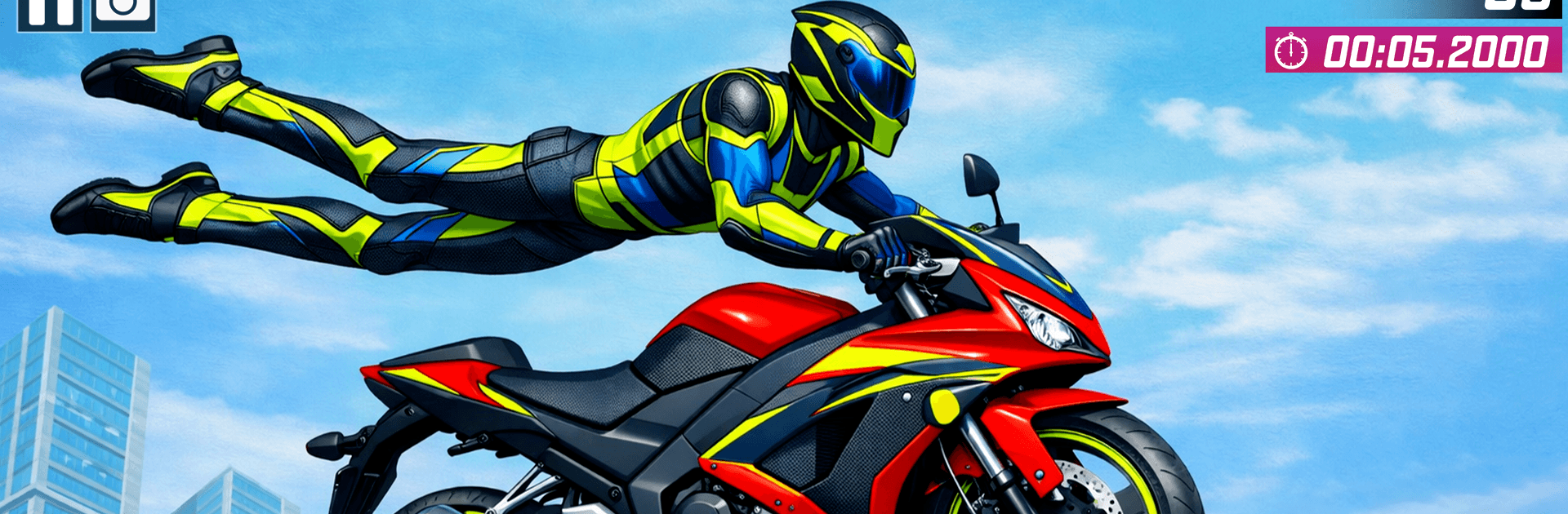
GT Bike Stunt: Moto Bike Game drops you onto sky-high tracks built for gutsy speed, sharp timing, and crowd-pleasing airtime. You’ll rip through mega ramps, thread past hazards, and string together flips and long jumps while keeping your balance in tight corners. Genre: Strategy — planning lines, picking the right ride, and knowing when to commit matter just as much as raw throttle, and if you like playing on PC, it runs smoothly with BlueStacks.

Game Features

  • Mega Ramps in the Clouds: Soar across huge gaps, roll through loops, and dodge hazards on tracks hanging far above the city.
  • Responsive Bike Physics: Feel every lean, brake, and burst of throttle—pull off wheelies, backflips, and long jumps, then stick the landing.
  • Two Ways to Play: Swap between a fast Bike Racing Mode and a precision-driven GT Mega Ramp Stunt Mode for different kinds of thrills.
  • Powerful GT Rides: Try a lineup of muscular bikes, each with a distinct feel, so you can match the machine to the track.
  • Clean, Smooth Visuals: Crisp 3D scenes and clear effects keep the action readable, even when the course tilts vertical.
  • Missions that Escalate: Start with quick goals, then tackle tougher tests that push speed, balance, and accuracy further each run.
  • Sound That Hits Hard: Punchy engine audio and energetic music sell the speed, airtime, and near-misses.
  • Play Offline Anytime: Jump into short sessions without a connection—perfect for practicing lines or chasing a cleaner combo.
  • Simple Controls, Real Mastery: Easy to pick up, but mastering momentum, brake-taps, and timing takes practice and patience.

Get ready for a buttery smooth, high-performance gaming action only on BlueStacks.

Game Features

Enhancements

  • Macros
  • Multi Instance
  • Multi Instance Sync
  • Eco Mode
  • Enhancements
Macros

Macros

Skip the boring parts of a game. Play GT Bike Stunt: Moto Bike Game with Macros and get the edge. Simply record a sequence of commands and execute them at any moment.
Multi Instance

Multi Instance

Why limit to one game on your phone when you can play many on your PC? Open multiple instances of GT Bike Stunt: Moto Bike Game at once with Multi-Instance. Leverage the power of different accounts by doing more.
Multi Instance Sync

Multi Instance Sync

Get the best out of GT Bike Stunt: Moto Bike Game with Multi-Instance Sync. Play the game from different accounts and build your own empire. Use Multi-instance sync to repeat the action in the main BlueStacks instance on all other instances.
Eco Mode

Eco Mode

Find the rarest heroes by making multiple summons in GT Bike Stunt: Moto Bike Game. And while you are at it, reduce your PC’s resource consumption with the Eco Mode. Farm efficiently. Get the best results.
Read More

How to Download and Play GT Bike Stunt: Moto Bike Game on PC or Mac

  • Download and install BlueStacks on your PC or Mac

  • Complete Google sign-in to access the Play Store, or do it later

  • Look for GT Bike Stunt: Moto Bike Game in the search bar at the top right corner

  • Click to install GT Bike Stunt: Moto Bike Game from the search results

  • Complete Google sign-in (if you skipped step 2) to install GT Bike Stunt: Moto Bike Game

  • Click the GT Bike Stunt: Moto Bike Game icon on the home screen to start playing

video
Watch Video

Minimum System Requirements

With BlueStacks 5, you can get started on a PC that fulfills the following requirements.

  • Operating System

    Microsoft Windows 7 or above, macOS 11 (Big Sur) or above

  • Processor

    Intel, AMD or Apple Silicon Processor

  • RAM

    at least 4GB

  • HDD

    10GB Free Disk Space

Note:

* You must be an Administrator on your PC. Up to date graphics drivers from Microsoft or the chipset vendor.

GT Bike Stunt: Moto Bike Game - FAQs

  • How to play GT Bike Stunt: Moto Bike Game on Windows PC & Mac?

    Play GT Bike Stunt: Moto Bike Game on your PC or Mac by following these simple steps.

    • Click on 'Play GT Bike Stunt: Moto Bike Game on PC’ to download BlueStacks
    • Install it and log-in to Google Play Store
    • Launch and play the game.
  • Why is BlueStacks the fastest and safest platform to play games on PC?

    BlueStacks respects your privacy and is always safe and secure to use. It does not carry any malware, spyware, or any sort of additional software that could harm your PC.

    It is engineered to optimize speed and performance for a seamless gaming experience.

  • What are GT Bike Stunt: Moto Bike Game PC requirements?

    Minimum requirement to run GT Bike Stunt: Moto Bike Game on your PC

    • OS: Microsoft Windows 7 or above MacOS 11 (Big Sur) or above
    • Processor: Intel, AMD or Apple Silicon Processor
    • RAM: Your PC must have at least 4GB of RAM. (Note that having 4GB or more disk space is not a substitute for RAM)
    • HDD: 10GB Free Disk Space.
    • You must be an Administrator on your PC.