
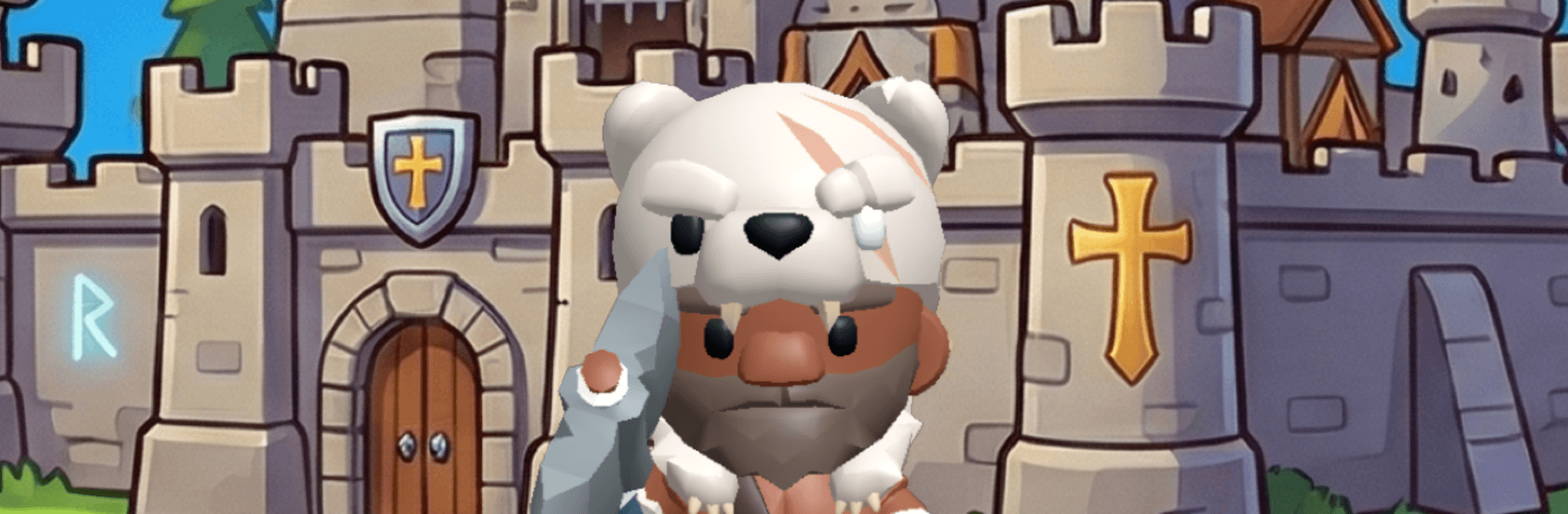
Hero Line TD: Tower Defense

Hero Line TD: Tower Defense

Strategy

| LaMaliceCode

Play on PC with BlueStacks or from our cloud

  • Overview
  • Game Features
  • How to Play

Page Modified On: September 25, 2026

Play Hero Line TD: Tower Defense on PC or Mac

Bring your A-game to Hero Line TD: Tower Defense, the Strategy game sensation from LaMaliceCode. Give your gameplay the much-needed boost with precise game controls, high FPS graphics, and top-tier features on your PC or Mac with BlueStacks.

About the Game

Hero Line TD: Tower Defense is a sharp, head-to-head Strategy showdown where defending your lane is only half the job—you’re also sending monsters to wreck your rival’s plans. Every payout forces a choice: stabilize with new towers or push your income and turn up the pressure. It’s fast, tense, and surprisingly deep, and it feels great on BlueStacks if you prefer a bigger view.

Game Features

  • Real-time 1v1 duels: Queue up for quick, competitive matches with ELO matchmaking and outthink a live opponent in every round.
  • Risk-versus-reward economy: Spend gold to survive now or send monsters that permanently raise your income; payouts land every 8 seconds, so the clock keeps poking your decisions.
  • Towers and targeting control: Build Arrow (speedy, single-target) and Cannon (slower, splash) towers with five upgrade tiers and five targeting modes, including solid anti-air.
  • Element picks that stick: Choose from Fire, Ice, Poison, Water, Earth, and Lightning, each with unique on-hit effects; your element locks in at level 2, so matchups matter for the long haul.
  • 24 sendable monsters: From budget grunts to pricey assassins, roles include economy units that refund on leaks, beefy tanks, sneaky flyers, and sprinting aggro runners.
  • Fresh loadouts every match: Slot a main school, a troop, and a second school—no talent trees or regrets—and freely swap the trio between games.
  • Schools and specializations: Six schools reshape how your towers behave, backed by 12 flavorful specializations like freezing hits, ember trails, chain overloads, stacking toxins, and seismic pulses.
  • Troop packs with synergy: Four troop types gain extra perks when you commit to their category, rewarding focused game plans.
  • Options over raw power: Leveling unlocks choices, not brute stats; you’ll have the full toolkit available by level 9.
  • Heroes that change the field: Pick from 10 heroes with passive boosts, monster buffs, and clutch active spells to swing key moments.
  • Handcrafted campaign: Tackle 15 bespoke stages with escalating handicaps, adaptive AIs, and late missions that flip tactics mid-match—plus special rounds where you face two opponents at once.
  • Learn and keep playing: A guided tutorial gets you started, then take on daily quests, a daily challenge, and a global World Challenge.
  • Fair and clean experience: Full English and French support, cosmetic hero skins, and no ads, no timers, no pay-to-win walls.

Get ready for a buttery smooth, high-performance gaming action only on BlueStacks.

Game Features

Enhancements

  • Macros
  • Multi Instance
  • Multi Instance Sync
  • Eco Mode
  • Enhancements
Macros

Macros

Skip the boring parts of a game. Play Hero Line TD: Tower Defense with Macros and get the edge. Simply record a sequence of commands and execute them at any moment.
Multi Instance

Multi Instance

Why limit to one game on your phone when you can play many on your PC? Open multiple instances of Hero Line TD: Tower Defense at once with Multi-Instance. Leverage the power of different accounts by doing more.
Multi Instance Sync

Multi Instance Sync

Get the best out of Hero Line TD: Tower Defense with Multi-Instance Sync. Play the game from different accounts and build your own empire. Use Multi-instance sync to repeat the action in the main BlueStacks instance on all other instances.
Eco Mode

Eco Mode

Find the rarest heroes by making multiple summons in Hero Line TD: Tower Defense. And while you are at it, reduce your PC’s resource consumption with the Eco Mode. Farm efficiently. Get the best results.
Read More

How to Download and Play Hero Line TD: Tower Defense on PC or Mac

  • Download and install BlueStacks on your PC or Mac

  • Complete Google sign-in to access the Play Store, or do it later

  • Look for Hero Line TD: Tower Defense in the search bar at the top right corner

  • Click to install Hero Line TD: Tower Defense from the search results

  • Complete Google sign-in (if you skipped step 2) to install Hero Line TD: Tower Defense

  • Click the Hero Line TD: Tower Defense icon on the home screen to start playing

video
Watch Video

Minimum System Requirements

With BlueStacks 5, you can get started on a PC that fulfills the following requirements.

  • Operating System

    Microsoft Windows 7 or above, macOS 11 (Big Sur) or above

  • Processor

    Intel, AMD or Apple Silicon Processor

  • RAM

    at least 4GB

  • HDD

    10GB Free Disk Space

Note:

* You must be an Administrator on your PC. Up to date graphics drivers from Microsoft or the chipset vendor.

Hero Line TD: Tower Defense - FAQs

  • How to play Hero Line TD: Tower Defense on Windows PC & Mac?

    Play Hero Line TD: Tower Defense on your PC or Mac by following these simple steps.

    • Click on 'Play Hero Line TD: Tower Defense on PC’ to download BlueStacks
    • Install it and log-in to Google Play Store
    • Launch and play the game.
  • Why is BlueStacks the fastest and safest platform to play games on PC?

    BlueStacks respects your privacy and is always safe and secure to use. It does not carry any malware, spyware, or any sort of additional software that could harm your PC.

    It is engineered to optimize speed and performance for a seamless gaming experience.

  • What are Hero Line TD: Tower Defense PC requirements?

    Minimum requirement to run Hero Line TD: Tower Defense on your PC

    • OS: Microsoft Windows 7 or above MacOS 11 (Big Sur) or above
    • Processor: Intel, AMD or Apple Silicon Processor
    • RAM: Your PC must have at least 4GB of RAM. (Note that having 4GB or more disk space is not a substitute for RAM)
    • HDD: 10GB Free Disk Space.
    • You must be an Administrator on your PC.








