Hero Wars: Zombie Virus

Hero Wars: Zombie Virus

Strategy

| Naomic Games

Play on PC with BlueStacks or from our cloud

  • Overview
  • Game Features
  • How to Play

Page Modified On: May 25, 2026

Play Hero Wars: Zombie Virus on PC or Mac

Hero Wars: Zombie Virus by Naomic Games has plenty to keep you busy. BlueStacks lets you play it on PC or Mac with more screen space, better control, and fewer mobile limits.

About the Game

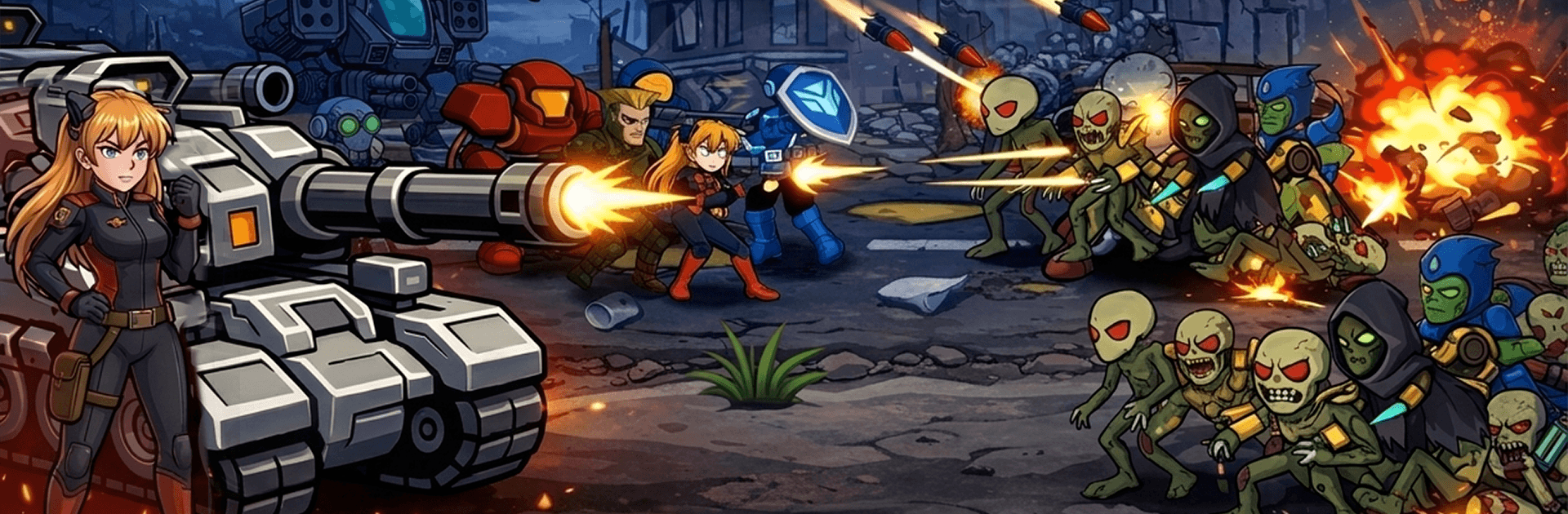
Hero Wars: Zombie Virus is a Strategy title that puts you in command of humanity’s last strongholds during a world-shaking outbreak. Every placement, upgrade, and call you make decides whether your lines hold or crumble. It’s a gritty, fast-paced tower-defense experience with just enough chaos to keep every stage feeling fresh.

Game Features

  • Tactical Defense, Your Way: Build bunkers and defensive structures, place troops with care, and adjust formations as the horde shifts tactics. Small moves make a big difference.
  • Real-Time Upgrades and Firepower: Roll out elite squads, heavy guns, and rumbling tanks, then upgrade on the fly to punch through tougher waves.
  • Heroes Who Change Everything: Unlock unique heroes with clutch abilities. Time their skills right to stabilize a collapsing front or break a brutal push.
  • 200+ Handcrafted Stages: Push through ruined cities, highways, and devastated zones while facing new enemy types, nasty surprises, and huge boss zombies.
  • Lasting Progress Between Battles: Strengthen your army with permanent enhancements, research new tech, and steadily shape a defense that fits your style.
  • Play Offline, Anywhere: No connection? No sweat. Jump into missions and keep the fight going whenever you’ve got a spare moment.
  • Smooth on PC with BlueStacks: Prefer mouse-and-keyboard precision? The game runs great on BlueStacks, making unit placement and quick upgrades feel extra snappy.

BlueStacks gives you more room to focus on the game and less time adjusting around mobile limitations.


Game Features

Enhancements

  • Macros
  • Multi Instance
  • Multi Instance Sync
  • Eco Mode
  • Enhancements
Macros

Macros

Skip the boring parts of a game. Play Hero Wars: Zombie Virus with Macros and get the edge. Simply record a sequence of commands and execute them at any moment.
Multi Instance

Multi Instance

Why limit to one game on your phone when you can play many on your PC? Open multiple instances of Hero Wars: Zombie Virus at once with Multi-Instance. Leverage the power of different accounts by doing more.
Multi Instance Sync

Multi Instance Sync

Get the best out of Hero Wars: Zombie Virus with Multi-Instance Sync. Play the game from different accounts and build your own empire. Use Multi-instance sync to repeat the action in the main BlueStacks instance on all other instances.
Eco Mode

Eco Mode

Find the rarest heroes by making multiple summons in Hero Wars: Zombie Virus. And while you are at it, reduce your PC’s resource consumption with the Eco Mode. Farm efficiently. Get the best results.
Read More

How to Download and Play Hero Wars: Zombie Virus on PC or Mac

  • Download and install BlueStacks on your PC or Mac

  • Complete Google sign-in to access the Play Store, or do it later

  • Look for Hero Wars: Zombie Virus in the search bar at the top right corner

  • Click to install Hero Wars: Zombie Virus from the search results

  • Complete Google sign-in (if you skipped step 2) to install Hero Wars: Zombie Virus

  • Click the Hero Wars: Zombie Virus icon on the home screen to start playing

video
Watch Video

Minimum System Requirements

With BlueStacks 5, you can get started on a PC that fulfills the following requirements.

  • Operating System

    Microsoft Windows 7 or above, macOS 11 (Big Sur) or above

  • Processor

    Intel, AMD or Apple Silicon Processor

  • RAM

    at least 4GB

  • HDD

    10GB Free Disk Space

Note:

* You must be an Administrator on your PC. Up to date graphics drivers from Microsoft or the chipset vendor.

Hero Wars: Zombie Virus - FAQs

  • How to play Hero Wars: Zombie Virus on Windows PC & Mac?

    Play Hero Wars: Zombie Virus on your PC or Mac by following these simple steps.

    • Click on 'Play Hero Wars: Zombie Virus on PC’ to download BlueStacks
    • Install it and log-in to Google Play Store
    • Launch and play the game.
  • Why is BlueStacks the fastest and safest platform to play games on PC?

    BlueStacks respects your privacy and is always safe and secure to use. It does not carry any malware, spyware, or any sort of additional software that could harm your PC.

    It is engineered to optimize speed and performance for a seamless gaming experience.

  • What are Hero Wars: Zombie Virus PC requirements?

    Minimum requirement to run Hero Wars: Zombie Virus on your PC

    • OS: Microsoft Windows 7 or above MacOS 11 (Big Sur) or above
    • Processor: Intel, AMD or Apple Silicon Processor
    • RAM: Your PC must have at least 4GB of RAM. (Note that having 4GB or more disk space is not a substitute for RAM)
    • HDD: 10GB Free Disk Space.
    • You must be an Administrator on your PC.