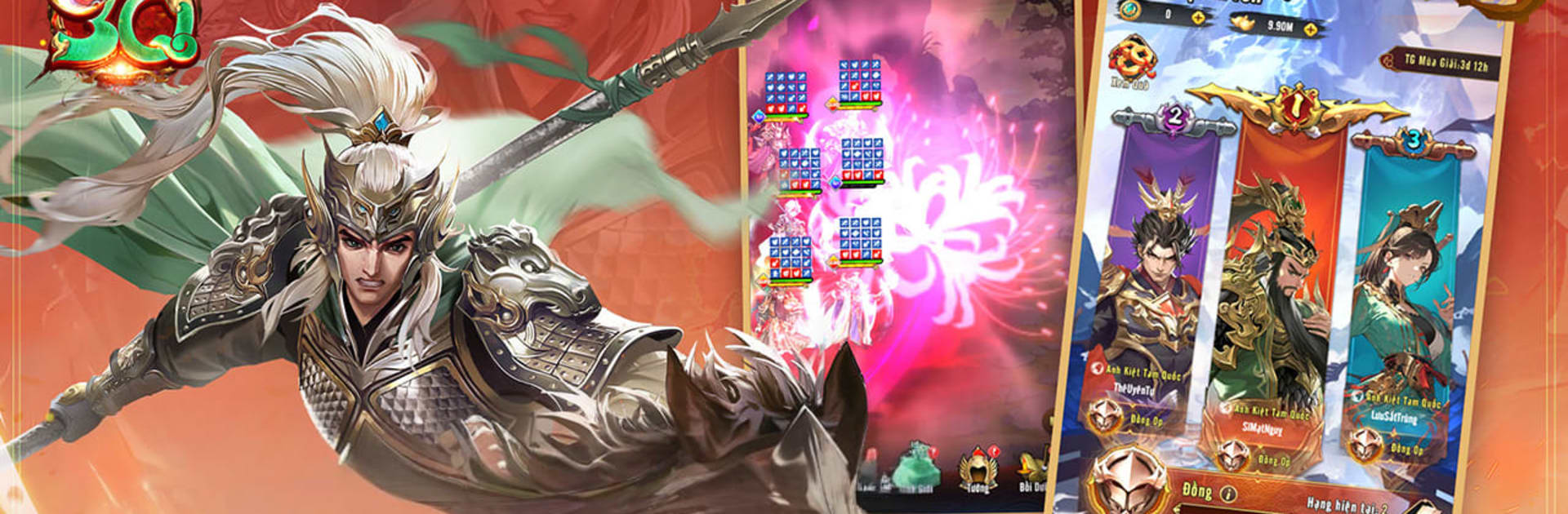
Anh Kiệt Tam Quốc
Anh Kiệt Tam Quốc

Anh Kiệt Tam Quốc

Strategy

| CMN Mobile Game

Play on PC with BlueStacks or from our cloud

  • Overview
  • Game Features
  • How to Play

Page Modified On: July 20, 2026

Play Anh Kiệt Tam Quốc on PC or Mac

Anh Kiệt Tam Quốc brings the Strategy genre to life, and throws up exciting challenges for gamers. Developed by CMN Mobile Game, this Android game is best experienced on BlueStacks, the World’s #1 app player for PC and Mac users.

About the Game

Anh Kiệt Tam Quốc is a Strategy game that drops you into a turbulent Three Kingdoms era and lets you call the shots. You’ll collect iconic generals, form crafty squads, and out-think rival forces in battles where a smart formation can flip everything. It’s friendly to busy players, but every choice—who you recruit, where you place them, when you unleash skills—matters.

Game Features

  • Chaotic Era, Your Story: March through a reimagined Three Kingdoms where power constantly shifts. Conquer strongholds, push back rival armies, and carve out your own legend.

  • Build a Dream Roster: Recruit famous warriors and tacticians—think Guan Yu, Zhuge Liang, Lu Bu, and more. Mix personalities and playstyles to create a lineup that fits how you like to win.

  • Roles That Actually Matter: Warriors, mages, guardians, assassins, archers, and supports all bring something different. Positioning, synergy, and timing turn a decent team into a terrifying one.

  • Seven Factions, Endless Mixes: Combine heroes from Tiger, Dragon, Phoenix, Kirin, Light, Darkness, and God. Cross-faction combos open up sneaky counters and unpredictable strategies.

  • Divine Beasts at Your Side: Take up to four mystical companions into battle. Each beast has unique skills, and pairing the right ones unlocks powerful team effects.

  • Flashy, Stylish Combat: Big, screen-filling ultimates and a bold, Japanese fantasy–inspired look make every clash feel dramatic without getting cluttered.

  • Legion Tactics and PvP: Team up in legions, coordinate builds, and jump into intense squad-vs.-squad battles. Outsmart, outposition, and outlast real opponents.

  • Play Your Way: Enjoy idle-friendly progression when you’re off, then step back in to make the big calls. Prefer a larger display? Playing on PC with BlueStacks feels smooth and comfy.

Ready to top the leaderboard? We bet you do. Let precise controls and sharp visuals optimized on BlueStacks lead you to victory.


Game Features

Enhancements

  • Macros
  • Multi Instance
  • Multi Instance Sync
  • Eco Mode
  • Enhancements
Macros

Macros

Skip the boring parts of a game. Play Anh Kiệt Tam Quốc with Macros and get the edge. Simply record a sequence of commands and execute them at any moment.
Multi Instance

Multi Instance

Why limit to one game on your phone when you can play many on your PC? Open multiple instances of Anh Kiệt Tam Quốc at once with Multi-Instance. Leverage the power of different accounts by doing more.
Multi Instance Sync

Multi Instance Sync

Get the best out of Anh Kiệt Tam Quốc with Multi-Instance Sync. Play the game from different accounts and build your own empire. Use Multi-instance sync to repeat the action in the main BlueStacks instance on all other instances.
Eco Mode

Eco Mode

Find the rarest heroes by making multiple summons in Anh Kiệt Tam Quốc. And while you are at it, reduce your PC’s resource consumption with the Eco Mode. Farm efficiently. Get the best results.
Read More

How to Download and Play Anh Kiệt Tam Quốc on PC or Mac

  • Download and install BlueStacks on your PC or Mac

  • Complete Google sign-in to access the Play Store, or do it later

  • Look for Anh Kiệt Tam Quốc in the search bar at the top right corner

  • Click to install Anh Kiệt Tam Quốc from the search results

  • Complete Google sign-in (if you skipped step 2) to install Anh Kiệt Tam Quốc

  • Click the Anh Kiệt Tam Quốc icon on the home screen to start playing

video
Watch Video

Minimum System Requirements

With BlueStacks 5, you can get started on a PC that fulfills the following requirements.

  • Operating System

    Microsoft Windows 7 or above, macOS 11 (Big Sur) or above

  • Processor

    Intel, AMD or Apple Silicon Processor

  • RAM

    at least 4GB

  • HDD

    10GB Free Disk Space

Note:

* You must be an Administrator on your PC. Up to date graphics drivers from Microsoft or the chipset vendor.

Anh Kiệt Tam Quốc - FAQs

  • How to play Anh Kiệt Tam Quốc on Windows PC & Mac?

    Play Anh Kiệt Tam Quốc on your PC or Mac by following these simple steps.

    • Click on 'Play Anh Kiệt Tam Quốc on PC’ to download BlueStacks
    • Install it and log-in to Google Play Store
    • Launch and play the game.
  • Why is BlueStacks the fastest and safest platform to play games on PC?

    BlueStacks respects your privacy and is always safe and secure to use. It does not carry any malware, spyware, or any sort of additional software that could harm your PC.

    It is engineered to optimize speed and performance for a seamless gaming experience.

  • What are Anh Kiệt Tam Quốc PC requirements?

    Minimum requirement to run Anh Kiệt Tam Quốc on your PC

    • OS: Microsoft Windows 7 or above MacOS 11 (Big Sur) or above
    • Processor: Intel, AMD or Apple Silicon Processor
    • RAM: Your PC must have at least 4GB of RAM. (Note that having 4GB or more disk space is not a substitute for RAM)
    • HDD: 10GB Free Disk Space.
    • You must be an Administrator on your PC.