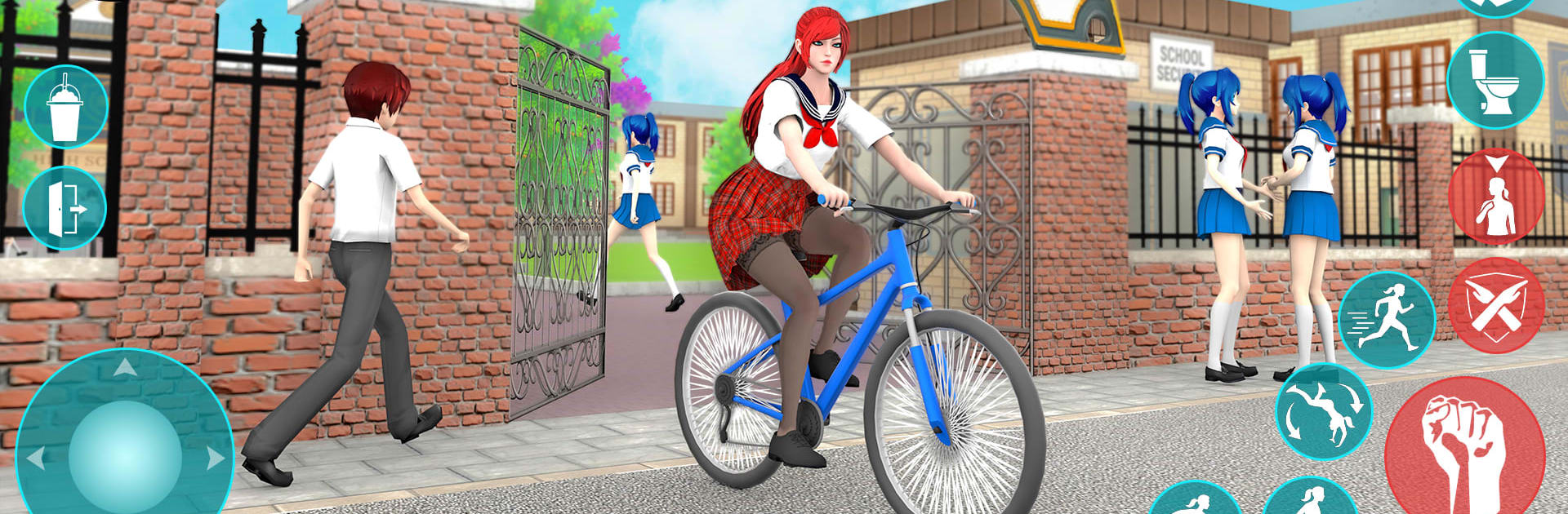
High School Anime Simulator 3D

High School Anime Simulator 3D

Strategy

| Epic Games Production

Play on PC with BlueStacks or from our cloud

  • Overview
  • Game Features
  • How to Play

Page Modified On: May 05, 2026

Play High School Anime Simulator 3D on PC or Mac

Step into the World of High School Anime Simulator 3D, a thrilling Strategy game from the house of Epic Games Production. Play this Android game on BlueStacks App Player and experience immersive gaming on PC or Mac.

About the Game

High School Anime Simulator 3D is a school-life sandbox where your daily choices actually matter. Made by Epic Games Production and sitting in the Strategy genre, it’s all about planning your day, picking your priorities, and seeing how your actions ripple through a lively, anime-style campus. Want to chill, study, or chase a new hobby? It’s your schedule. Prefer playing on a bigger screen with keyboard controls? It runs smoothly on BlueStacks, too.

Game Features

  • Build your routine: Start at home, get ready, check your minimap, and head to a Japanese-inspired high school. Balance classes, quick quizzes, and a little downtime before making your way back.

  • Two ways to play: Story Mode gives you missions and cinematic moments; Open World Mode lets you wander, experiment, and do things on your own terms.

  • Deep character creator: Mix and match hair, eyes, faces, outfits, and body styles to create a look that actually feels like you.

  • Clubs and mini-games: Jump into music and dance competitions, take classroom challenges, and cool off with swimming sessions.

  • Social moments: Chat with students and teachers, build friendships, and make small choices that subtly shape your day-to-day.

  • Move how you want: Walk, run, jump, crouch, pick things up, and handle light scuffles inspired by classic school-anime action.

  • Get around in style: Drive a car or hop on a bicycle; the minimap keeps you from getting lost.

  • Immersive vibe: Smooth controls, soft background tracks, punchy sound effects, and clean cutscenes make the campus feel lived in.

  • Offline friendly: Play anywhere without needing a constant connection.

Get ready for a buttery smooth, high-performance gaming action only on BlueStacks.

Game Features

Enhancements

  • Macros
  • Multi Instance
  • Multi Instance Sync
  • Eco Mode
  • Enhancements
Macros

Macros

Skip the boring parts of a game. Play High School Anime Simulator 3D with Macros and get the edge. Simply record a sequence of commands and execute them at any moment.
Multi Instance

Multi Instance

Why limit to one game on your phone when you can play many on your PC? Open multiple instances of High School Anime Simulator 3D at once with Multi-Instance. Leverage the power of different accounts by doing more.
Multi Instance Sync

Multi Instance Sync

Get the best out of High School Anime Simulator 3D with Multi-Instance Sync. Play the game from different accounts and build your own empire. Use Multi-instance sync to repeat the action in the main BlueStacks instance on all other instances.
Eco Mode

Eco Mode

Find the rarest heroes by making multiple summons in High School Anime Simulator 3D. And while you are at it, reduce your PC’s resource consumption with the Eco Mode. Farm efficiently. Get the best results.
Read More

How to Download and Play High School Anime Simulator 3D on PC or Mac

  • Download and install BlueStacks on your PC or Mac

  • Complete Google sign-in to access the Play Store, or do it later

  • Look for High School Anime Simulator 3D in the search bar at the top right corner

  • Click to install High School Anime Simulator 3D from the search results

  • Complete Google sign-in (if you skipped step 2) to install High School Anime Simulator 3D

  • Click the High School Anime Simulator 3D icon on the home screen to start playing

video
Watch Video

Minimum System Requirements

With BlueStacks 5, you can get started on a PC that fulfills the following requirements.

  • Operating System

    Microsoft Windows 7 or above, macOS 11 (Big Sur) or above

  • Processor

    Intel, AMD or Apple Silicon Processor

  • RAM

    at least 4GB

  • HDD

    10GB Free Disk Space

Note:

* You must be an Administrator on your PC. Up to date graphics drivers from Microsoft or the chipset vendor.

High School Anime Simulator 3D - FAQs

  • How to play High School Anime Simulator 3D on Windows PC & Mac?

    Play High School Anime Simulator 3D on your PC or Mac by following these simple steps.

    • Click on 'Play High School Anime Simulator 3D on PC’ to download BlueStacks
    • Install it and log-in to Google Play Store
    • Launch and play the game.
  • Why is BlueStacks the fastest and safest platform to play games on PC?

    BlueStacks respects your privacy and is always safe and secure to use. It does not carry any malware, spyware, or any sort of additional software that could harm your PC.

    It is engineered to optimize speed and performance for a seamless gaming experience.

  • What are High School Anime Simulator 3D PC requirements?

    Minimum requirement to run High School Anime Simulator 3D on your PC

    • OS: Microsoft Windows 7 or above MacOS 11 (Big Sur) or above
    • Processor: Intel, AMD or Apple Silicon Processor
    • RAM: Your PC must have at least 4GB of RAM. (Note that having 4GB or more disk space is not a substitute for RAM)
    • HDD: 10GB Free Disk Space.
    • You must be an Administrator on your PC.