Hotel Haunted Horror Game

Hotel Haunted Horror Game

Strategy

| PrimElite Game

Play on PC with BlueStacks or from our cloud

  • Overview
  • Game Features
  • How to Play

Page Modified On: May 05, 2026

Play Hotel Haunted Horror Game on PC or Mac

Step into the World of Hotel Haunted Horror Game, a thrilling Strategy game from the house of PrimElite Game. Play this Android game on BlueStacks App Player and experience immersive gaming on PC or Mac.

About the Game

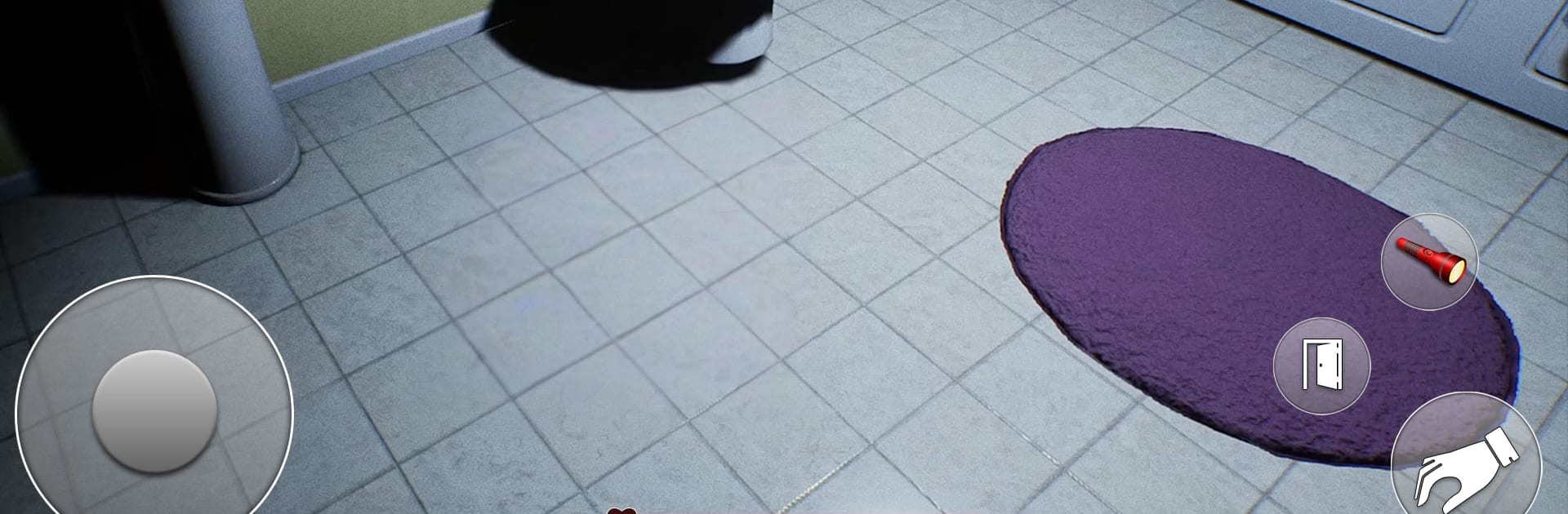
Hotel Haunted Horror Game drops you into a long-abandoned hotel where the power’s dead, the halls are silent, and every door feels like a question. Your job is simple on paper—get the generator running, bring the lights back, and work through a series of tasks—but it never feels that easy when you’re the one holding the keys. This Strategy experience from PrimElite Game is all about careful steps, smart choices, and the kind of tension that makes you check a corner twice.

Game Features

  • Explore a closed hotel: Wander through dusty lobbies, narrow corridors, and locked wings that haven’t seen light in years. Each floor has its own layout quirks to learn and plan around.

  • Restore the power: Track down the generator, figure out the controls, and light up sections of the hotel to reveal new paths, clues, and hidden details you couldn’t spot in the dark.

  • Keys with consequences: Find keys, match them to the right doors, and decide the order you’ll open areas. One smart unlock can save you a lot of backtracking.

  • Objectives that respect your strategy: You’ll get clear instructions, but how you complete each task is up to you. Take shortcuts, scout first, or play it safe—your approach matters.

  • Tension through light and shadow: Darkness isn’t just a mood-setter here; it affects how you move and what you notice. Turning on a light can change the entire feel of a space.

  • Clues tucked into the quiet: Notes, sounds, and small environmental hints help you piece together what happened in this place, if you’re paying attention.

  • Smooth play on PC: Prefer a keyboard and mouse? Hotel Haunted Horror Game feels right at home on PC with BlueStacks, with crisp controls and easy camera handling.

Get ready for a buttery smooth, high-performance gaming action only on BlueStacks.

Game Features

Enhancements

  • Macros
  • Multi Instance
  • Multi Instance Sync
  • Eco Mode
  • Enhancements
Macros

Macros

Skip the boring parts of a game. Play Hotel Haunted Horror Game with Macros and get the edge. Simply record a sequence of commands and execute them at any moment.
Multi Instance

Multi Instance

Why limit to one game on your phone when you can play many on your PC? Open multiple instances of Hotel Haunted Horror Game at once with Multi-Instance. Leverage the power of different accounts by doing more.
Multi Instance Sync

Multi Instance Sync

Get the best out of Hotel Haunted Horror Game with Multi-Instance Sync. Play the game from different accounts and build your own empire. Use Multi-instance sync to repeat the action in the main BlueStacks instance on all other instances.
Eco Mode

Eco Mode

Find the rarest heroes by making multiple summons in Hotel Haunted Horror Game. And while you are at it, reduce your PC’s resource consumption with the Eco Mode. Farm efficiently. Get the best results.
Read More

How to Download and Play Hotel Haunted Horror Game on PC or Mac

  • Download and install BlueStacks on your PC or Mac

  • Complete Google sign-in to access the Play Store, or do it later

  • Look for Hotel Haunted Horror Game in the search bar at the top right corner

  • Click to install Hotel Haunted Horror Game from the search results

  • Complete Google sign-in (if you skipped step 2) to install Hotel Haunted Horror Game

  • Click the Hotel Haunted Horror Game icon on the home screen to start playing

video
Watch Video

Minimum System Requirements

With BlueStacks 5, you can get started on a PC that fulfills the following requirements.

  • Operating System

    Microsoft Windows 7 or above, macOS 11 (Big Sur) or above

  • Processor

    Intel, AMD or Apple Silicon Processor

  • RAM

    at least 4GB

  • HDD

    10GB Free Disk Space

Note:

* You must be an Administrator on your PC. Up to date graphics drivers from Microsoft or the chipset vendor.

Hotel Haunted Horror Game - FAQs

  • How to play Hotel Haunted Horror Game on Windows PC & Mac?

    Play Hotel Haunted Horror Game on your PC or Mac by following these simple steps.

    • Click on 'Play Hotel Haunted Horror Game on PC’ to download BlueStacks
    • Install it and log-in to Google Play Store
    • Launch and play the game.
  • Why is BlueStacks the fastest and safest platform to play games on PC?

    BlueStacks respects your privacy and is always safe and secure to use. It does not carry any malware, spyware, or any sort of additional software that could harm your PC.

    It is engineered to optimize speed and performance for a seamless gaming experience.

  • What are Hotel Haunted Horror Game PC requirements?

    Minimum requirement to run Hotel Haunted Horror Game on your PC

    • OS: Microsoft Windows 7 or above MacOS 11 (Big Sur) or above
    • Processor: Intel, AMD or Apple Silicon Processor
    • RAM: Your PC must have at least 4GB of RAM. (Note that having 4GB or more disk space is not a substitute for RAM)
    • HDD: 10GB Free Disk Space.
    • You must be an Administrator on your PC.