World Tour Bus Game: Bus Drive

World Tour Bus Game: Bus Drive

Strategy

| PrimElite Game

Play on PC with BlueStacks or from our cloud

  • Overview
  • Game Features
  • How to Play

Page Modified On: April 13, 2026

Play World Tour Bus Game: Bus Drive on PC or Mac

World Tour Bus Game: Bus Drive brings the Strategy genre to life, and throws up exciting challenges for gamers. Developed by PrimElite Game, this Android game is best experienced on BlueStacks, the World’s #1 app player for PC and Mac users.

About the Game

World Tour Bus Game: Bus Drive puts you in the driver’s seat and lets you set the pace—slow, steady, and satisfyingly precise. It’s all about the feel of the road, the rhythm of stops and starts, and the quiet challenge of moving people safely from point A to B. Built by PrimElite Game in the Strategy genre, it rewards smart choices, smooth control, and a calm head behind the wheel. Prefer a bigger screen and sharper control? It plays nicely on BlueStacks too.

Game Features

  • Authentic Handling
  • Every bus has its own weight, grip, and response, so braking, turning, and timing actually matter.

  • City Streets and Long Hauls

  • Tackle tight urban routes with traffic and signals, then stretch out on scenic highways for a more relaxed drive.

  • Open-World Routes

  • Explore large maps inspired by locations around the world, blending busy hubs with quieter countryside roads.

  • Passenger Pickups with Purpose

  • Follow routes, stop at stations, and keep schedules in mind. It’s not just driving—it’s managing a moving service.

  • Multiple Buses to Master

  • Swap between different vehicles and find the one that fits your style, from easy cruisers to buses that demand finesse.

  • Smooth, Accessible Controls

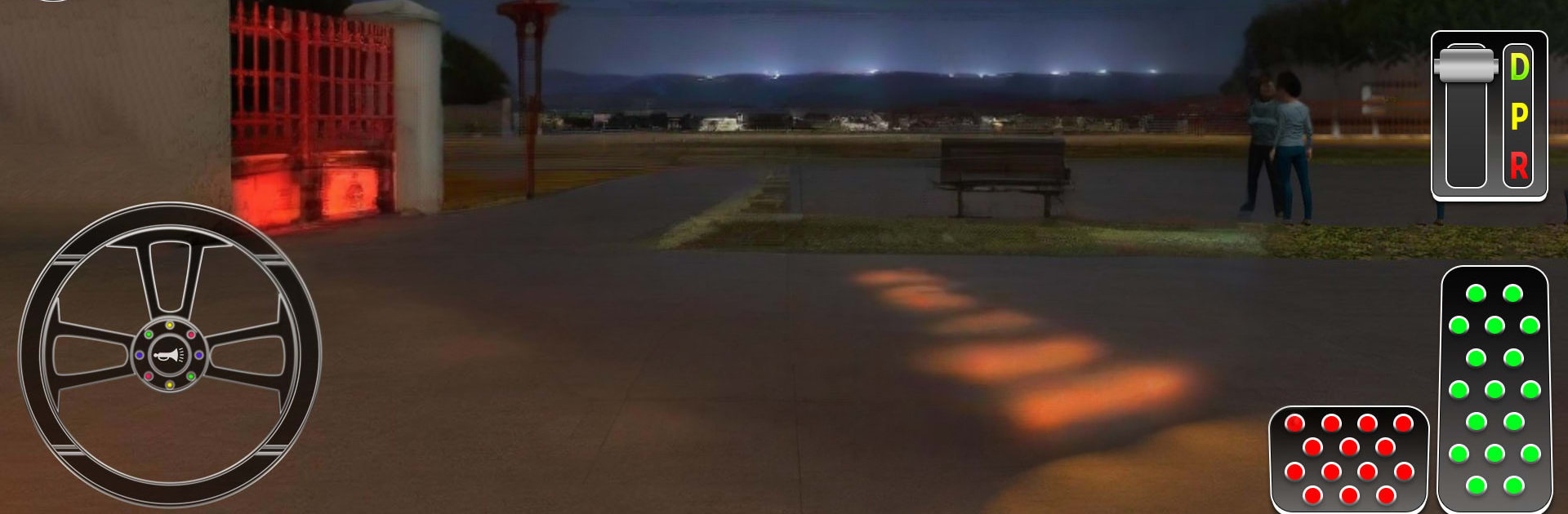
  • Intuitive steering and clean UI make it friendly for newcomers while staying satisfying for seasoned sim fans.

  • Immersive Road Feel

  • Natural movement, believable traffic flow, and detailed scenery help each trip feel grounded and rewarding.

  • Strategy at the Wheel

  • Balance speed, space, and timing. Read the road, plan your moves, and keep your passengers comfortable.

Ready to top the leaderboard? We bet you do. Let precise controls and sharp visuals optimized on BlueStacks lead you to victory.


Game Features

Enhancements

  • Macros
  • Multi Instance
  • Multi Instance Sync
  • Eco Mode
  • Enhancements
Macros

Macros

Skip the boring parts of a game. Play World Tour Bus Game: Bus Drive with Macros and get the edge. Simply record a sequence of commands and execute them at any moment.
Multi Instance

Multi Instance

Why limit to one game on your phone when you can play many on your PC? Open multiple instances of World Tour Bus Game: Bus Drive at once with Multi-Instance. Leverage the power of different accounts by doing more.
Multi Instance Sync

Multi Instance Sync

Get the best out of World Tour Bus Game: Bus Drive with Multi-Instance Sync. Play the game from different accounts and build your own empire. Use Multi-instance sync to repeat the action in the main BlueStacks instance on all other instances.
Eco Mode

Eco Mode

Find the rarest heroes by making multiple summons in World Tour Bus Game: Bus Drive. And while you are at it, reduce your PC’s resource consumption with the Eco Mode. Farm efficiently. Get the best results.
Read More

How to Download and Play World Tour Bus Game: Bus Drive on PC or Mac

  • Download and install BlueStacks on your PC or Mac

  • Complete Google sign-in to access the Play Store, or do it later

  • Look for World Tour Bus Game: Bus Drive in the search bar at the top right corner

  • Click to install World Tour Bus Game: Bus Drive from the search results

  • Complete Google sign-in (if you skipped step 2) to install World Tour Bus Game: Bus Drive

  • Click the World Tour Bus Game: Bus Drive icon on the home screen to start playing

video
Watch Video

Minimum System Requirements

With BlueStacks 5, you can get started on a PC that fulfills the following requirements.

  • Operating System

    Microsoft Windows 7 or above, macOS 11 (Big Sur) or above

  • Processor

    Intel, AMD or Apple Silicon Processor

  • RAM

    at least 4GB

  • HDD

    10GB Free Disk Space

Note:

* You must be an Administrator on your PC. Up to date graphics drivers from Microsoft or the chipset vendor.

World Tour Bus Game: Bus Drive - FAQs

  • How to play World Tour Bus Game: Bus Drive on Windows PC & Mac?

    Play World Tour Bus Game: Bus Drive on your PC or Mac by following these simple steps.

    • Click on 'Play World Tour Bus Game: Bus Drive on PC’ to download BlueStacks
    • Install it and log-in to Google Play Store
    • Launch and play the game.
  • Why is BlueStacks the fastest and safest platform to play games on PC?

    BlueStacks respects your privacy and is always safe and secure to use. It does not carry any malware, spyware, or any sort of additional software that could harm your PC.

    It is engineered to optimize speed and performance for a seamless gaming experience.

  • What are World Tour Bus Game: Bus Drive PC requirements?

    Minimum requirement to run World Tour Bus Game: Bus Drive on your PC

    • OS: Microsoft Windows 7 or above MacOS 11 (Big Sur) or above
    • Processor: Intel, AMD or Apple Silicon Processor
    • RAM: Your PC must have at least 4GB of RAM. (Note that having 4GB or more disk space is not a substitute for RAM)
    • HDD: 10GB Free Disk Space.
    • You must be an Administrator on your PC.