Iron Crown: Castle Defense

Iron Crown: Castle Defense

Strategy

| Happa Games

Play on PC with BlueStacks or from our cloud

  • Overview
  • Game Features
  • How to Play

Page Modified On: April 13, 2026

Play Iron Crown: Castle Defense on PC or Mac

Iron Crown: Castle Defense brings the Strategy genre to life, and throws up exciting challenges for gamers. Developed by Happa Games, this Android game is best experienced on BlueStacks, the World’s #1 app player for PC and Mac users.

About the Game

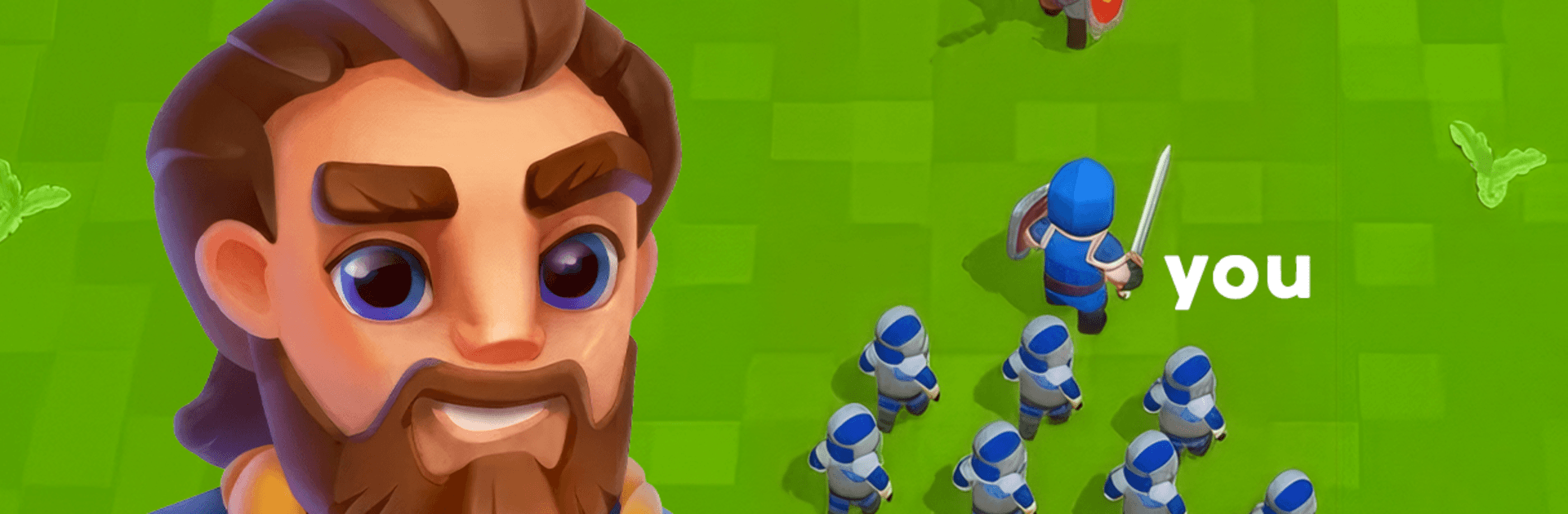
Iron Crown: Castle Defense throws you into a frantic Strategy showdown from Happa Games where the clock never stops and the map won’t stay generous for long. You start small, recruit faster than your rivals, and turn those early wins into an unstoppable marching force. It’s all about quick decisions, bold grabs, and outmaneuvering everyone else before the battlefield squeezes you together. Prefer playing on a bigger screen? It runs great on BlueStacks.

Game Features

  • Rapid Recruitment: Begin with a single leader and scoop up neutral troops on the fly. The sooner you grow, the scarier you get.
  • Seize and Scale: Capture key structures to raise your troop cap. More buildings = a bigger army, and that snowballs fast.
  • Momentum Matters: Pick off smaller squads, absorb their strength, and keep rolling. Smart aggression pays off when numbers are on your side.
  • Shrinking Arena: The safe area keeps tightening, forcing bold pushes and massive clashes. No turtling—move, expand, and strike before you’re boxed in.
  • Lasting Upgrades: Between matches, invest your rewards to strengthen your roster—evolve units, improve gear, and unlock tactical boosts that speed up your opening moves.
  • Massive Real-Time Battles: Watch hundreds of units collide in lively 3D fights. It’s chaotic in the best way, and you feel every surge when your army takes over a lane.
  • Quick Strategic Reads: Scout threats, pick smart targets, and chain captures to stay ahead. One sharp decision can flip the entire match.

Start your journey now. Download the game on BlueStacks, invite your friends, and march on a new adventure.


Game Features

Enhancements

  • Macros
  • Multi Instance
  • Multi Instance Sync
  • Eco Mode
  • Enhancements
Macros

Macros

Skip the boring parts of a game. Play Iron Crown: Castle Defense with Macros and get the edge. Simply record a sequence of commands and execute them at any moment.
Multi Instance

Multi Instance

Why limit to one game on your phone when you can play many on your PC? Open multiple instances of Iron Crown: Castle Defense at once with Multi-Instance. Leverage the power of different accounts by doing more.
Multi Instance Sync

Multi Instance Sync

Get the best out of Iron Crown: Castle Defense with Multi-Instance Sync. Play the game from different accounts and build your own empire. Use Multi-instance sync to repeat the action in the main BlueStacks instance on all other instances.
Eco Mode

Eco Mode

Find the rarest heroes by making multiple summons in Iron Crown: Castle Defense. And while you are at it, reduce your PC’s resource consumption with the Eco Mode. Farm efficiently. Get the best results.
Read More

How to Download and Play Iron Crown: Castle Defense on PC or Mac

  • Download and install BlueStacks on your PC or Mac

  • Complete Google sign-in to access the Play Store, or do it later

  • Look for Iron Crown: Castle Defense in the search bar at the top right corner

  • Click to install Iron Crown: Castle Defense from the search results

  • Complete Google sign-in (if you skipped step 2) to install Iron Crown: Castle Defense

  • Click the Iron Crown: Castle Defense icon on the home screen to start playing

video
Watch Video

Minimum System Requirements

With BlueStacks 5, you can get started on a PC that fulfills the following requirements.

  • Operating System

    Microsoft Windows 7 or above, macOS 11 (Big Sur) or above

  • Processor

    Intel, AMD or Apple Silicon Processor

  • RAM

    at least 4GB

  • HDD

    10GB Free Disk Space

Note:

* You must be an Administrator on your PC. Up to date graphics drivers from Microsoft or the chipset vendor.

Iron Crown: Castle Defense - FAQs

  • How to play Iron Crown: Castle Defense on Windows PC & Mac?

    Play Iron Crown: Castle Defense on your PC or Mac by following these simple steps.

    • Click on 'Play Iron Crown: Castle Defense on PC’ to download BlueStacks
    • Install it and log-in to Google Play Store
    • Launch and play the game.
  • Why is BlueStacks the fastest and safest platform to play games on PC?

    BlueStacks respects your privacy and is always safe and secure to use. It does not carry any malware, spyware, or any sort of additional software that could harm your PC.

    It is engineered to optimize speed and performance for a seamless gaming experience.

  • What are Iron Crown: Castle Defense PC requirements?

    Minimum requirement to run Iron Crown: Castle Defense on your PC

    • OS: Microsoft Windows 7 or above MacOS 11 (Big Sur) or above
    • Processor: Intel, AMD or Apple Silicon Processor
    • RAM: Your PC must have at least 4GB of RAM. (Note that having 4GB or more disk space is not a substitute for RAM)
    • HDD: 10GB Free Disk Space.
    • You must be an Administrator on your PC.