仮面ライダー DEFENSE WARRIORS

仮面ライダー DEFENSE WARRIORS

Strategy

| AiiA Corporation

Play on PC with BlueStacks or from our cloud

  • Overview
  • Game Features
  • How to Play

Page Modified On: November 28, 2025

Play 仮面ライダー DEFENSE WARRIORS on PC or Mac

仮面ライダー DEFENSE WARRIORS brings the Strategy genre to life, and throws up exciting challenges for gamers. Developed by AiiA Corporation, this Android game is best experienced on BlueStacks, the World’s #1 app player for PC and Mac users.

About the Game

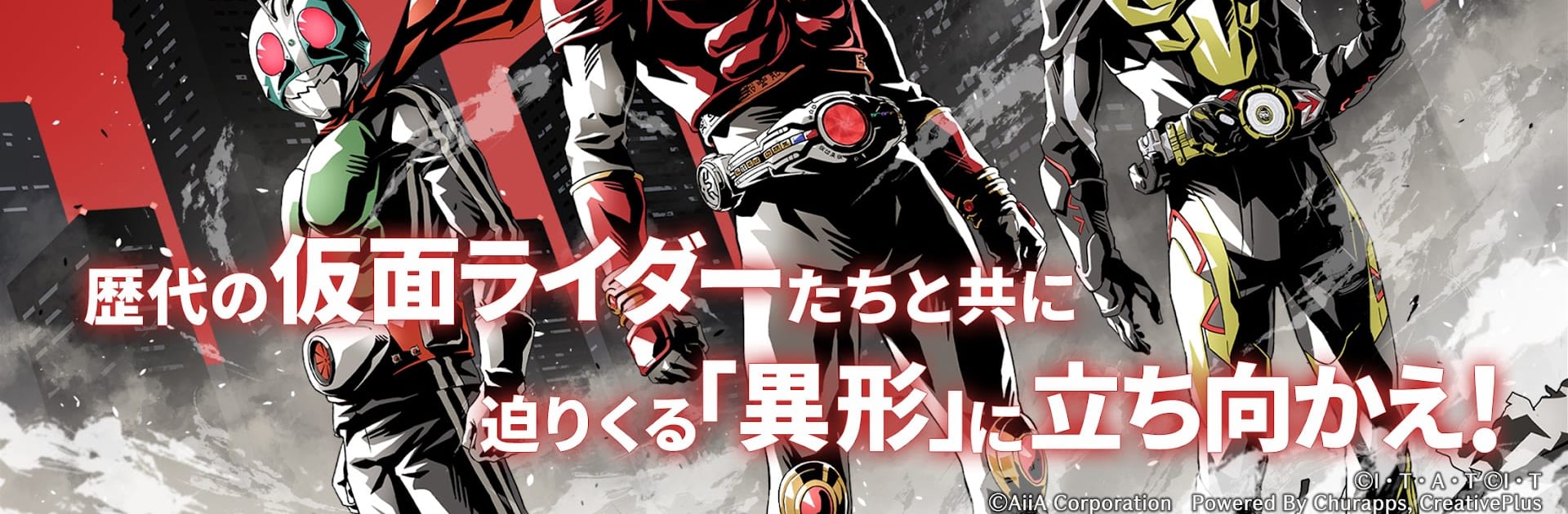
仮面ライダー DEFENSE WARRIORS turns the Kamen Rider saga into a fast, tactical tower-defense showdown. It’s a Strategy game from AiiA Corporation where you build squads of legendary Riders and push back relentless waves of enemies. Expect quick decisions, flashy finishers, and that “one more try” feeling after every stage.

Game Features

  • All-Eras Riders: Field heroes from Showa, Heisei, and Reiwa—icons like Kamen Rider 1 alongside modern stars such as Geats, Gatchard, and Gav. Mix eras, chase clever synergies, and watch the roster grow with future updates.
  • Your First Partner: Pick a favorite Rider to start with, then shape a team that matches your playstyle—tough defenders, speedy strikers, or skill-centric tacticians.
  • Smart Tower Defense: Place units along enemy paths, manage costs, and react to shifting waves. Attributes, roles, and timing matter—trigger skills and signature moves right when they’ll flip a lane.
  • Finishers and Bosses: Classic TV special attacks crackle with style, and massive boss encounters test your formation reading and cooldown management.
  • Gear, Bikes, and Loadouts: Equip weapons and bikes from the series, pair them with skills, and create loadouts that truly change how your squad fights.
  • Play-Friendly Options: Auto-battle for routine farming, a fast-speed mode to keep the pace up, and background loops so progress keeps rolling even when you’re busy.
  • An Original Story: Uncover a new tale built around lost memories—fresh scenes and encounters made just for the game.
  • Play on PC Too: Prefer a bigger screen or different controls? It’s comfortable on BlueStacks while keeping the action crisp.

Ready to top the leaderboard? We bet you do. Let precise controls and sharp visuals optimized on BlueStacks lead you to victory.


Game Features

Enhancements

  • Macros
  • Multi Instance
  • Multi Instance Sync
  • Eco Mode
  • Enhancements
Macros

Macros

Skip the boring parts of a game. Play 仮面ライダー DEFENSE WARRIORS with Macros and get the edge. Simply record a sequence of commands and execute them at any moment.
Multi Instance

Multi Instance

Why limit to one game on your phone when you can play many on your PC? Open multiple instances of 仮面ライダー DEFENSE WARRIORS at once with Multi-Instance. Leverage the power of different accounts by doing more.
Multi Instance Sync

Multi Instance Sync

Get the best out of 仮面ライダー DEFENSE WARRIORS with Multi-Instance Sync. Play the game from different accounts and build your own empire. Use Multi-instance sync to repeat the action in the main BlueStacks instance on all other instances.
Eco Mode

Eco Mode

Find the rarest heroes by making multiple summons in 仮面ライダー DEFENSE WARRIORS. And while you are at it, reduce your PC’s resource consumption with the Eco Mode. Farm efficiently. Get the best results.
Read More

How to Download and Play 仮面ライダー DEFENSE WARRIORS on PC or Mac

  • Download and install BlueStacks on your PC or Mac

  • Complete Google sign-in to access the Play Store, or do it later

  • Look for 仮面ライダー DEFENSE WARRIORS in the search bar at the top right corner

  • Click to install 仮面ライダー DEFENSE WARRIORS from the search results

  • Complete Google sign-in (if you skipped step 2) to install 仮面ライダー DEFENSE WARRIORS

  • Click the 仮面ライダー DEFENSE WARRIORS icon on the home screen to start playing

video
Watch Video

Minimum System Requirements

With BlueStacks 5, you can get started on a PC that fulfills the following requirements.

  • Operating System

    Microsoft Windows 7 or above, macOS 11 (Big Sur) or above

  • Processor

    Intel, AMD or Apple Silicon Processor

  • RAM

    at least 4GB

  • HDD

    10GB Free Disk Space

Note:

* You must be an Administrator on your PC. Up to date graphics drivers from Microsoft or the chipset vendor.

仮面ライダー DEFENSE WARRIORS - FAQs

  • How to play 仮面ライダー DEFENSE WARRIORS on Windows PC & Mac?

    Play 仮面ライダー DEFENSE WARRIORS on your PC or Mac by following these simple steps.

    • Click on 'Play 仮面ライダー DEFENSE WARRIORS on PC’ to download BlueStacks
    • Install it and log-in to Google Play Store
    • Launch and play the game.
  • Why is BlueStacks the fastest and safest platform to play games on PC?

    BlueStacks respects your privacy and is always safe and secure to use. It does not carry any malware, spyware, or any sort of additional software that could harm your PC.

    It is engineered to optimize speed and performance for a seamless gaming experience.

  • What are 仮面ライダー DEFENSE WARRIORS PC requirements?

    Minimum requirement to run 仮面ライダー DEFENSE WARRIORS on your PC

    • OS: Microsoft Windows 7 or above MacOS 11 (Big Sur) or above
    • Processor: Intel, AMD or Apple Silicon Processor
    • RAM: Your PC must have at least 4GB of RAM. (Note that having 4GB or more disk space is not a substitute for RAM)
    • HDD: 10GB Free Disk Space.
    • You must be an Administrator on your PC.