
Exclusive Gaming Content. And More.
Get the latest updates on the BlueStacks Blog.
See More

Play on PC with BlueStacks or from our cloud
Page Modified On: October 12, 2026
Bring your A-game to LastCamp : Defense, the Strategy game sensation from LiberalDust. Give your gameplay the much-needed boost with precise game controls, high FPS graphics, and top-tier features on your PC or Mac with BlueStacks.
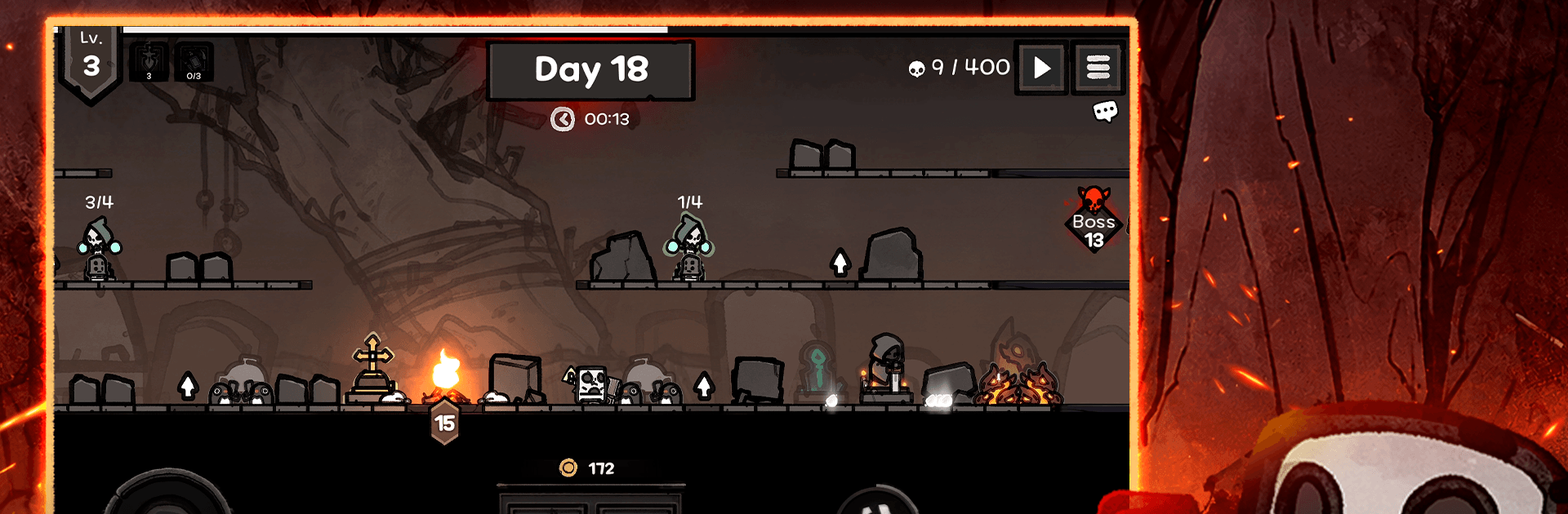
LastCamp : Defense is a moody, side-scrolling take on Strategy where one stubborn spark is all that stands between your camp and the creeping dark. You’ll lead a tireless skeleton sentry and a band of quirky heroes, piecing together card combos and placements to keep the flame alive, night after night. Prefer longer sessions on a bigger screen? It runs smoothly on BlueStacks, too.
BlueStacks gives you more room to focus on the game and less time adjusting around mobile limitations.
Skip the boring parts of a game. Play LastCamp : Defense with Macros and get the edge. Simply record a sequence of commands and execute them at any moment.
Why limit to one game on your phone when you can play many on your PC? Open multiple instances of LastCamp : Defense at once with Multi-Instance. Leverage the power of different accounts by doing more.
Get the best out of LastCamp : Defense with Multi-Instance Sync. Play the game from different accounts and build your own empire. Use Multi-instance sync to repeat the action in the main BlueStacks instance on all other instances.
Find the rarest heroes by making multiple summons in LastCamp : Defense. And while you are at it, reduce your PC’s resource consumption with the Eco Mode. Farm efficiently. Get the best results.
Download and install BlueStacks on your PC or Mac
Complete Google sign-in to access the Play Store, or do it later
Look for LastCamp : Defense in the search bar at the top right corner
Click to install LastCamp : Defense from the search results
Complete Google sign-in (if you skipped step 2) to install LastCamp : Defense
Click the LastCamp : Defense icon on the home screen to start playing
With BlueStacks 5, you can get started on a PC that fulfills the following requirements.
Microsoft Windows 7 or above, macOS 11 (Big Sur) or above
Intel, AMD or Apple Silicon Processor
at least 4GB
10GB Free Disk Space
* You must be an Administrator on your PC. Up to date graphics drivers from Microsoft or the chipset vendor.

Leave your email and we will notify
you when the game launches
Play LastCamp : Defense on your PC or Mac by following these simple steps.
BlueStacks respects your privacy and is always safe and secure to use. It does not carry any malware, spyware, or any sort of additional software that could harm your PC.
It is engineered to optimize speed and performance for a seamless gaming experience.
Minimum requirement to run LastCamp : Defense on your PC

Since you are on your phone, we are going to send you to the Google Play page.
In some cases BlueStacks uses affiliate links when linking to Google Play
BlueStacks 4 is not available on Windows XP. You must have Windows 7 or higher. Windows 10 is recommended.