Magnus: Merge Arena PvP Battle

Magnus: Merge Arena PvP Battle

Strategy

| ZenGam

Play on PC with BlueStacks or from our cloud

  • Overview
  • Game Features
  • How to Play

Page Modified On: October 21, 2026

Play Magnus: Merge Arena PvP Battle on PC or Mac

Step into the World of Magnus: Merge Arena PvP Battle, a thrilling Strategy game from the house of ZenGam. Play this Android game on BlueStacks App Player and experience immersive gaming on PC or Mac.

About the Game

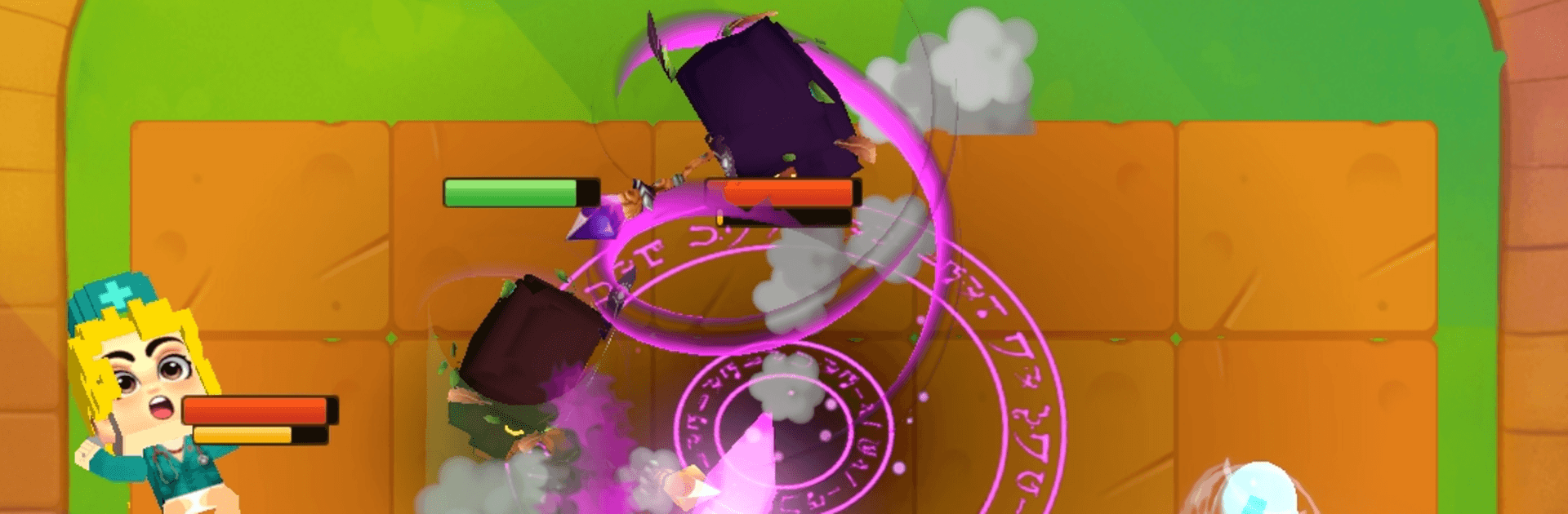
Magnus: Merge Arena PvP Battle throws you into quick, head-to-head brawls where brains beat brute force. This Strategy spin blends hands-on merging with auto-battler chaos, so every placement and combine can flip the matchup. Queue for fast 1v1s, test wild hero pairings, and if you like playing on a bigger screen with smooth controls, it runs great on BlueStacks.

Game Features

  • Merge-Driven Combat: Drag matching units together to rank them up mid-fight, reshaping your board to counter whatever your rival drops.
  • Smart Grid Positioning: Frontline, backline, corners, or choke points—where you plant a hero matters just as much as who you field.
  • Real-Time 1v1 Duels: Battle live opponents in brisk matches packed with counters, clutch merges, and momentum swings.
  • Streetwise Hero Roster: Build a squad from colorful characters like a Police Officer, Shaman, Hockey Pro, Biker, Gangster, Nurse, Fisherman, and more—each with a distinct job.
  • Synergy-Focused Deck Building: Mix tanks, ranged damage, control casters, and healers to craft combos that snowball when the board tilts your way.
  • Ultimate Skills at Rank 3: Hit the right merge tier to unlock stuns, big AoE blasts, team-wide heals, and totems that can rescue a rough round.
  • Interactive Arenas: Pop energy barrels, claim buff tiles, and chain effects to squeeze extra value out of every second.
  • Leagues, Arenas, and Progress: Win trophies to open new battlegrounds and push into tougher tiers as your lineup improves.
  • Quests and Card Rewards: Wrap up daily tasks and crack chests to expand your collection with epic and legendary hero cards.

Start playing Magnus: Merge Arena PvP Battle on BlueStacks and get a smoother, more comfortable PC or Mac setup.


Game Features

Enhancements

  • Macros
  • Multi Instance
  • Multi Instance Sync
  • Eco Mode
  • Enhancements
Macros

Macros

Skip the boring parts of a game. Play Magnus: Merge Arena PvP Battle with Macros and get the edge. Simply record a sequence of commands and execute them at any moment.
Multi Instance

Multi Instance

Why limit to one game on your phone when you can play many on your PC? Open multiple instances of Magnus: Merge Arena PvP Battle at once with Multi-Instance. Leverage the power of different accounts by doing more.
Multi Instance Sync

Multi Instance Sync

Get the best out of Magnus: Merge Arena PvP Battle with Multi-Instance Sync. Play the game from different accounts and build your own empire. Use Multi-instance sync to repeat the action in the main BlueStacks instance on all other instances.
Eco Mode

Eco Mode

Find the rarest heroes by making multiple summons in Magnus: Merge Arena PvP Battle. And while you are at it, reduce your PC’s resource consumption with the Eco Mode. Farm efficiently. Get the best results.
Read More

How to Download and Play Magnus: Merge Arena PvP Battle on PC or Mac

  • Download and install BlueStacks on your PC or Mac

  • Complete Google sign-in to access the Play Store, or do it later

  • Look for Magnus: Merge Arena PvP Battle in the search bar at the top right corner

  • Click to install Magnus: Merge Arena PvP Battle from the search results

  • Complete Google sign-in (if you skipped step 2) to install Magnus: Merge Arena PvP Battle

  • Click the Magnus: Merge Arena PvP Battle icon on the home screen to start playing

video
Watch Video

Minimum System Requirements

With BlueStacks 5, you can get started on a PC that fulfills the following requirements.

  • Operating System

    Microsoft Windows 7 or above, macOS 11 (Big Sur) or above

  • Processor

    Intel, AMD or Apple Silicon Processor

  • RAM

    at least 4GB

  • HDD

    10GB Free Disk Space

Note:

* You must be an Administrator on your PC. Up to date graphics drivers from Microsoft or the chipset vendor.

Magnus: Merge Arena PvP Battle - FAQs

  • How to play Magnus: Merge Arena PvP Battle on Windows PC & Mac?

    Play Magnus: Merge Arena PvP Battle on your PC or Mac by following these simple steps.

    • Click on 'Play Magnus: Merge Arena PvP Battle on PC’ to download BlueStacks
    • Install it and log-in to Google Play Store
    • Launch and play the game.
  • Why is BlueStacks the fastest and safest platform to play games on PC?

    BlueStacks respects your privacy and is always safe and secure to use. It does not carry any malware, spyware, or any sort of additional software that could harm your PC.

    It is engineered to optimize speed and performance for a seamless gaming experience.

  • What are Magnus: Merge Arena PvP Battle PC requirements?

    Minimum requirement to run Magnus: Merge Arena PvP Battle on your PC

    • OS: Microsoft Windows 7 or above MacOS 11 (Big Sur) or above
    • Processor: Intel, AMD or Apple Silicon Processor
    • RAM: Your PC must have at least 4GB of RAM. (Note that having 4GB or more disk space is not a substitute for RAM)
    • HDD: 10GB Free Disk Space.
    • You must be an Administrator on your PC.