Offline Truck driving Game 3D

Offline Truck driving Game 3D

Strategy

| gameview

Play on PC with BlueStacks or from our cloud

  • Overview
  • Game Features
  • How to Play

Page Modified On: May 25, 2026

Play Offline Truck driving Game 3D on PC or Mac

Offline Truck driving Game 3D brings the Strategy genre to life, and throws up exciting challenges for gamers. Developed by gameview, this Android game is best experienced on BlueStacks, the World’s #1 app player for PC and Mac users.

About the Game

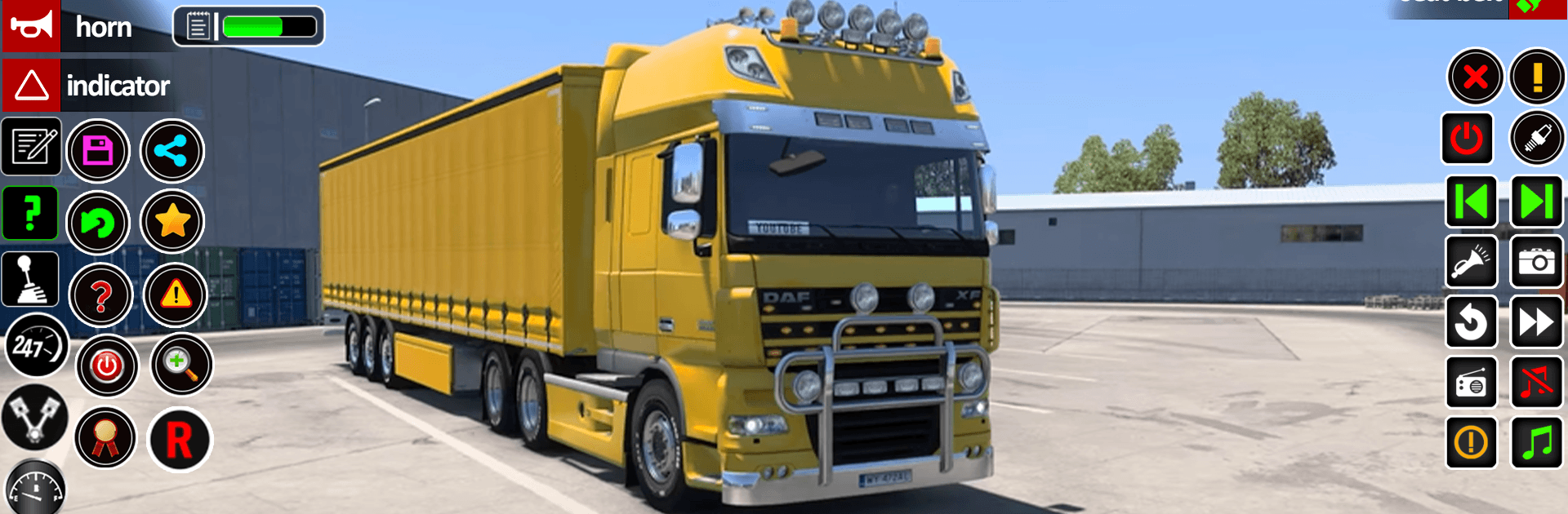
Offline Truck driving Game 3D puts you behind the wheel of massive rigs and asks you to think like a pro. It’s not just about pressing the gas—it’s about planning routes, judging weight, and handling real-world challenges with cool, steady control. Expect big loads, tight spots, and a steady stream of missions that make every drive feel different.

Game Features

  • Real trucks, real weight: Feel the difference when you’re hauling cement bags, containers, or a full car carrier. Your speed, braking, and turns actually matter with heavy cargo on board.
  • Variety of missions: Tow a damaged car, ferry multiple vehicles on a long trailer, or handle industrial jobs and port runs that move freight from ship to city.
  • Scenic routes that keep you alert: Cross busy railway tracks, ease onto overbridge roads, and roll past wide ocean views—great to look at, but they also test timing and patience.
  • Euro and American rigs: Swap between styles to match the job. Some are built for raw power, others for steady control with extra‑long trailers.
  • Strategy at the wheel: Pick smart lines through turns, manage momentum on slopes, and plan stops so your load stays secure. It’s driving with a Strategy twist.
  • Offline, anywhere: Play without a connection and chip away at missions whenever you’ve got a few minutes.
  • Car carrier goodness: Load up to several cars at once and manage that extra length while merging, braking, and parking like a seasoned driver.
  • Construction and industry focus: From cement to containers, many tasks mirror real logistics work, so every delivery feels purposeful.
  • Subtle PC upgrade with BlueStacks: Want a bigger view and precise inputs? Run the game on BlueStacks and make those careful maneuvers feel even smoother.

Get ready for a buttery smooth, high-performance gaming action only on BlueStacks.

Game Features

Enhancements

  • Macros
  • Multi Instance
  • Multi Instance Sync
  • Eco Mode
  • Enhancements
Macros

Macros

Skip the boring parts of a game. Play Offline Truck driving Game 3D with Macros and get the edge. Simply record a sequence of commands and execute them at any moment.
Multi Instance

Multi Instance

Why limit to one game on your phone when you can play many on your PC? Open multiple instances of Offline Truck driving Game 3D at once with Multi-Instance. Leverage the power of different accounts by doing more.
Multi Instance Sync

Multi Instance Sync

Get the best out of Offline Truck driving Game 3D with Multi-Instance Sync. Play the game from different accounts and build your own empire. Use Multi-instance sync to repeat the action in the main BlueStacks instance on all other instances.
Eco Mode

Eco Mode

Find the rarest heroes by making multiple summons in Offline Truck driving Game 3D. And while you are at it, reduce your PC’s resource consumption with the Eco Mode. Farm efficiently. Get the best results.
Read More

How to Download and Play Offline Truck driving Game 3D on PC or Mac

  • Download and install BlueStacks on your PC or Mac

  • Complete Google sign-in to access the Play Store, or do it later

  • Look for Offline Truck driving Game 3D in the search bar at the top right corner

  • Click to install Offline Truck driving Game 3D from the search results

  • Complete Google sign-in (if you skipped step 2) to install Offline Truck driving Game 3D

  • Click the Offline Truck driving Game 3D icon on the home screen to start playing

video
Watch Video

Minimum System Requirements

With BlueStacks 5, you can get started on a PC that fulfills the following requirements.

  • Operating System

    Microsoft Windows 7 or above, macOS 11 (Big Sur) or above

  • Processor

    Intel, AMD or Apple Silicon Processor

  • RAM

    at least 4GB

  • HDD

    10GB Free Disk Space

Note:

* You must be an Administrator on your PC. Up to date graphics drivers from Microsoft or the chipset vendor.

Offline Truck driving Game 3D - FAQs

  • How to play Offline Truck driving Game 3D on Windows PC & Mac?

    Play Offline Truck driving Game 3D on your PC or Mac by following these simple steps.

    • Click on 'Play Offline Truck driving Game 3D on PC’ to download BlueStacks
    • Install it and log-in to Google Play Store
    • Launch and play the game.
  • Why is BlueStacks the fastest and safest platform to play games on PC?

    BlueStacks respects your privacy and is always safe and secure to use. It does not carry any malware, spyware, or any sort of additional software that could harm your PC.

    It is engineered to optimize speed and performance for a seamless gaming experience.

  • What are Offline Truck driving Game 3D PC requirements?

    Minimum requirement to run Offline Truck driving Game 3D on your PC

    • OS: Microsoft Windows 7 or above MacOS 11 (Big Sur) or above
    • Processor: Intel, AMD or Apple Silicon Processor
    • RAM: Your PC must have at least 4GB of RAM. (Note that having 4GB or more disk space is not a substitute for RAM)
    • HDD: 10GB Free Disk Space.
    • You must be an Administrator on your PC.