Van Driving Offroad Game 3D

Van Driving Offroad Game 3D

Strategy

| gameview

Play on PC with BlueStacks or from our cloud

  • Overview
  • Game Features
  • How to Play

Page Modified On: December 22, 2025

Play Van Driving Offroad Game 3D on PC or Mac

Step into the World of Van Driving Offroad Game 3D, a thrilling Strategy game from the house of gameview. Play this Android game on BlueStacks App Player and experience immersive gaming on PC or Mac.

About the Game

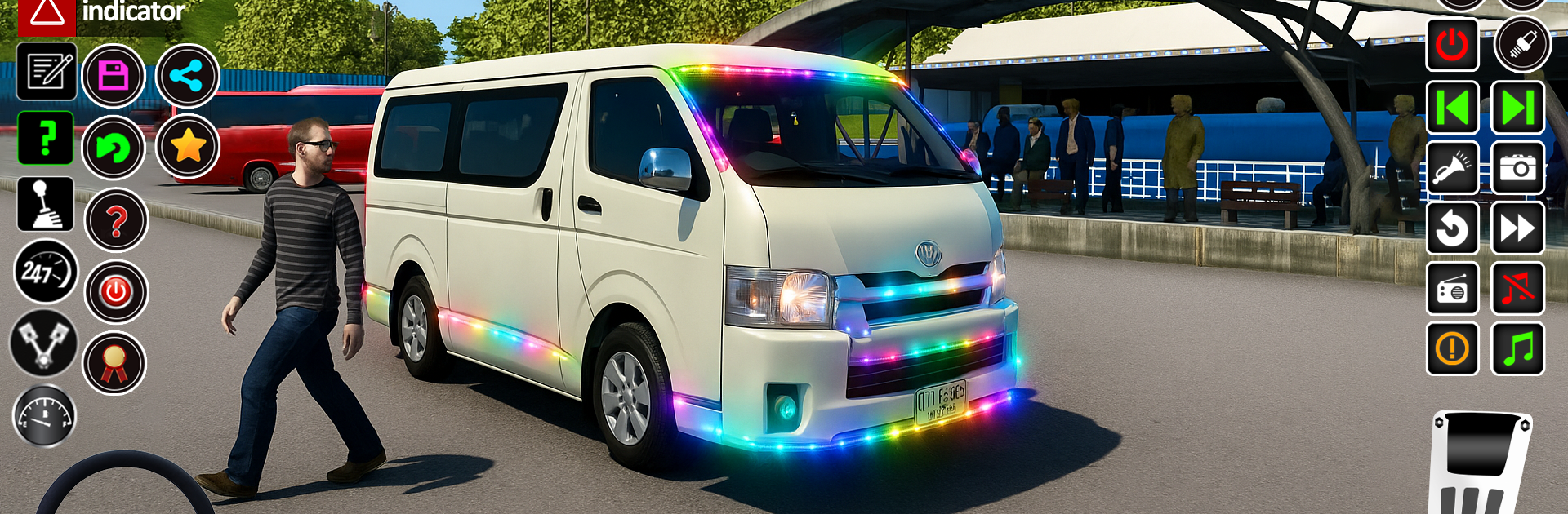
Van Driving Offroad Game 3D drops you into the driver’s seat of a rugged van and points you toward the wild stuff—mud, rocks, river crossings, and tight village roads. It’s about steady hands and smart choices, not just flooring it. From gameview, this Strategy take on off-road driving asks you to think like a pro while keeping passengers comfortable and on time.

Game Features

  • Authentic Off-Road Handling: Feel the weight shift, fight for traction, and climb steep grades with physics that make every bump and rut matter.
  • Passenger Transport Challenges: You’re not just joyriding—deliver riders safely across rough country routes without rattling them to pieces.
  • Dynamic Weather & Conditions: Rain, mud, and changing light push you to adjust your line and speed on the fly.
  • Vans Old and New: Swap between classics that echo Van Simulator 2016 and sleek machines with a Van Simulator 2024 vibe, each with its own personality.
  • Rich Village Routes: Wind through fields, forests, and river crossings as you navigate narrow bridges and backroads that feel lived-in.
  • Strategy-Driven Driving: Pick smarter paths, manage momentum, and balance risk versus comfort—the heart of the Genre: Strategy angle.
  • Offline Play: Hop into missions anytime with Minibus Simulator Game Offline-style convenience.
  • Familiar Touchstones: Fans of Euro Van Driving Coach Game or an American van simulator feel will find the learning curve satisfying.
  • Real Van Game Simulator 3D Mode: Tackle tougher terrain and tighter timing for a no-nonsense skill check.
  • PC-Friendly Option: Prefer a bigger screen and keyboard controls? It runs smoothly on BlueStacks when you want that desktop feel.

Start your journey now. Download the game on BlueStacks, invite your friends, and march on a new adventure.


Game Features

Enhancements

  • Macros
  • Multi Instance
  • Multi Instance Sync
  • Eco Mode
  • Enhancements
Macros

Macros

Skip the boring parts of a game. Play Van Driving Offroad Game 3D with Macros and get the edge. Simply record a sequence of commands and execute them at any moment.
Multi Instance

Multi Instance

Why limit to one game on your phone when you can play many on your PC? Open multiple instances of Van Driving Offroad Game 3D at once with Multi-Instance. Leverage the power of different accounts by doing more.
Multi Instance Sync

Multi Instance Sync

Get the best out of Van Driving Offroad Game 3D with Multi-Instance Sync. Play the game from different accounts and build your own empire. Use Multi-instance sync to repeat the action in the main BlueStacks instance on all other instances.
Eco Mode

Eco Mode

Find the rarest heroes by making multiple summons in Van Driving Offroad Game 3D. And while you are at it, reduce your PC’s resource consumption with the Eco Mode. Farm efficiently. Get the best results.
Read More

How to Download and Play Van Driving Offroad Game 3D on PC or Mac

  • Download and install BlueStacks on your PC or Mac

  • Complete Google sign-in to access the Play Store, or do it later

  • Look for Van Driving Offroad Game 3D in the search bar at the top right corner

  • Click to install Van Driving Offroad Game 3D from the search results

  • Complete Google sign-in (if you skipped step 2) to install Van Driving Offroad Game 3D

  • Click the Van Driving Offroad Game 3D icon on the home screen to start playing

video
Watch Video

Minimum System Requirements

With BlueStacks 5, you can get started on a PC that fulfills the following requirements.

  • Operating System

    Microsoft Windows 7 or above, macOS 11 (Big Sur) or above

  • Processor

    Intel, AMD or Apple Silicon Processor

  • RAM

    at least 4GB

  • HDD

    10GB Free Disk Space

Note:

* You must be an Administrator on your PC. Up to date graphics drivers from Microsoft or the chipset vendor.

Van Driving Offroad Game 3D - FAQs

  • How to play Van Driving Offroad Game 3D on Windows PC & Mac?

    Play Van Driving Offroad Game 3D on your PC or Mac by following these simple steps.

    • Click on 'Play Van Driving Offroad Game 3D on PC’ to download BlueStacks
    • Install it and log-in to Google Play Store
    • Launch and play the game.
  • Why is BlueStacks the fastest and safest platform to play games on PC?

    BlueStacks respects your privacy and is always safe and secure to use. It does not carry any malware, spyware, or any sort of additional software that could harm your PC.

    It is engineered to optimize speed and performance for a seamless gaming experience.

  • What are Van Driving Offroad Game 3D PC requirements?

    Minimum requirement to run Van Driving Offroad Game 3D on your PC

    • OS: Microsoft Windows 7 or above MacOS 11 (Big Sur) or above
    • Processor: Intel, AMD or Apple Silicon Processor
    • RAM: Your PC must have at least 4GB of RAM. (Note that having 4GB or more disk space is not a substitute for RAM)
    • HDD: 10GB Free Disk Space.
    • You must be an Administrator on your PC.